Lab 2: Compute & Containers
Is lab mein tum AWS pe code chalane ke saare bade tareeke khud chala ke dekhoge. Pehle EC2 server ko console, CLI aur user-data se launch karoge, phir Auto Scaling se ek aisa group banaoge jo khud ko theek kar leta hai, aur Spot instances ka asli discount aur interruption dekhoge. Uske baad event-driven Lambda function likhoge, ek Flask app ko Docker container mein pack karke ECR aur ECS Fargate pe chalaoge, aur (optional) wahi container Kubernetes (EKS) pe bhi chalaoge. Ant mein Elastic Beanstalk aur AWS Batch se compute ke do aur tareeke dekhoge. Lab khatam hone tak tum kisi bhi use-case ke liye sahi compute service chun paoge aur apni choice ko samjha bhi paoge.
- Setup
- EC2 deep-dive: key pair, SSH, user-data, instance lifecycle
- EC2 via AWS CLI
- Launch Template + Auto Scaling Group + Spot (launch + interruption)
- Lambda: S3-triggered function, logs, cold starts
- Docker: Flask app ko containerize karo
- ECR + ECS Fargate: container ko cloud pe chalao
- (Optional) EKS: same container Kubernetes pe
- Elastic Beanstalk: PaaS deploy
- AWS Batch: array jobs on Fargate Spot
- Decision tree, Break & Fix, Challenge, Cleanup
0 Setup
export AWS_DEFAULT_REGION=us-east-1
export ACCOUNT_ID=$(aws sts get-caller-identity --query Account --output text)
export TYPE=t3.micro          # purane account mein free-tier ke liye t2.micro
mkdir -p ~/deepdive/lab2 && cd ~/deepdive/lab2
Is lab ke Docker wale hisson ke liye tumhe Docker Desktop chahiye. Use docker.com se install karo, aur phir docker version chala ke check karo ki Docker ka background service (daemon) chal raha hai.
A EC2 deep-dive: key pair, SSH, user-data, instance lifecycle
Is step mein tum SSH ke liye deepdive-key naam ka key pair banaoge, aur deepdive-web-sg naam ka security group banaoge jo SSH sirf tumhare IP se aur HTTP sabki taraf se allow karega.
Key pair mein do chaabiyan hoti hain. Public key AWS instance ke andar rakh deta hai, aur private key (.pem file) sirf tumhare paas rehti hai. AWS tumhari private key ki koi copy nahi rakhta, isliye agar woh kho gayi toh tum us instance mein SSH se kabhi nahi ja paoge. Security group instance ke bahar laga hua ek stateful firewall hai. Isme sirf allow rules likhe ja sakte hain, deny rules nahi. "Stateful" ka matlab hai ki jo request andar aayi, uska jawab apne aap bahar jaane diya jaata hai; uske liye alag rule nahi likhna padta.
- EC2 console mein Key Pairs → Create key pair kholo. Naam
deepdive-keyrakho, type RSA aur format.pemchuno, aur Create dabao. Private key ki file tumhare computer pe download ho jaayegi. - Terminal mein
mv ~/Downloads/deepdive-key.pem ~/.ssh/ && chmod 400 ~/.ssh/deepdive-key.pemchalao.chmod 400isliye zaroori hai kyunki SSH aisi key ko use karne se mana kar deta hai jise koi bhi padh sakta ho. - EC2 console mein Security Groups → Create kholo. Naam
deepdive-web-sgrakho aur default VPC chuno. Inbound rules mein ek SSH rule jodo jiska source My IP ho, aur ek HTTP rule jodo jiska source Anywhere-IPv4 ho. Phir Create dabao.
ls -l ~/.ssh/deepdive-key.pemchalane pe permission-r--------dikh rahi hai.- Security group mein port 22 sirf
x.x.x.x/32(yaani tumhare IP) se khula hai, aur port 800.0.0.0/0se.
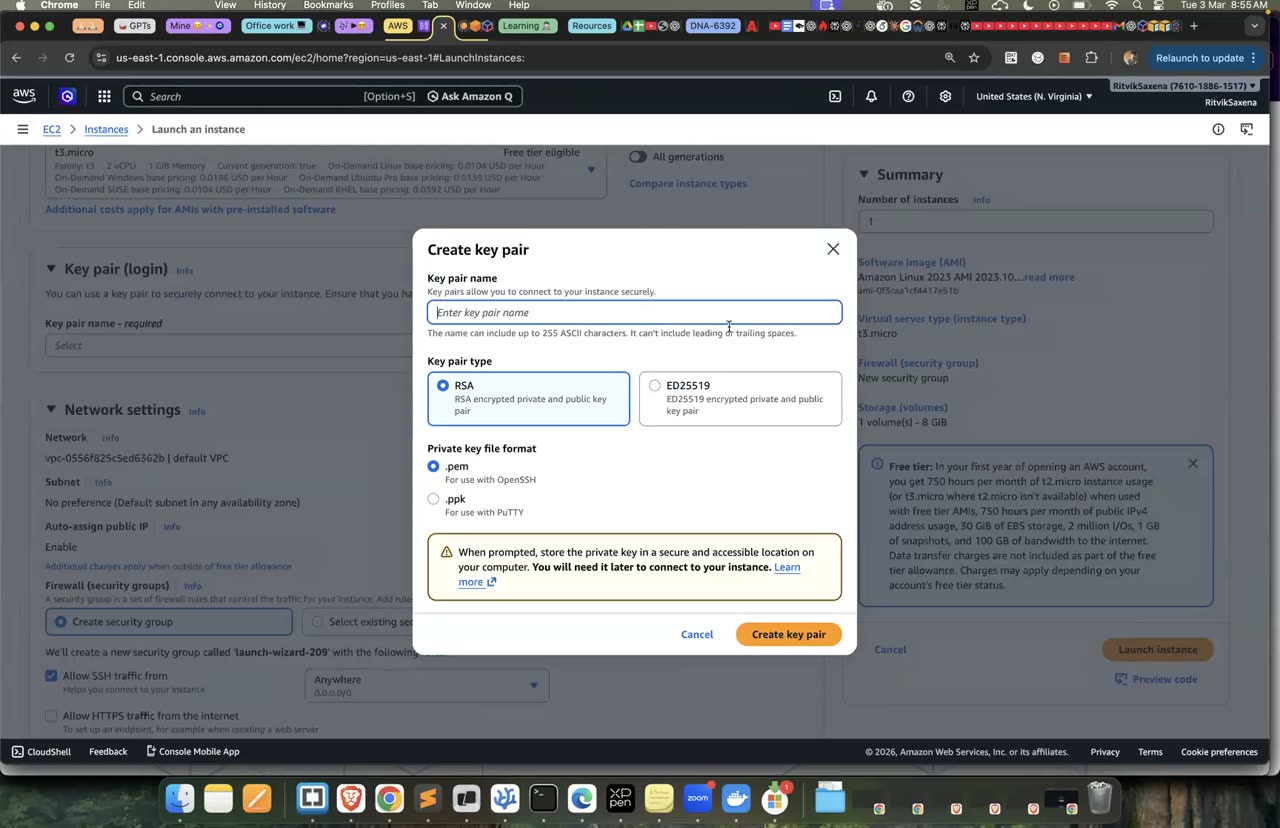
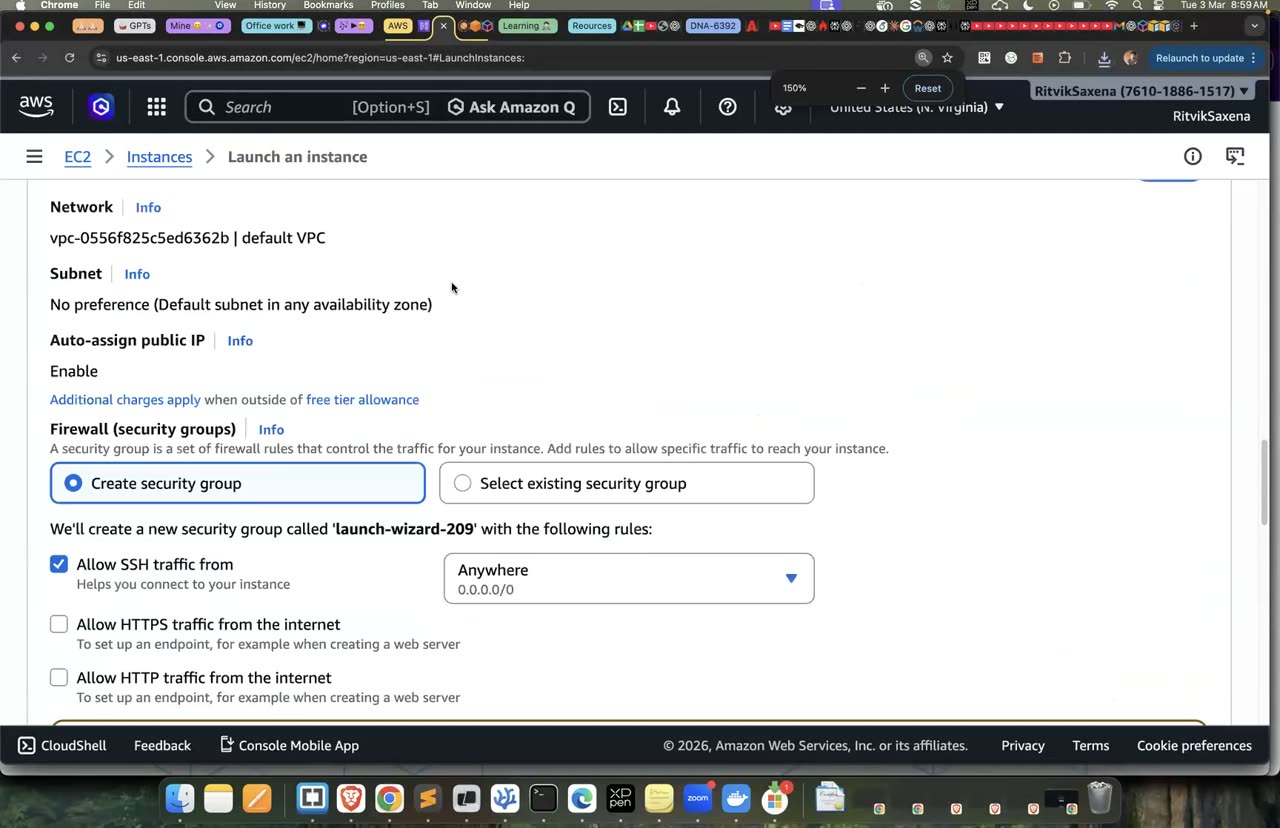
Key pair aur security-group creation ka wahi console.
Is step mein tum ek Amazon Linux 2023 instance launch karoge jo boot hote hi nginx install karega aur ek aisa web page dikhayega jisme uska instance ID aur Availability Zone likha ho.
User-data ek script hai jo instance ke pehle boot pe root user ke roop mein chalti hai; isko cloud-init naam ka tool chalata hai. User-data ki madad se servers "self-configuring" ban jaate hain. Jab Auto Scaling naye instances banata hai, toh har naya instance apne aap ready ho jaata hai aur kisi ko manually SSH karke setup nahi karna padta.
Pehle neeche wali script ko ek file mein save karo. Yahi file Part B aur Part C mein bhi kaam aayegi.
cat > userdata.sh <<'EOF'
#!/bin/bash
dnf install -y nginx
TOKEN=$(curl -s -X PUT "http://169.254.169.254/latest/api/token" -H "X-aws-ec2-metadata-token-ttl-seconds: 300")
IID=$(curl -s -H "X-aws-ec2-metadata-token: $TOKEN" http://169.254.169.254/latest/meta-data/instance-id)
AZ=$(curl -s -H "X-aws-ec2-metadata-token: $TOKEN" http://169.254.169.254/latest/meta-data/placement/availability-zone)
cat > /usr/share/nginx/html/index.html <<HTML
<h1>DEEPDIVE web server</h1>
<p>Instance: $IID</p>
<p>AZ: $AZ</p>
HTML
systemctl enable --now nginx
EOF
cat userdata.sh- EC2 console mein Launch instances dabao. Naam
deepdive-consolerakho, Amazon Linux 2023 AMI chuno, free-tier eligible instance type chuno aur key pair meindeepdive-keyselect karo. Network settings mein default VPC rehne do, public IP enable rakho, aur Select existing security group chun kedeepdive-web-sgselect karo. - Storage ko default (8 GiB gp3) hi rehne do.
- Advanced details kholo, User data wale box mein
userdata.shka poora content paste karo aur Launch dabao. - Do minute baad browser mein
http://<Public-IPv4>kholo, jahan Public-IPv4 ki jagah instance ka public IP daalo.
- Browser mein "DEEPDIVE web server" ke saath instance ID aur AZ dikh raha hai.
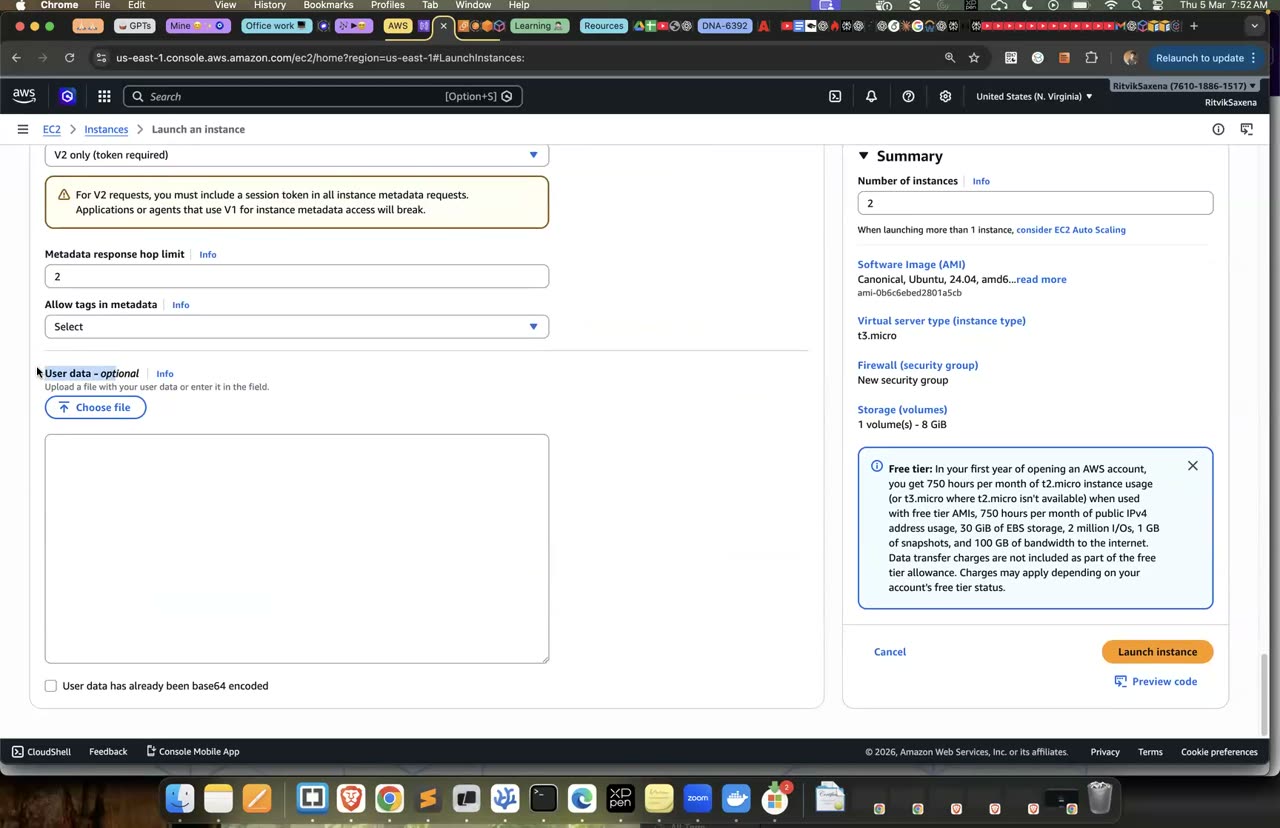
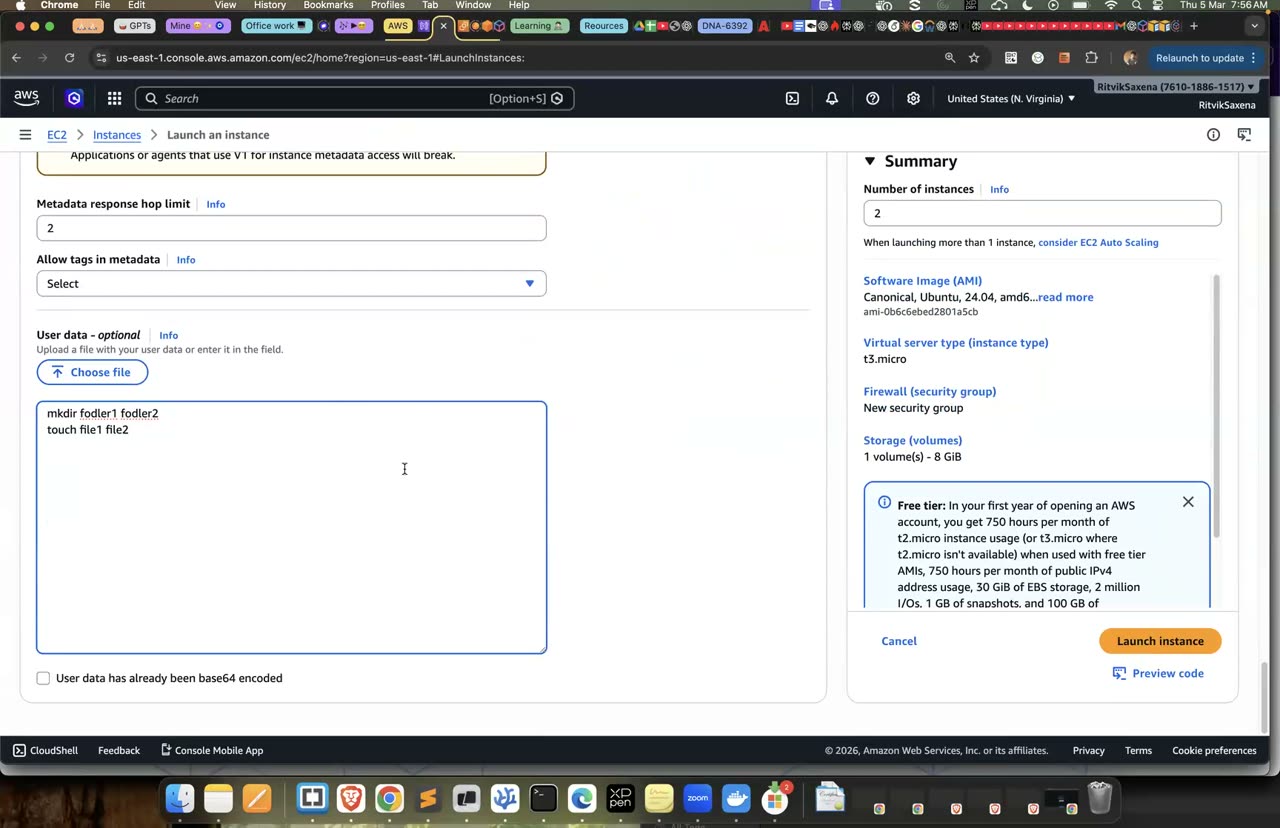
User data box — tumhara script nginx install karega, is screenshot mein mkdir/touch hai.
Apne laptop ke terminal se instance mein SSH karo. PUBLIC_IP ki jagah instance ka public IP daalo:
ssh -i ~/.ssh/deepdive-key.pem ec2-user@<PUBLIC_IP>Instance ke andar pahunch ke yeh commands chalao, aur har command ka output padh ke samjho ki woh kya bata raha hai:
hostname                       # private DNS name: ip-172-31-x-x.ec2.internal
nproc; free -h                 # vCPU aur RAM — instance type ke hisaab se
lsblk; df -h /                 # root EBS volume (nvme0n1) — Lab 3 mein detail
systemctl status nginx --no-pager
sudo tail -20 /var/log/cloud-init-output.log   # user-data ka output yahan milta hai
curl -s localhost
exitt3.micro jaise naam ke teen hisse hote hain: family t (burstable general purpose), generation 3, aur size micro. Isi tarah m7g.large mein m balanced family hai, 7 seventh generation hai, aur g ka matlab hai Graviton, yaani AWS ka apna ARM processor, jo lagbhag 20% sasta padta hai. Families ka matlab yeh hai: t aur m general purpose ke liye, c CPU-heavy kaam ke liye, r aur x zyada memory wale kaam ke liye, i aur d zyada storage wale kaam ke liye, p GPU training ke liye, g GPU inference aur graphics ke liye, aur inf/trn AWS ke apne Inferentia aur Trainium AI chips ke liye. t family CPU credits pe chalti hai: jab server khaali baitha hota hai toh credits jama hote hain, aur load aane pe unhe kharch karke CPU tez chalta hai. Isliye jis kaam mein CPU lagataar 100% pe chalna ho, uske liye t family galat choice hai.
- SSH se login ho gaya.
cloud-init-output.logmein nginx install hone ka output dikha.- Tum samjha sakte ho ki user-data dobara reboot karne pe kyun nahi chalta. (Kyunki woh sirf pehle boot pe chalta hai.)
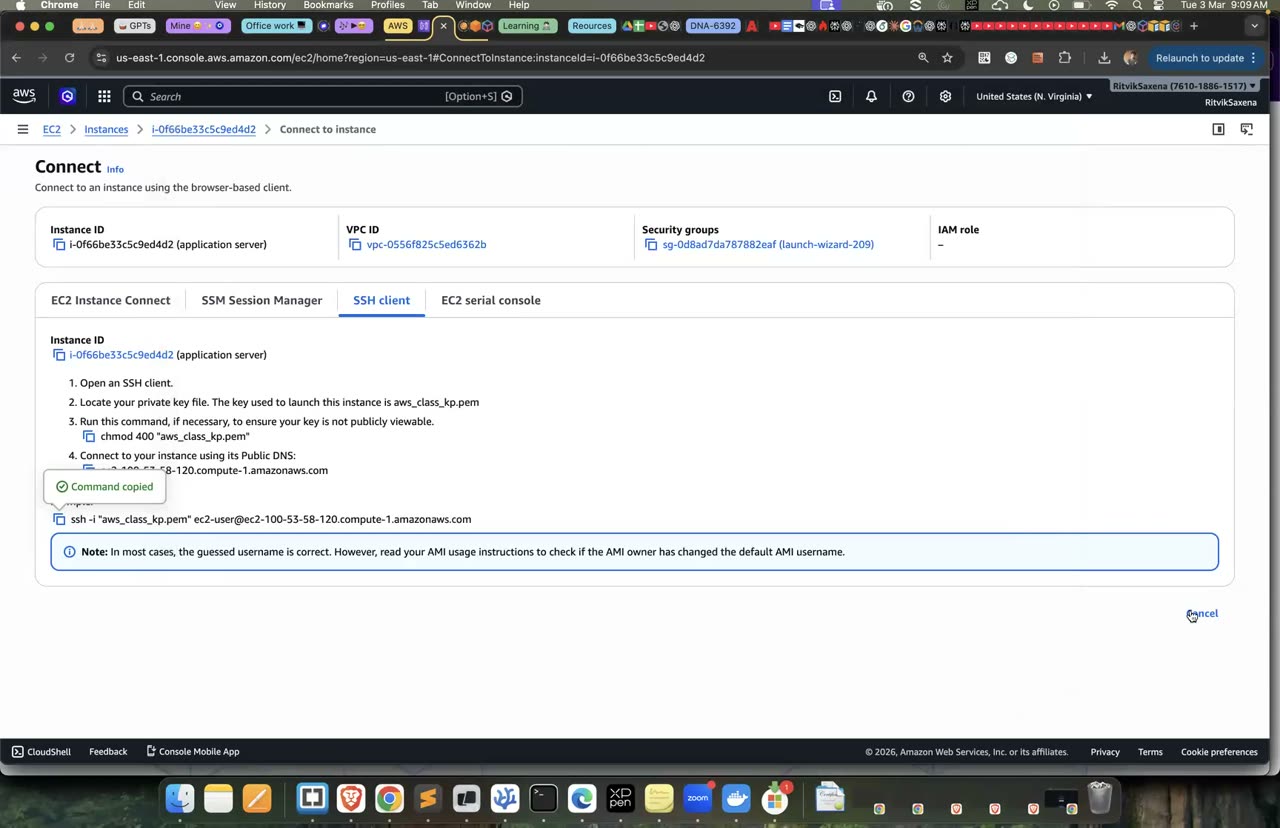
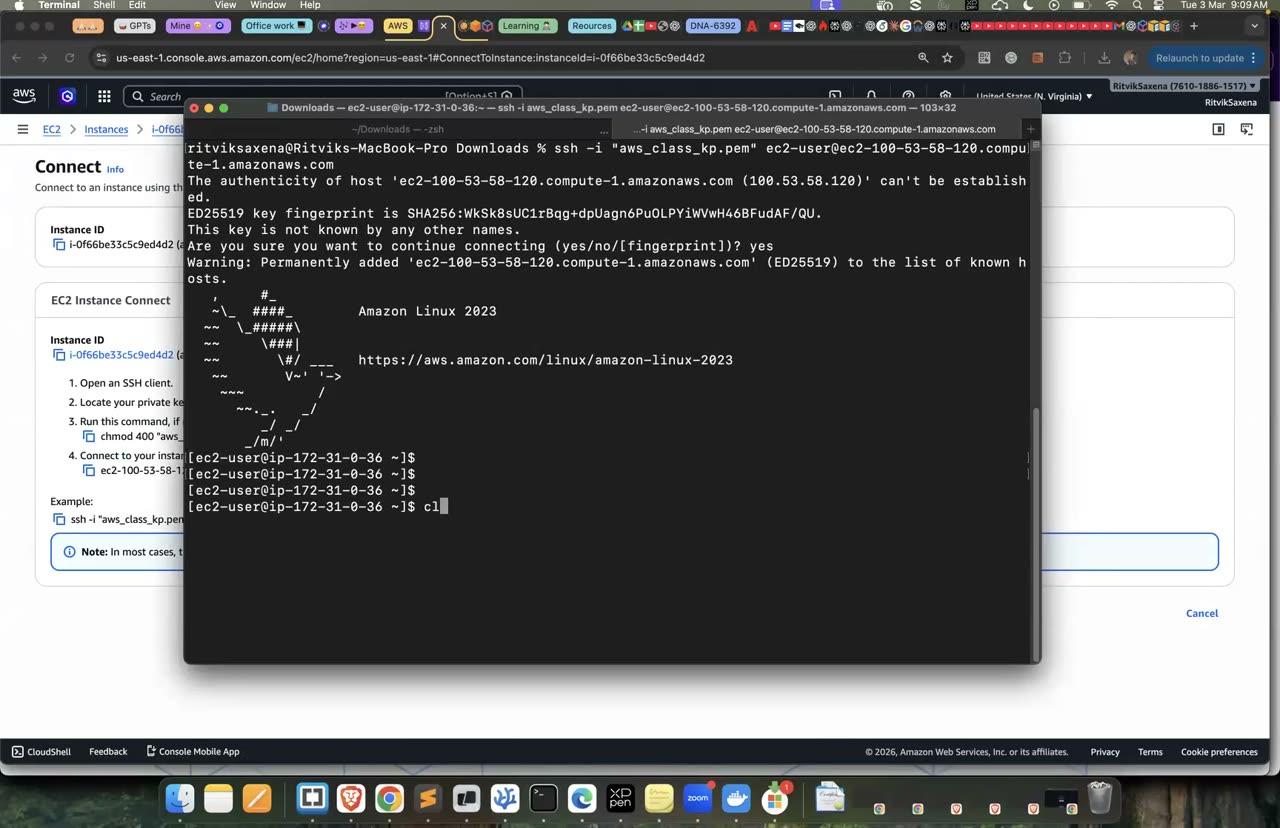
SSH client tab aur terminal se connect hone ka wahi tareeka.
Is step mein tum instance ko stop karke dobara start karoge aur dekhoge ki uske IP addresses ke saath kya hota hai.
- Pehle instance ka Public IP aur Private IP note kar lo. Phir Instance state → Stop dabao, state "Stopped" hone tak ruko, aur phir Start dabao.
- Naya public IP note karo aur browser mein us naye IP pe page kholo.
| Action | Public IP | Private IP | EBS data | Billing |
|---|---|---|---|---|
| Reboot | Wahi rehta hai | Wahi rehta hai | Safe rehta hai | Chalta rehta hai |
| Stop → Start | Badal jaata hai | Wahi rehta hai | Safe rehta hai | Stopped rehne tak compute ka charge band, lekin EBS storage ka charge chalta rehta hai |
| Terminate | Chala jaata hai | Chala jaata hai | Root volume delete ho jaata hai (DeleteOnTermination=true) | Band |
Agar tumhe aisa public IP chahiye jo kabhi na badle, toh uske liye Elastic IP hota hai. Lekin dhyan rakho ki 2024 se AWS har public IPv4 address ka lagbhag $0.005 per ghanta charge karta hai (free tier mein 750 ghante muft milte hain). Production mein fixed IP ki jagah aam taur pe Load Balancer aur DNS ka use hota hai, jo tum Lab 4 mein dekhoge.
- Stop aur start ke baad public IP badal gaya, jabki private IP wahi raha.
- Page naye IP pe bhi chal raha hai, kyunki nginx aur index.html disk pe safe the.
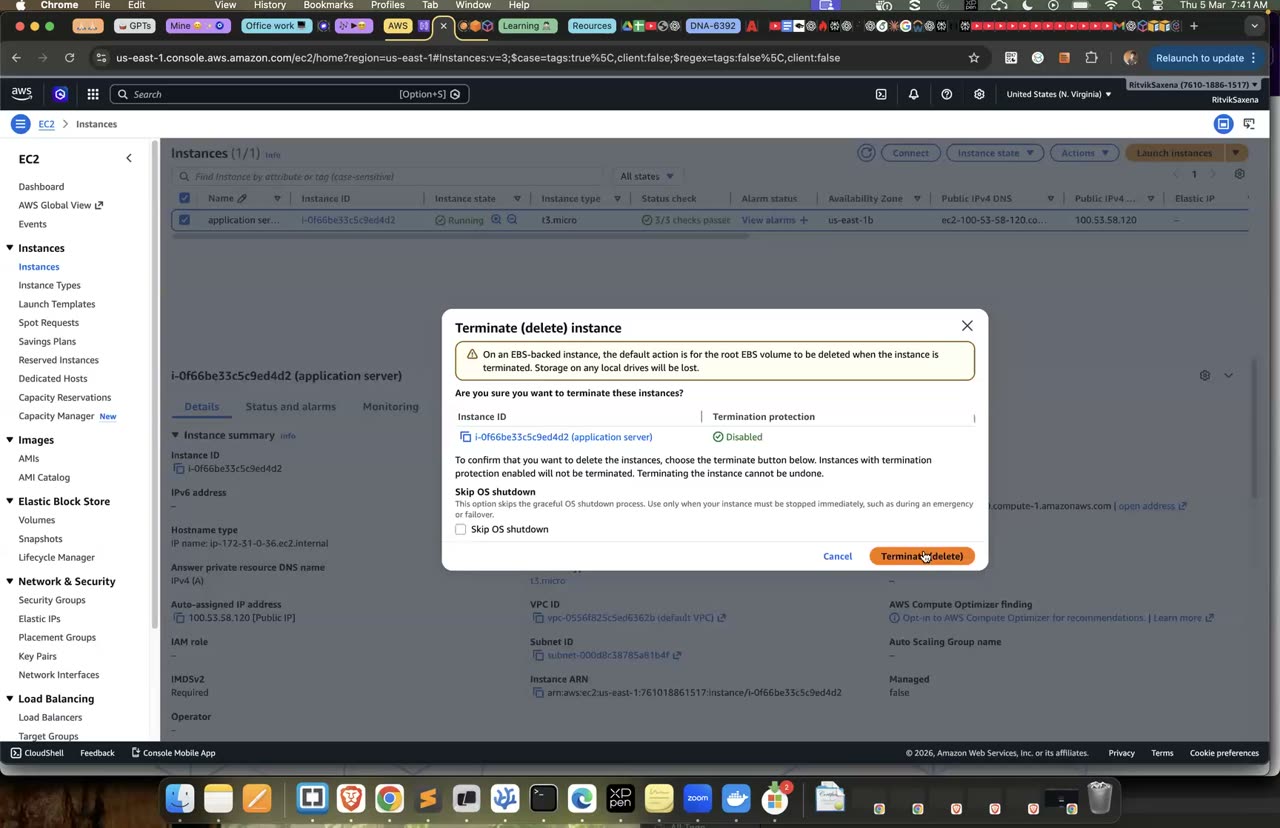
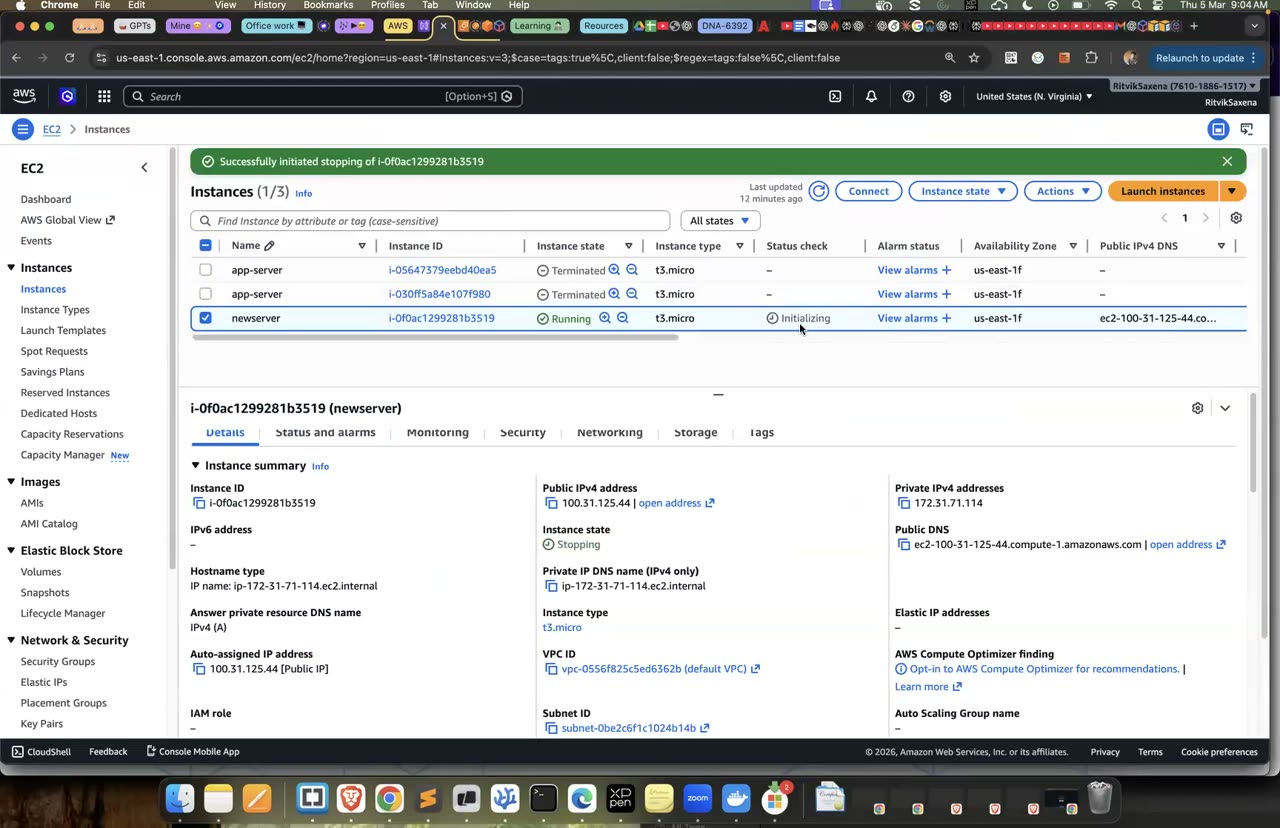
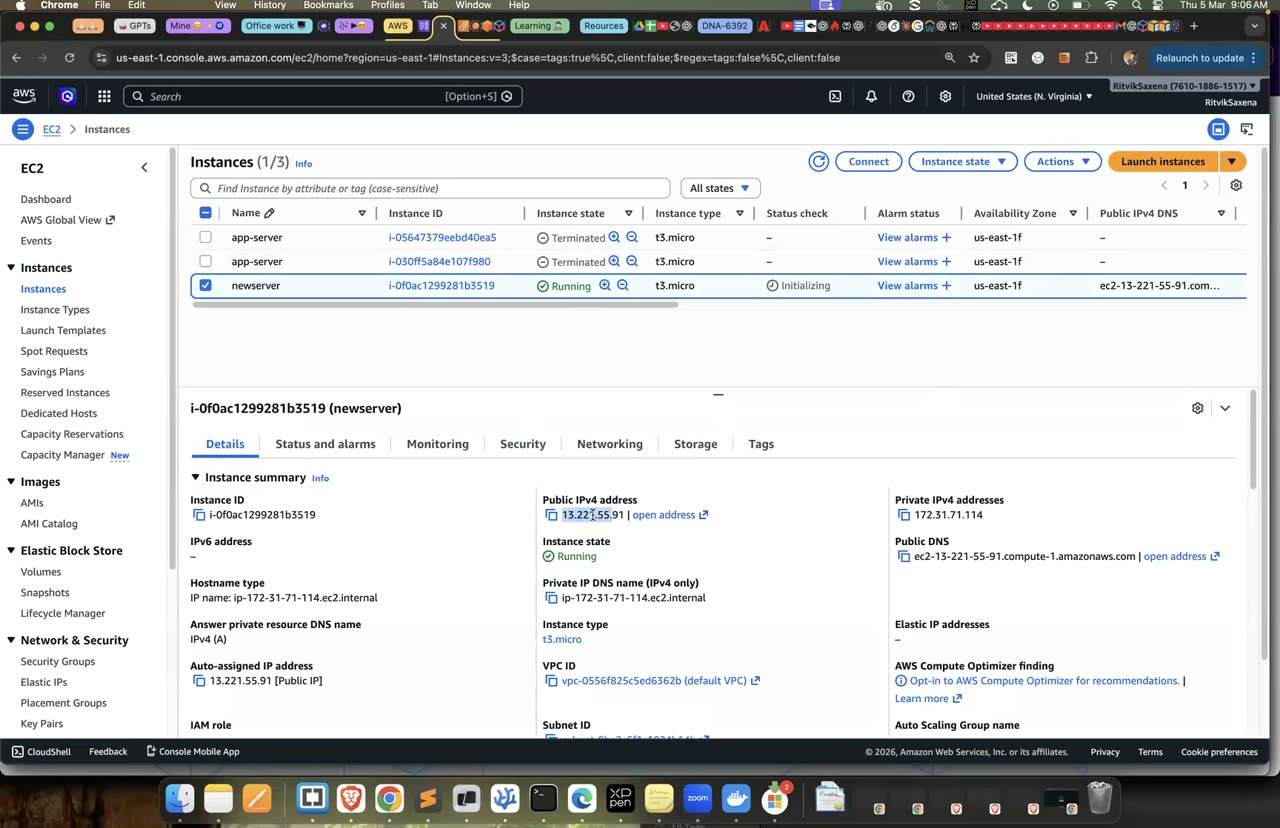
Terminate / stop dialogs — stop karne pe public IP badalta hai, yahi is step ka point hai.
B EC2 via AWS CLI
Is step mein tum console khole bina, sirf CLI se, bilkul wahi configuration wala instance launch karoge.
AMI ID har region mein alag hota hai, aur Amazon Linux ki nayi image lagbhag har mahine aati hai, isliye kisi AMI ID ko script mein hardcode kar dena galat hai. AWS latest Amazon Linux AMI ka ID ek public SSM parameter mein rakhta hai, jahan se tum hamesha sahi ID le sakte ho. Yahi tareeka CloudFormation aur CDK mein bhi use hota hai.
AMI_ID=$(aws ssm get-parameter \
  --name /aws/service/ami-amazon-linux-latest/al2023-ami-kernel-default-x86_64 \
  --query Parameter.Value --output text)
SG_ID=$(aws ec2 describe-security-groups --group-names deepdive-web-sg \
  --query 'SecurityGroups[0].GroupId' --output text)
echo $AMI_ID $SG_ID

IID=$(aws ec2 run-instances \
  --image-id $AMI_ID --instance-type $TYPE \
  --key-name deepdive-key --security-group-ids $SG_ID \
  --user-data file://userdata.sh \
  --tag-specifications 'ResourceType=instance,Tags=[{Key=Name,Value=deepdive-cli},{Key=Project,Value=deepdive}]' \
  --query 'Instances[0].InstanceId' --output text)
echo $IID

aws ec2 wait instance-running --instance-ids $IID
aws ec2 describe-instances --instance-ids $IID \
  --query 'Reservations[0].Instances[0].[State.Name,InstanceType,Placement.AvailabilityZone,PublicIpAddress]' \
  --output table
Kuch cheezein dhyan dene layak hain. Humne --subnet-id nahi diya, isliye AWS ne default VPC ka default subnet use kiya. --query option JMESPath language use karta hai, jisse bade JSON response mein se sirf kaam ki cheezein nikaali jaati hain; yeh har DevOps script mein aata hai. Aur file://userdata.sh dene pe CLI user-data ko khud base64 mein badal deta hai, jaisa EC2 ko chahiye.
- Table mein instance ka state
runningaur uska public IP dikh raha hai. - Ek-do minute baad
curl http://PUBLIC_IPchalane pe DEEPDIVE page aa raha hai.
Tags ka asli fayda tab dikhta hai jab bahut saare resources hon. Neeche wali command sirf woh running instances dikhati hai jin pe Project=deepdive tag laga hai, aur phir CLI wale instance ko terminate kar deti hai:
# Project=deepdive wale saare running instances
aws ec2 describe-instances \
  --filters Name=tag:Project,Values=deepdive Name=instance-state-name,Values=running \
  --query 'Reservations[].Instances[].[InstanceId,Tags[?Key==`Name`]|[0].Value,PublicIpAddress]' \
  --output table

aws ec2 terminate-instances --instance-ids $IID- Filter ne sirf tag wale instances dikhaye.
- CLI se banaya gaya instance terminate ho gaya.
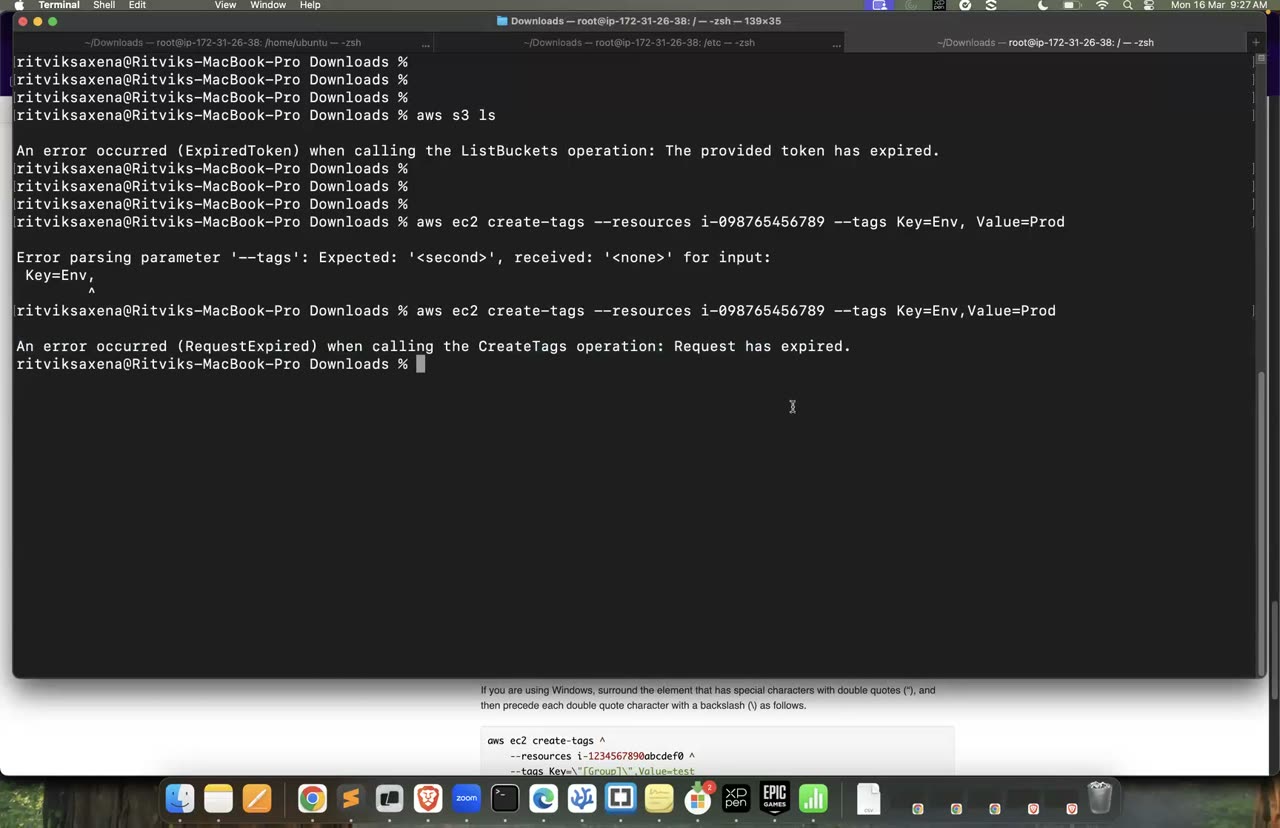
AWS CLI se tags lagane ka wahi command pattern (yahan create-tags hai).
C Launch Template + Auto Scaling Group + Spot pricing
Is step mein tum ek launch template banaoge, jo ek naye instance ka reusable blueprint hai. Isme AMI, instance type, security group, key pair, user-data aur IAM role, sab ek jagah save rehte hain.
Auto Scaling group ko jab bhi naya instance banana hota hai, toh use launch template se hi pata chalta hai ki instance kaisa banana hai. Launch templates ke versions bhi hote hain. Agar nayi AMI aaye toh tum version 2 bana sakte ho, aur agar kuch gadbad ho toh wapas version 1 pe ja sakte ho.
- EC2 console mein Launch Templates → Create launch template kholo. Naam
deepdive-web-ltrakho aur "Auto Scaling guidance" pe tick lagao. - AMI mein Amazon Linux 2023, instance type mein free-tier type, key pair mein
deepdive-keyaur security group meindeepdive-web-sgchuno. Subnet mat chuno, kyunki woh Auto Scaling group khud chunega. - Advanced details mein IAM instance profile
deepdive-ec2-rolechuno, User data meinuserdata.shka content paste karo aur Create dabao.
- Launch template ka version 1 ban gaya hai.
Is step mein tum deepdive-web-asg naam ka Auto Scaling group banaoge, jisme kam se kam 1, normally 2 aur zyada se zyada 3 instances honge. Yeh do AZs mein phaile honge aur CPU ke hisaab se scale karenge.
Auto Scaling group teen kaam karta hai. Pehla, self-healing: agar koi instance mar jaaye toh woh naya bana deta hai. Doosra, scaling: load badhne pe instances badhata hai aur load ghatne pe kam karta hai. Teesra, AZ balancing: woh instances ko alag-alag AZs mein baant ke rakhta hai, taaki ek AZ down ho jaaye tab bhi baaki instances chalte rahein.
- EC2 console mein Auto Scaling Groups → Create kholo. Naam
deepdive-web-asgrakho, templatedeepdive-web-lt(Latest version) chuno aur Next dabao. - Default VPC rehne do aur Availability Zones mein us-east-1a aur us-east-1b ke default subnets chuno, phir Next dabao.
- Load balancing mein No load balancer chuno (load balancer Lab 4 mein jodenge). Health checks ko EC2 rehne do aur Next dabao.
- Group size mein Desired 2, Min 1 aur Max 3 rakho. Scaling mein Target tracking scaling policy chuno, metric mein Average CPU utilization aur target value 50 daalo. Next dabao, tag
Project=deepdivejodo aur Create karo.
- Do naye instances launch hue hain aur woh alag-alag AZs mein hain. (Instances list mein AZ wala column dekho.)
- Dono instances ke public IP pe DEEPDIVE page alag-alag instance ID dikhata hai.
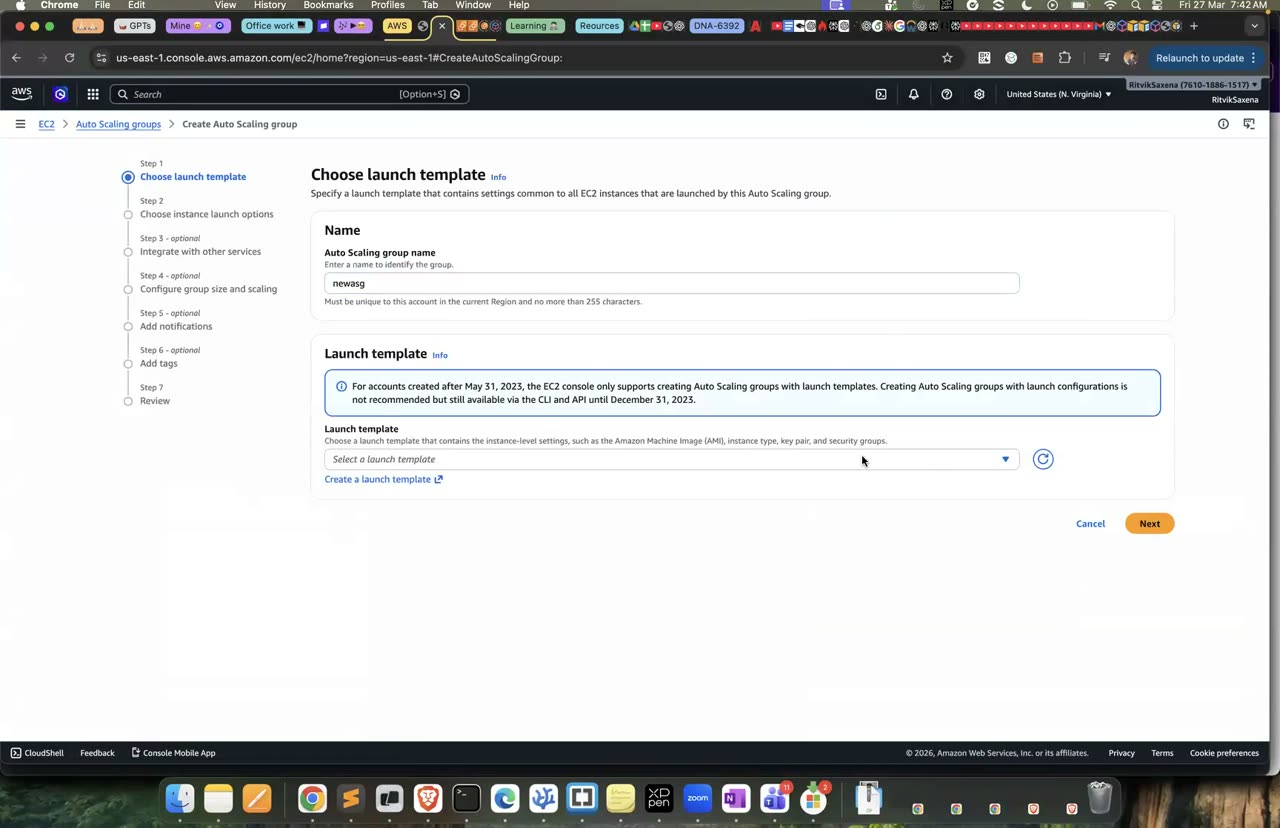
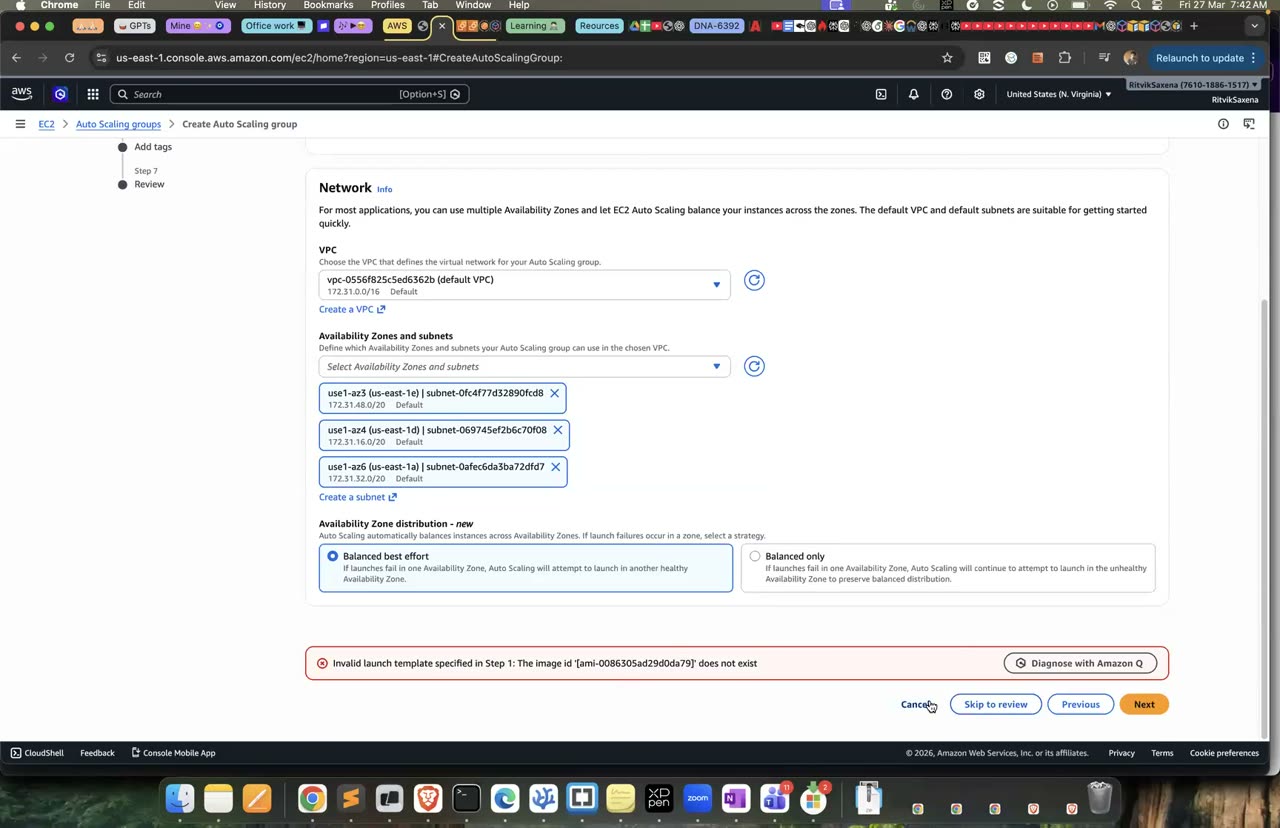
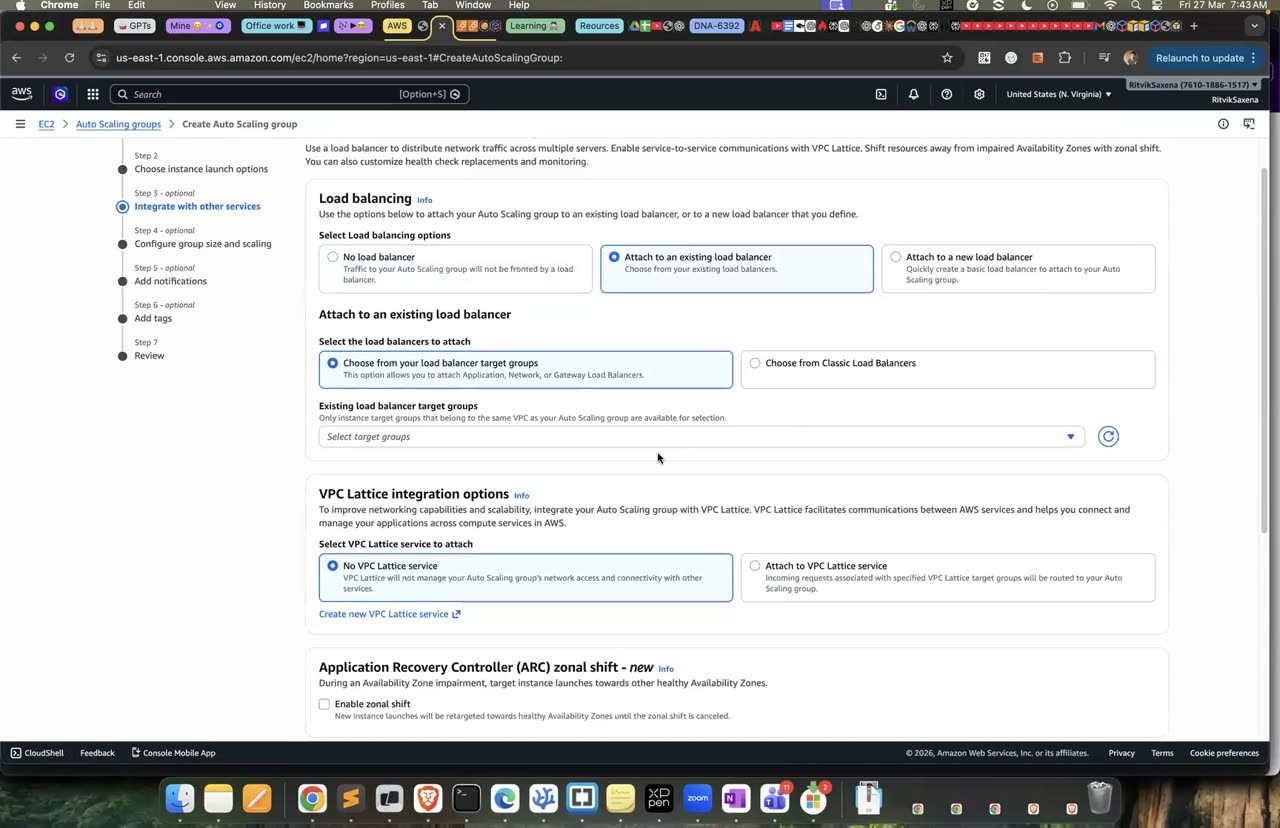
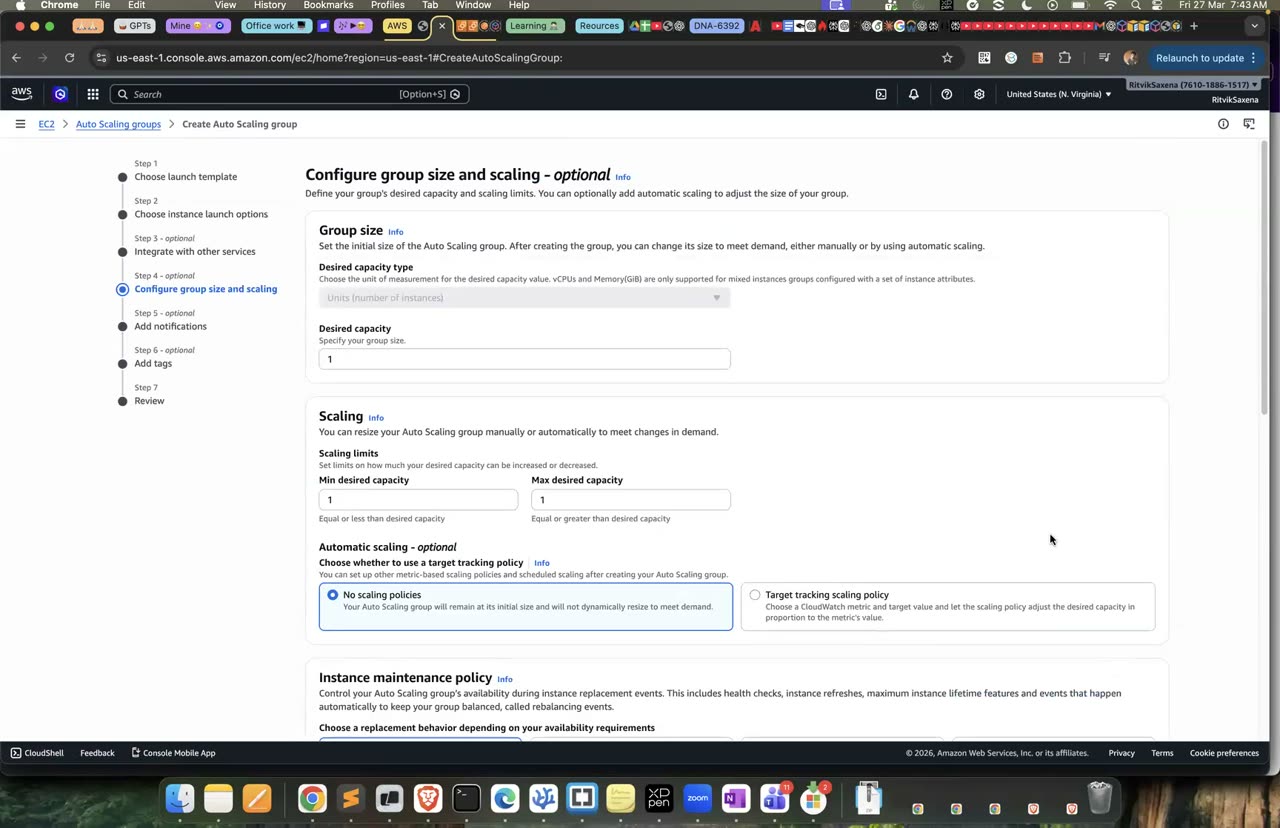
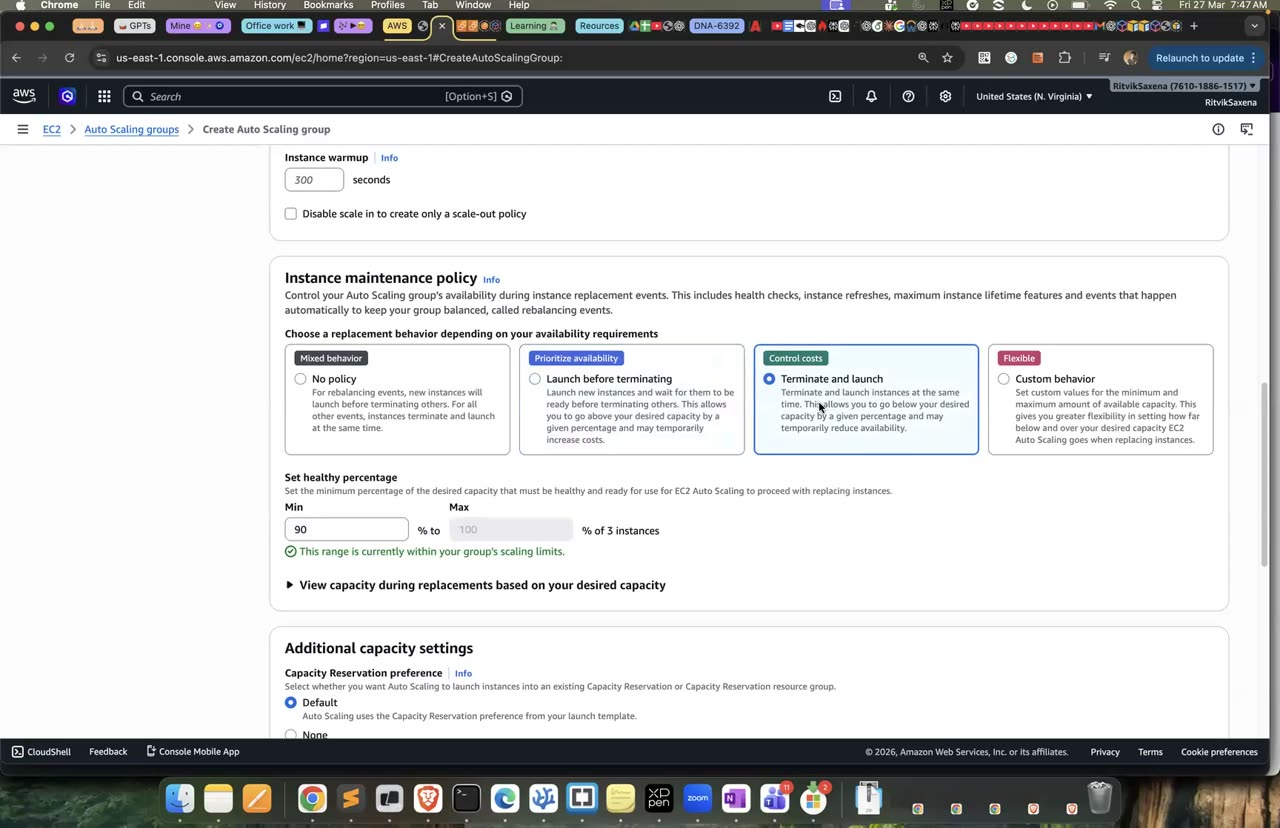
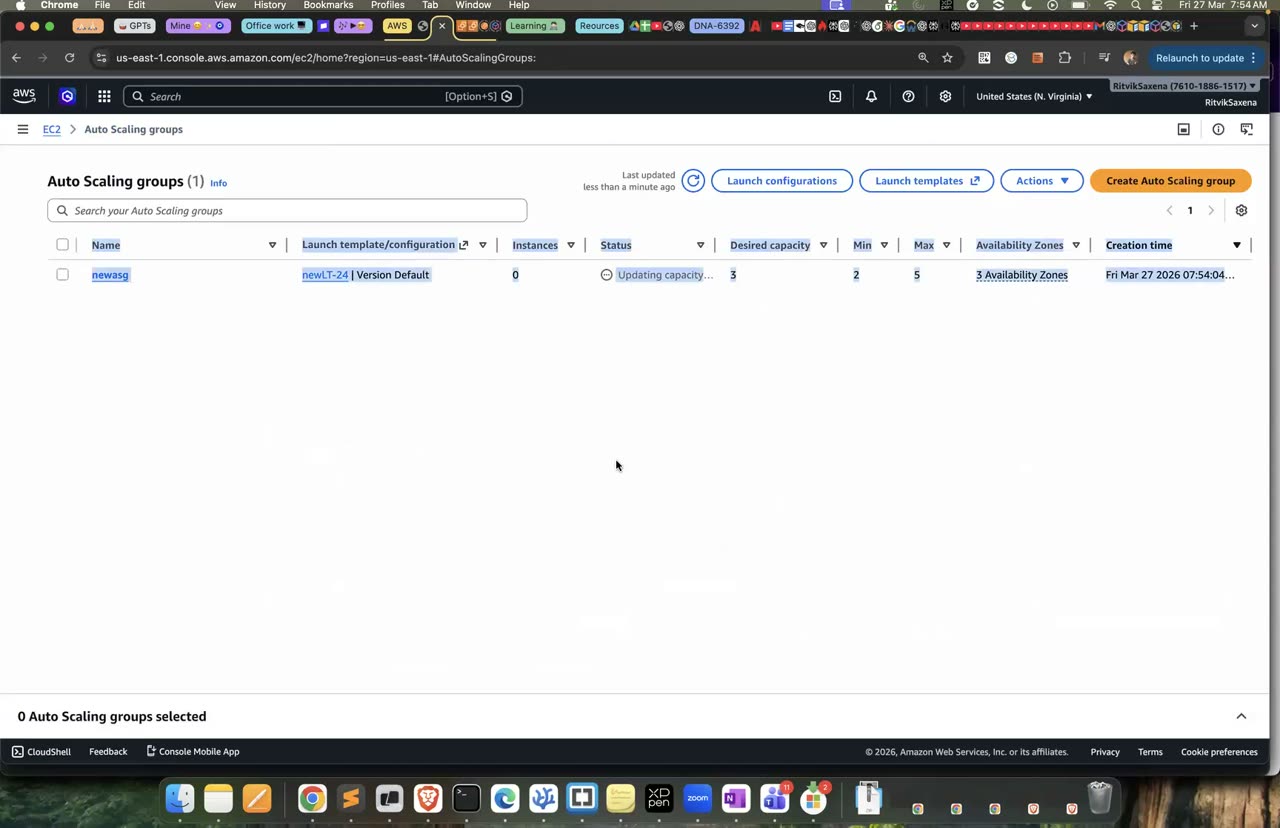
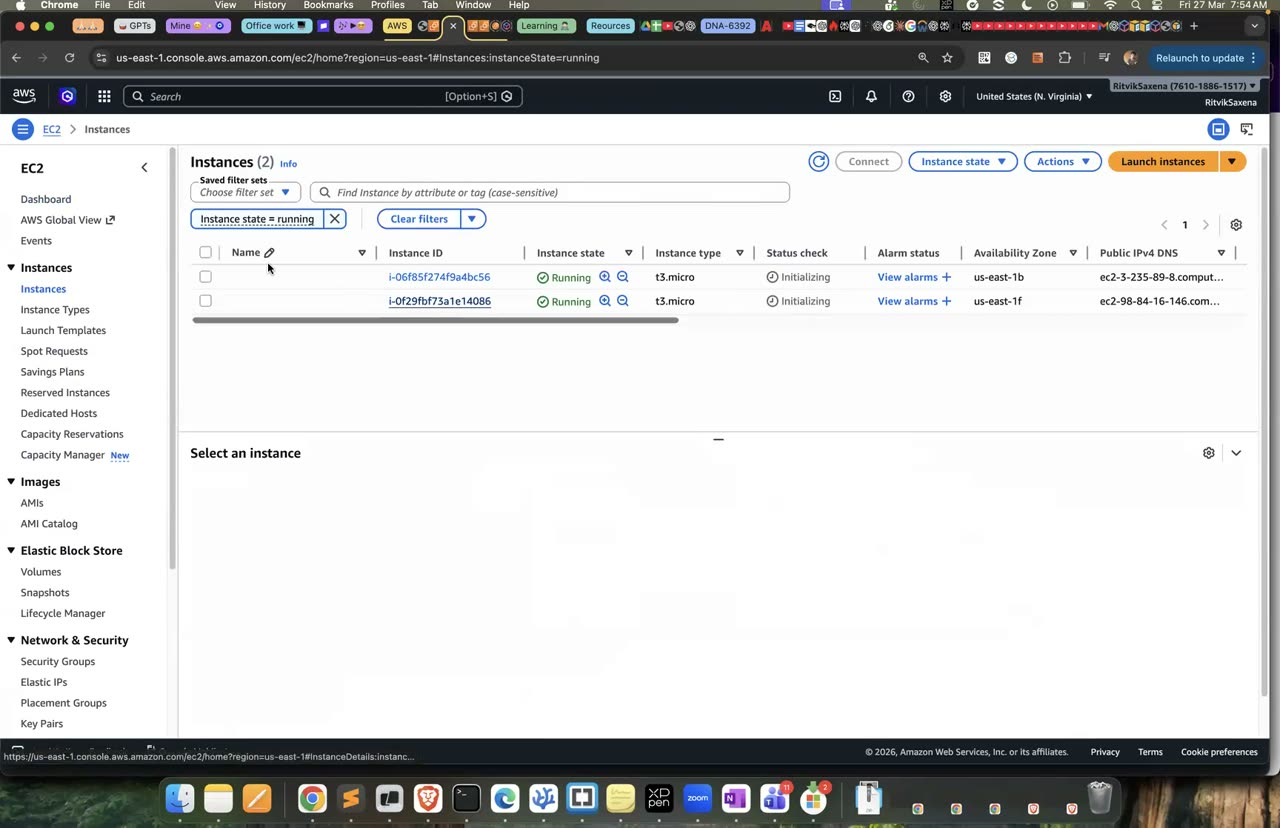
Poora Create Auto Scaling group wizard — yeh L11 (27 Mar) ka live demo hai, values tumhari alag hongi.
- Auto Scaling group ka ek instance select karo aur use Terminate kar do.
- Auto Scaling group ka Activity tab kholo. Ek-do minute mein pehle "Terminating..." aur phir "Launching a new EC2 instance..." wali entries dikhengi.
- Instance management tab mein dekho ki phir se do healthy instances chal rahe hain.
Real life mein bhi bilkul yahi hota hai jab kisi server ka hardware fail hota hai ya koi script galti se instance band kar deta hai. Isliye cloud mein servers ko "cattle, not pets" kaha jaata hai: koi ek server special nahi hota, sab ek hi template se bante hain, aur koi gir jaaye toh uski jagah naya aa jaata hai.
- Activity history mein naya replacement instance launch hota dikha.
- Tumhare kuch kiye bina desired count phir se 2 ho gaya.
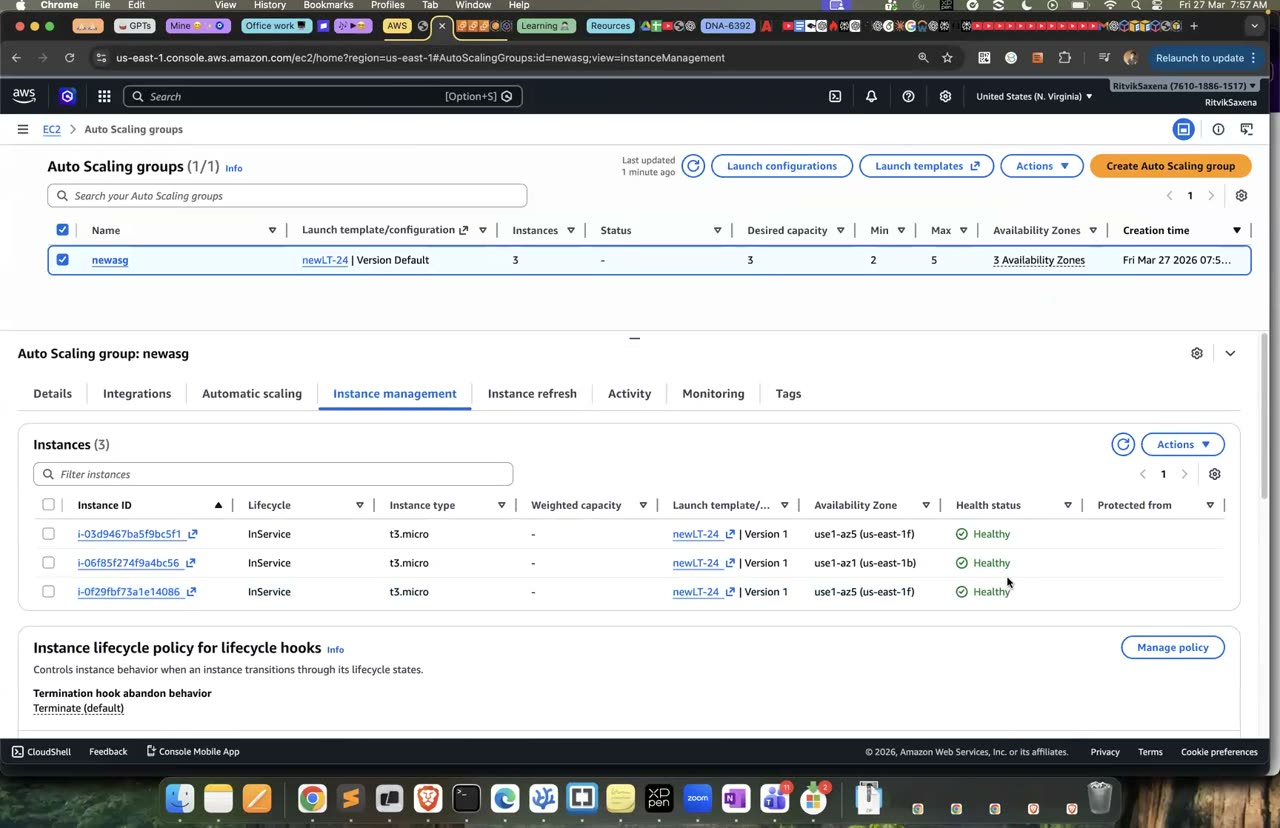
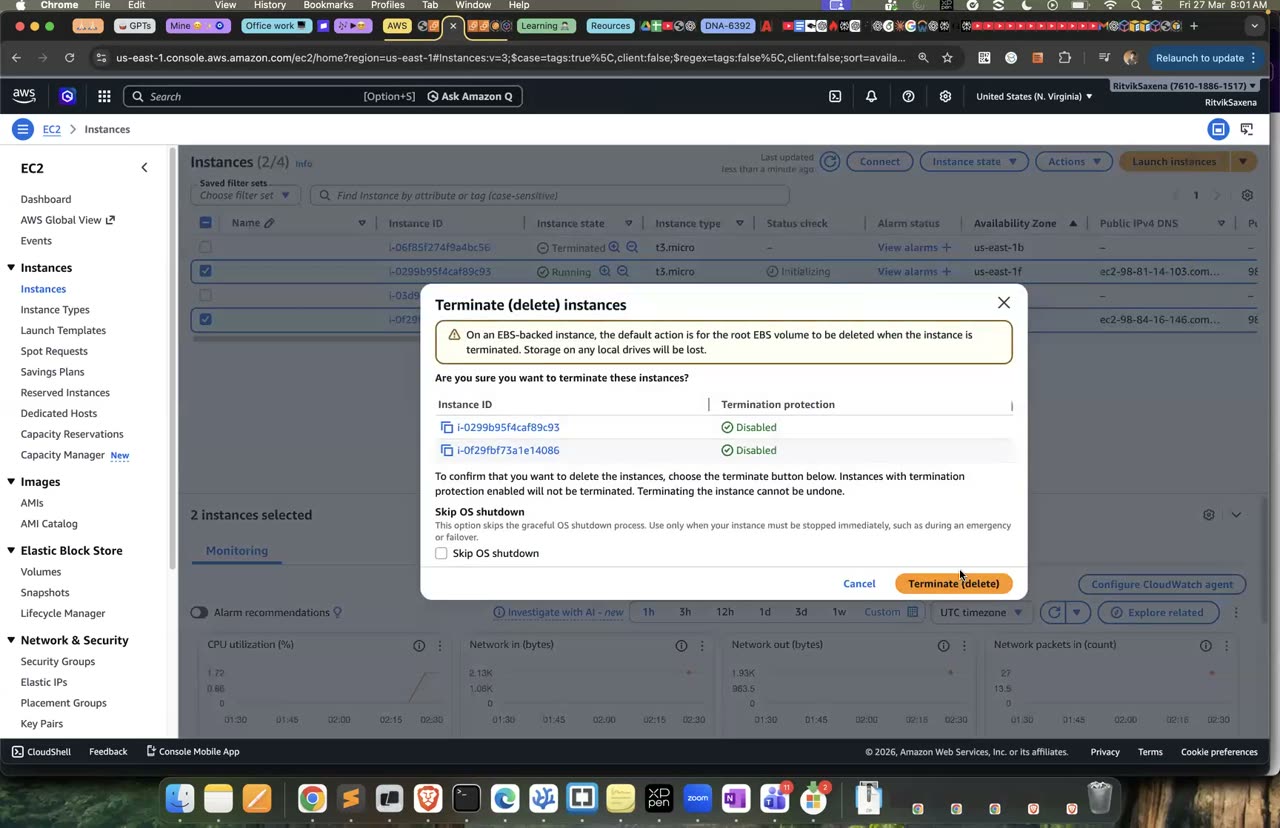
Self-healing: instance terminate karo, ASG turant naya launch karta hai — yahi is step ka core hai.
Is step mein tum Spot instances ki pichhli keemat nikaloge aur use On-Demand keemat se compare karoge.
Spot instances AWS ki khaali padi capacity hoti hain, jo 60–90% discount pe milti hain. Iski shart yeh hai ki AWS jab chahe do minute ke notice pe woh capacity wapas le sakta hai. Isliye Spot batch jobs, CI runners aur aise workers ke liye perfect hai jinka state kahin aur save hota hai, lekin database ya ek akele server wale app ke liye theek nahi hai. Cost kam karne ke aur bhi tareeke hain: Savings Plans ya Reserved Instances (ek se teen saal ke commitment pe lagbhag 30–70% chhoot), Graviton (ARM processor jo sasta padta hai), aur right-sizing (zaroorat se bade instance ko chhota karna, jiska sujhaav Compute Optimizer deta hai).
aws ec2 describe-spot-price-history --instance-types t3.micro m7i.large \
  --product-descriptions "Linux/UNIX" --max-items 6 \
--query 'SpotPriceHistory[].[InstanceType,AvailabilityZone,SpotPrice,Timestamp]' --output table- EC2 → Spot Requests → Pricing history kholo, instance type mein
t3.microaurm7i.largechuno aur graph/table mein pichhle kuch din ka price dekho.
On-Demand keemat (us-east-1, Linux) jaanne ke liye console mein EC2 → Instance Types mein m7i.large ka Pricing section dekho, ya EC2 pricing page kholo. Dono keematon se discount ka percentage khud nikaalo.
Agle do steps mein tum ek asli Spot instance chalaoge aur uska interruption simulate karoge. AWS Batch ka hands-on Part I mein hai.
- Tumne apne notes mein m7i.large ke Spot aur On-Demand ke beech ka discount percentage likha hai.
- Tum do aise workloads bata sakte ho jo Spot pe chalne chahiye, aur do aise jo nahi chalne chahiye.
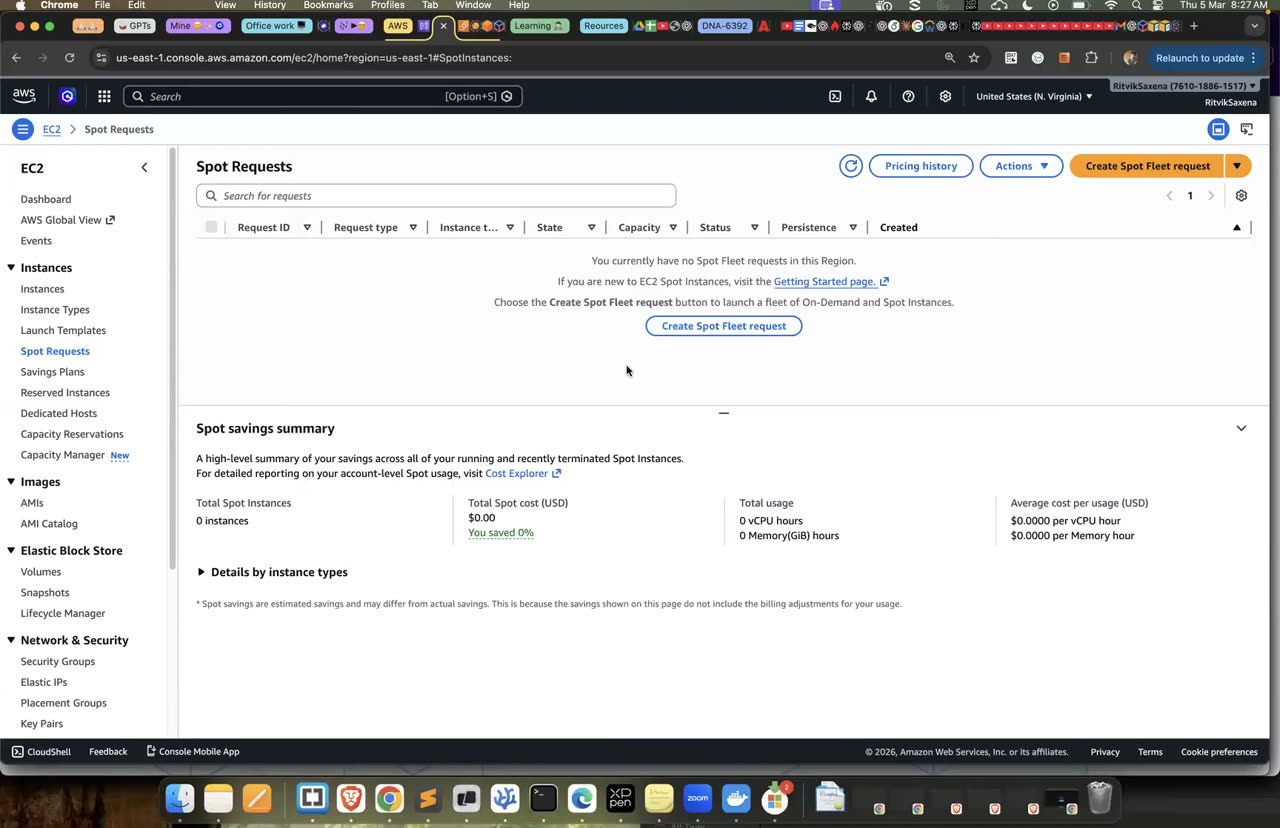
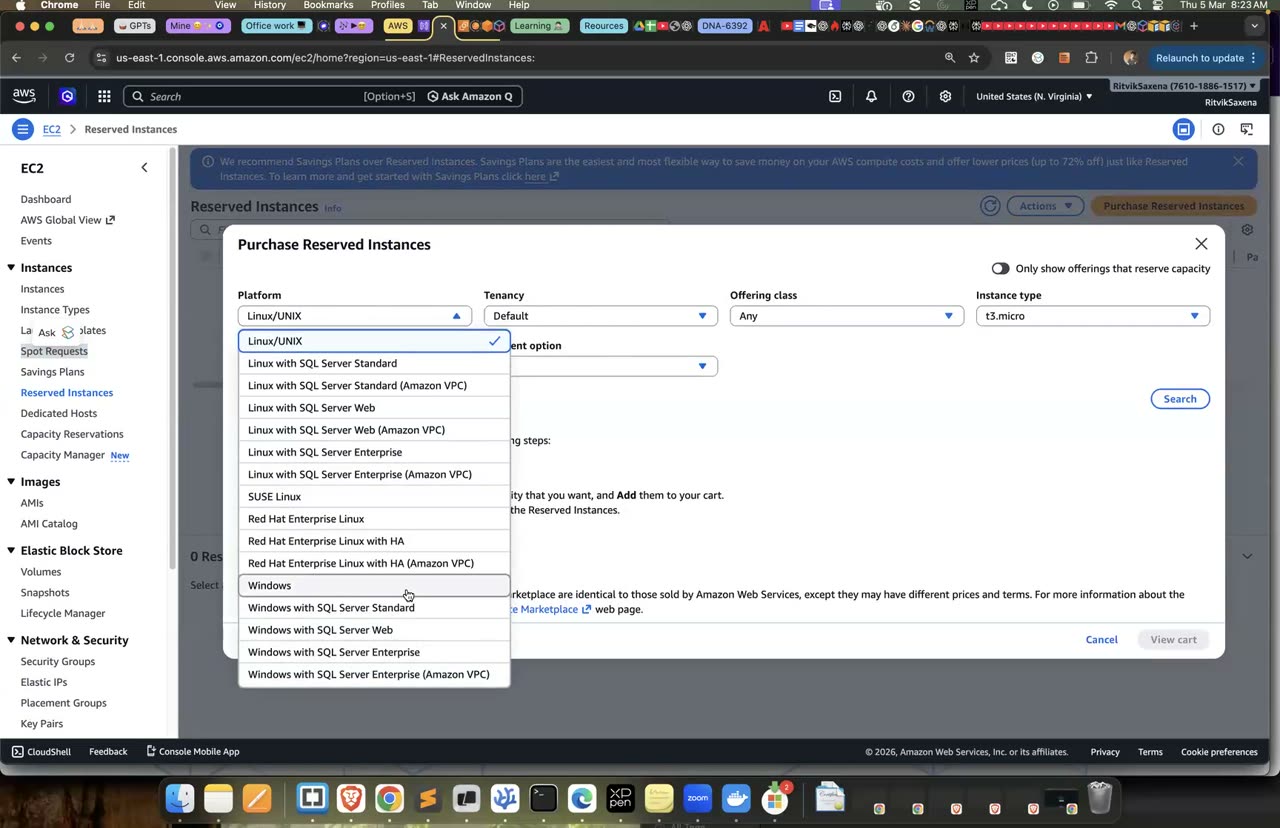
Spot requests page aur Reserved Instances cart — pricing model compare karne ka console.
Is step mein tum CLI se ek Spot instance chalaoge aur dekhoge ki woh On-Demand instance se kaise alag dikhta hai.
SPOT_ID=$(aws ec2 run-instances --image-id $AMI_ID --instance-type $TYPE \
  --security-group-ids $SG_ID --iam-instance-profile Name=deepdive-ec2-role \
  --instance-market-options 'MarketType=spot,SpotOptions={SpotInstanceType=one-time,InstanceInterruptionBehavior=terminate}' \
  --tag-specifications 'ResourceType=instance,Tags=[{Key=Name,Value=deepdive-spot},{Key=Project,Value=deepdive}]' \
  --query 'Instances[0].InstanceId' --output text)
aws ec2 wait instance-running --instance-ids $SPOT_ID

aws ec2 describe-instances --instance-ids $SPOT_ID \
  --query 'Reservations[0].Instances[0].[InstanceLifecycle,SpotInstanceRequestId,Placement.AvailabilityZone]' --output table
aws ec2 describe-spot-instance-requests \
--query 'SpotInstanceRequests[].[SpotInstanceRequestId,State,Status.Code]' --output table- EC2 ke Launch instances wizard mein A2 jaisi hi settings bharo (AMI, type, key pair, security group), aur Advanced details mein neeche Purchasing option ke aage Request Spot Instances pe tick lagao. Interruption behaviour Terminate rakho aur Launch dabao.
- Instance ki row mein Lifecycle column
spotdikhayega, aur left menu ke Spot Requests page pe uska requestactivestate mein dikhega.
AMI_ID aur SG_ID variables Part B1 se aa rahe hain; agar tumne naya terminal khola hai toh B1 ki pehli do commands dobara chala lo. Spot instances free tier mein nahi aate, lekin t3.micro Spot lagbhag $0.003 per ghanta padta hai.
Ab Session Manager se instance ke andar jao aur interruption-notice wala endpoint check karo. Abhi yeh 404 dega, jiska matlab hai ki koi interruption scheduled nahi hai:
TOKEN=$(curl -s -X PUT "http://169.254.169.254/latest/api/token" -H "X-aws-ec2-metadata-token-ttl-seconds: 300")
curl -s -o /dev/null -w "%{http_code}\n" -H "X-aws-ec2-metadata-token: $TOKEN" \
http://169.254.169.254/latest/meta-data/spot/instance-actionInstanceLifecycleki valuespothai, aur spot requestactiveyafulfilledstate mein hai.instance-actionendpoint 404 de raha hai.
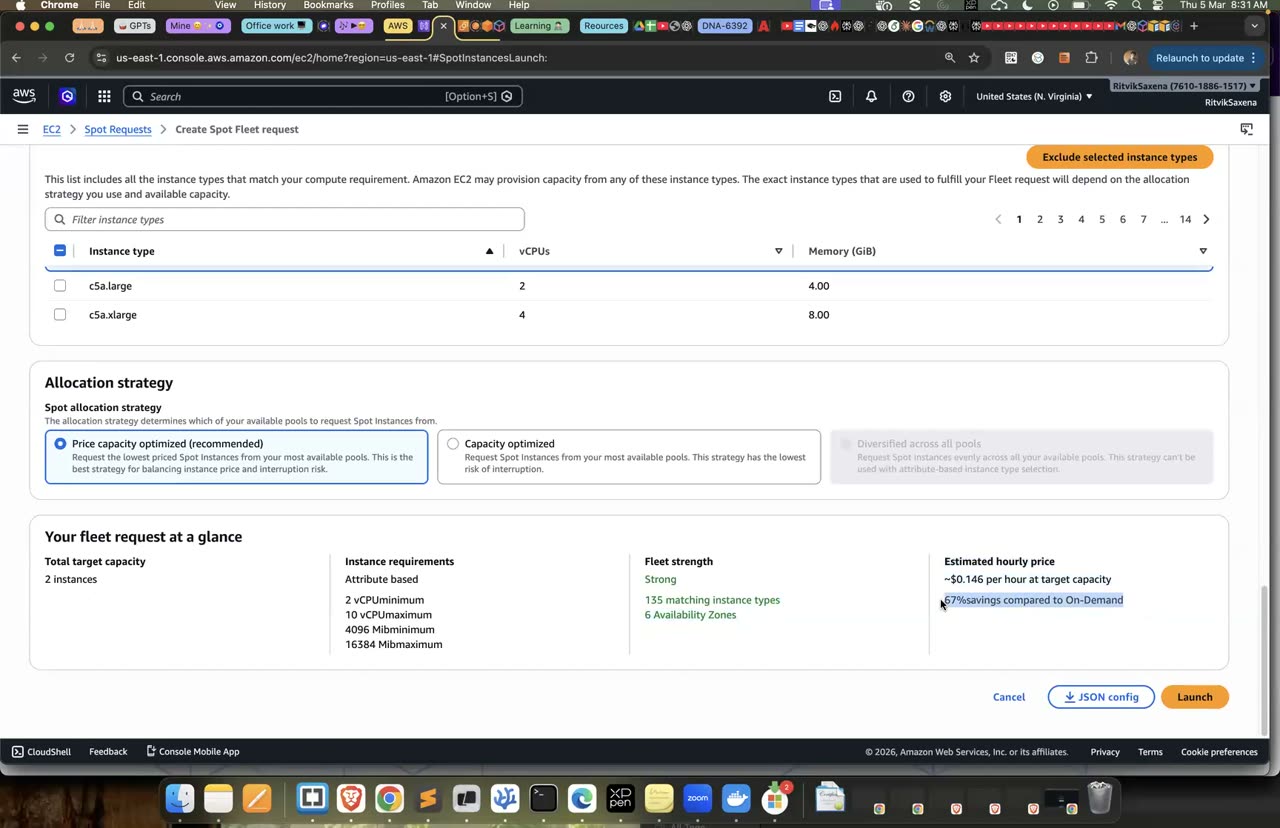
Spot Fleet request banane ka wahi form.
Spot pe chalne wale app ko do minute ka notice milte hi saleeke se band hona chahiye, jaise apna kaam save (checkpoint) karna aur load balancer se khud ko hata lena. Yeh sab theek se hota hai ya nahi, yeh test karne ke liye AWS ki Fault Injection Service (FIS) instance ko asli interruption signal bhej sakti hai. Jaan-boojh ke failure paida karke system ko test karne ko "chaos engineering" kehte hain. FIS ka kharcha lagbhag $0.10 per action-minute hai, yaani is test ka lagbhag $0.20.
- AWS FIS console mein Experiment templates → Create experiment template kholo aur description mein
deepdive spot interruptionlikho. - Add action dabao, action ka naam
interruptrakho, action type meinaws:ec2:send-spot-instance-interruptionschuno,durationBeforeInterruptionko 2 minutes rakho aur Save karo. - Targets section mein apne aap bane target ko edit karo. Resource type
aws:ec2:spot-instancechuno, target method mein Resource tags chuno, tagName = deepdive-spotdaalo, selection mode ALL rakho aur Save karo. - Service access mein Create a new role for the experiment template chuno, template create karo, aur phir Start experiment dabao.
- Session Manager ke shell mein neeche wala loop chalao aur dekho ki 404 ka jawab kab JSON mein badalta hai:
while true; do
  TOKEN=$(curl -s -X PUT "http://169.254.169.254/latest/api/token" -H "X-aws-ec2-metadata-token-ttl-seconds: 300")
  date +%T; curl -s -H "X-aws-ec2-metadata-token: $TOKEN" http://169.254.169.254/latest/meta-data/spot/instance-action; echo
  sleep 10
done
Kuch hi der mein output mein {"action": "terminate", "time": "..."} aayega, aur do minute baad tumhara session kat jaayega kyunki instance terminate ho jaayega. EC2 console mein instance ka "state reason" padho. Real applications isi endpoint ko baar-baar check karte hain, ya EventBridge ke "EC2 Spot Instance Interruption Warning" event ko sunte hain, aur notice milte hi saleeke se band hote hain. Agar Auto Scaling group mein mixed instances policy ho, toh Spot capacity chhin jaane pe woh doosre instance types ya AZs se nayi capacity le aata hai.
- Metadata endpoint ka jawab 404 se badal ke
{"action": "terminate", ...}ho gaya. - Instance terminate ho gaya aur uske state reason mein Spot interruption likha hai.
- FIS experiment ka state
completedhai.
Auto Scaling group ko Edit karo aur Desired ko 0 aur Min ko 0 kar do, phir Update dabao. Jab saare instances terminate ho jaayein, tab group ko Delete karo. Agar tum instances ko seedha terminate karoge, toh Auto Scaling group unki jagah naye bana dega, jaisa tumne C3 mein dekha tha. Launch template ko rakh sakte ho, kyunki uska koi charge nahi lagta.
- Auto Scaling group delete ho gaya hai aur
deepdive-web-asgka koi instance nahi chal raha.
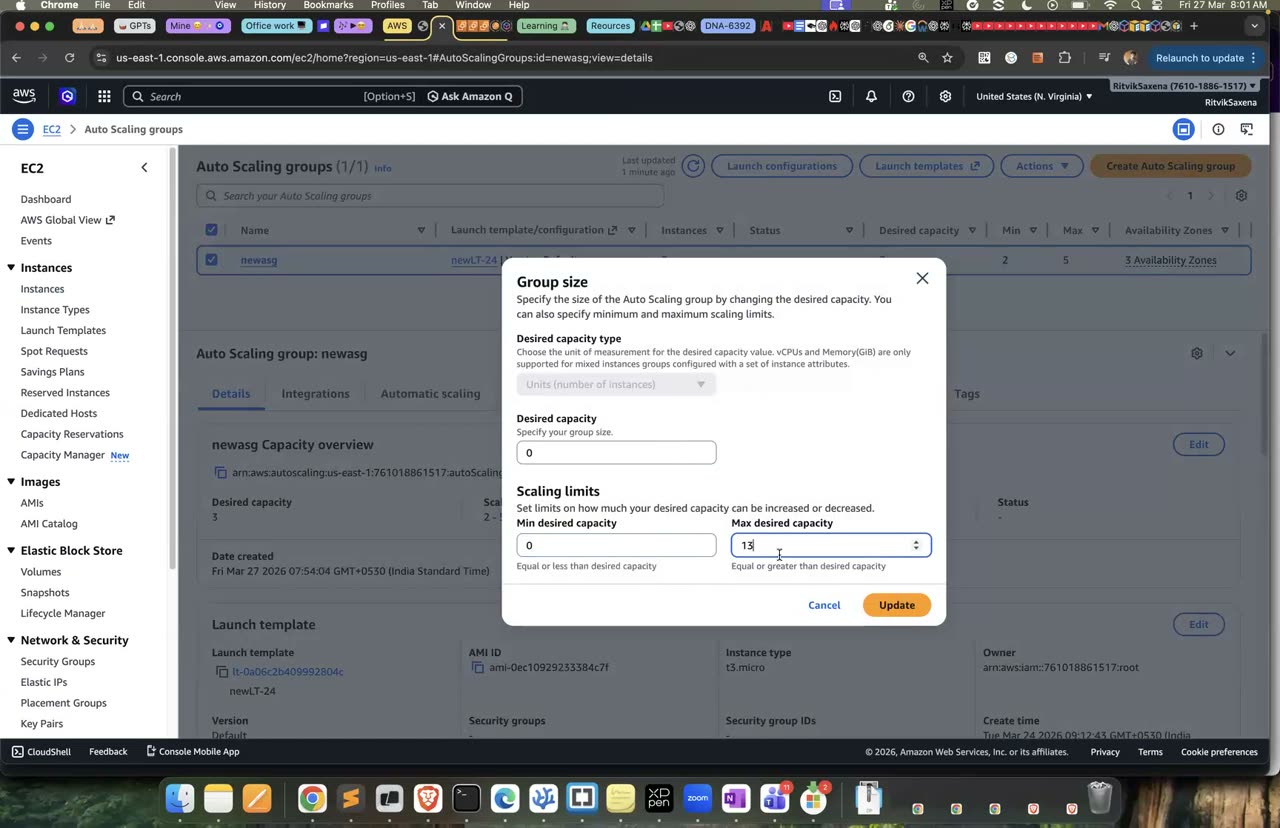
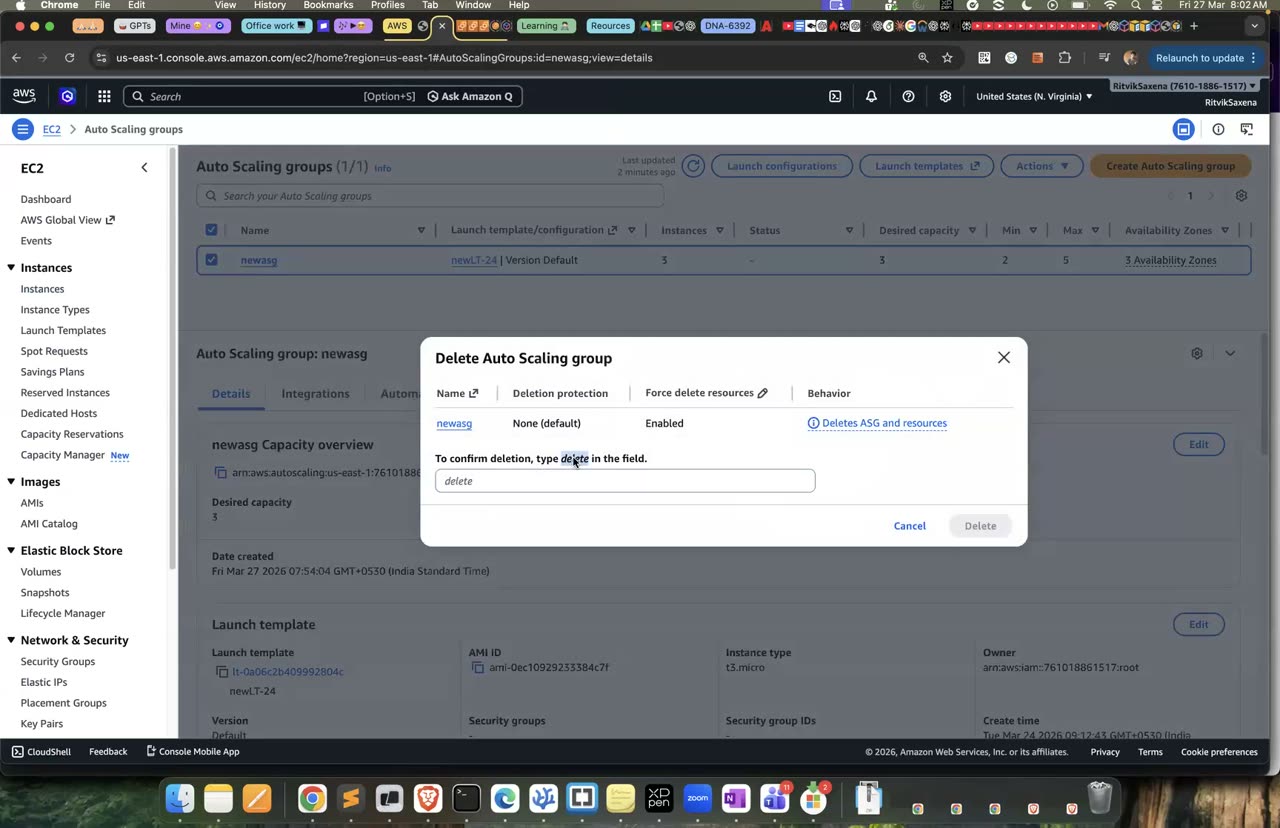
Desired/Min ko 0 karke ASG delete karne ka wahi flow.
D Lambda: S3-triggered function, logs, cold starts
Pehle ek bucket banao jisme files upload hone pe Lambda function chalega:
export UP_BUCKET=deepdive-uploads-$ACCOUNT_ID
aws s3 mb s3://$UP_BUCKET- S3 → Buckets → Create bucket — naam
deepdive-uploads-<account-id>rakho, baaki defaults rehne do aur Create bucket dabao.
Yahi bucket Lab 5 mein EventBridge ke saath bhi use hogi, isliye ise delete mat karna.
- Bucket ban gayi hai.
Is step mein tum deepdive-s3-logger naam ka Python function banaoge, jo har upload hui file ki details JSON format mein log karega.
Lambda mein tum sirf ek handler function likhte ho. Jab koi event aata hai, AWS us function ko ek chhote, managed micro-VM ke andar chalata hai, aur jab function nahi chal raha hota tab tumhe koi paisa nahi dena padta. Har baar function chalne pe use do cheezein milti hain: ek event, jo ek JSON hai aur batata hai ki kya hua, aur ek context, jisme request ID aur bache hue milliseconds jaisi jaankari hoti hai.
- Lambda console mein Create function dabao aur Author from scratch chuno. Naam
deepdive-s3-loggerrakho, runtime Python 3.13 aur architecture x86_64 chuno. Permissions mein Create a new role with basic Lambda permissions chuno aur Create dabao. - Code tab mein
lambda_function.pyka content neeche wale code se badal do aur Deploy dabao:
import json
import urllib.parse


def lambda_handler(event, context):
    records = event.get("Records", [])
    for record in records:
        bucket = record["s3"]["bucket"]["name"]
        # S3 keys URL-encoded aate hain: "my file.txt" -> "my+file.txt"
        key = urllib.parse.unquote_plus(record["s3"]["object"]["key"])
        size = record["s3"]["object"].get("size", 0)
        print(json.dumps({
            "event": record["eventName"],
            "bucket": bucket,
            "key": key,
            "size_bytes": size,
            "request_id": context.aws_request_id,
        }))
return {"processed": len(records)}- Test tab kholo, Create new event chuno, template mein S3 Put select karo, event ka naam
s3putrakho, Save karo aur Test dabao. Output mein{"processed": 1}aur logs mein ek JSON line dikhni chahiye.
- Test event successful raha aur "Function Logs" mein JSON line dikhi.
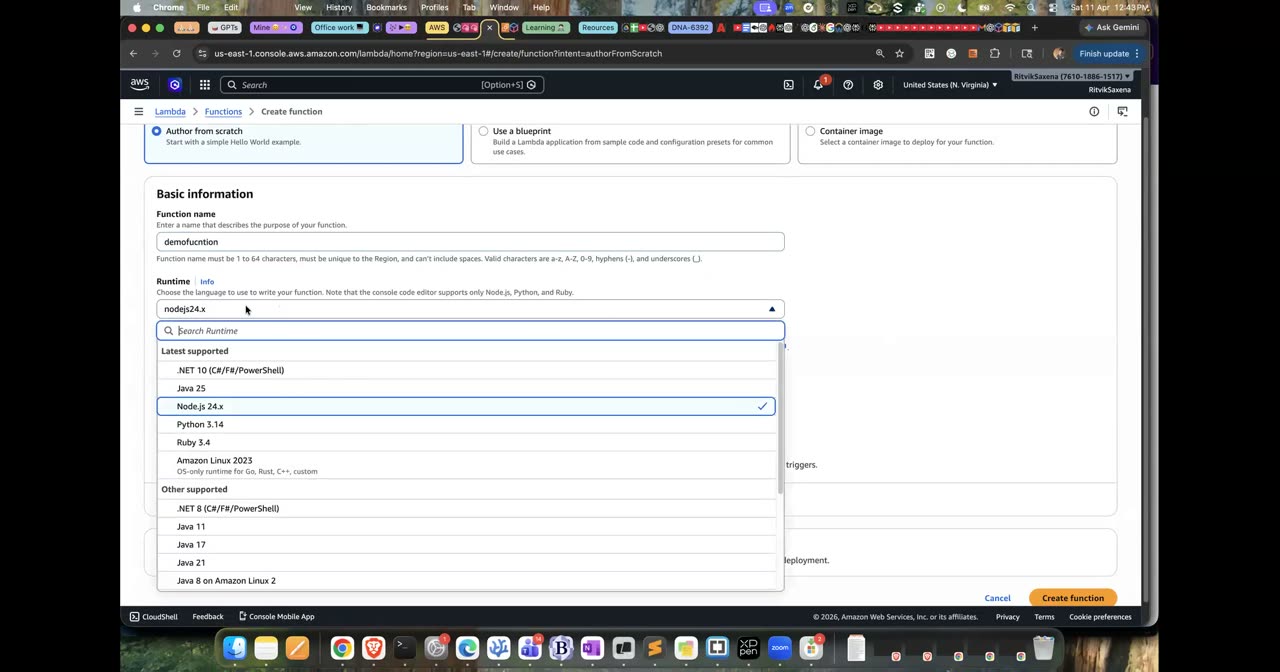
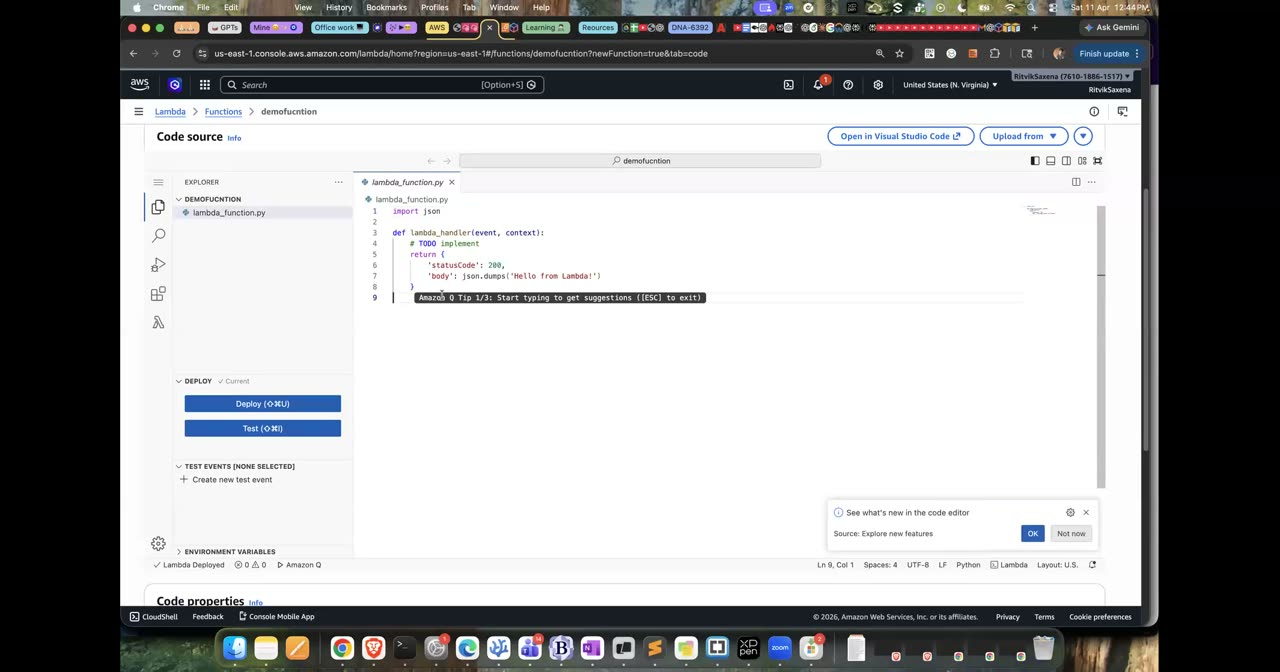
Lambda function create karne aur code editor ka wahi console.
- Function overview mein Add trigger dabao aur S3 chuno. Bucket mein
deepdive-uploads-...select karo, event types mein All object create events chuno, prefix meinincoming/likho, recursive invocation wali warning ko acknowledge karo aur Add dabao. - Configuration → Permissions kholo aur neeche Resource-based policy statements dekho. Wahan dikhega ki S3 service ko is function ko chalane ki permission de di gayi hai.
Ab do files upload karo, ek incoming/ prefix mein aur ek kisi doosre prefix mein, aur function ke logs dekho:
echo "hello lambda" > test.txt
aws s3 cp test.txt "s3://$UP_BUCKET/incoming/my report.txt"
aws s3 cp test.txt  s3://$UP_BUCKET/other/ignored.txt     # prefix match nahi → trigger nahi

aws logs tail /aws/lambda/deepdive-s3-logger --since 5m --format short- S3 → deepdive-uploads-... → Upload se
test.txtko keyincoming/my report.txtke saath, aur dobaraother/ignored.txtke saath upload karo. - CloudWatch → Log groups → /aws/lambda/deepdive-s3-logger kholo, latest log stream mein jao aur JSON log lines padho.
Lambda ke saath do alag tarah ki permissions hoti hain. Execution role batata hai ki function khud kya kar sakta hai; abhi yeh sirf CloudWatch Logs mein likh sakta hai. Resource-based policy batati hai ki kaun is function ko chala sakta hai; yahan yeh S3 bucket hai. Agar function ko S3 se file padhni hoti, toh tumhe execution role mein s3:GetObject permission jodni padti.
Agar yeh function apna output bhi incoming/ prefix mein hi likhta, toh har nayi file se function phir se chalta, aur woh phir ek nayi file likhta. Yeh ek infinite loop ban jaata aur hazaaron invocations ho jaate. Isliye hamesha output ko alag bucket ya alag prefix mein likho. AWS ab kuch recursive loops ko pakad ke rok deta hai, lekin is pe bharosa mat karo.
- Logs mein
"key": "incoming/my report.txt"dikha, space ke saath, yaani unquote_plus ne sahi kaam kiya. other/ignored.txtke liye koi log nahi aaya.
Teen aur files upload karo aur logs mein sirf REPORT wali lines dekho:
for i in 1 2 3; do aws s3 cp test.txt s3://$UP_BUCKET/incoming/t$i.txt; done
aws logs tail /aws/lambda/deepdive-s3-logger --since 5m --format short | grep REPORT
Har REPORT line mein Duration, Billed Duration, Memory Size aur Max Memory Used dikhte hain. Kuch lines mein Init Duration bhi hoga, aur wahi cold start hai. Cold start mein AWS ek naya execution environment banata hai, Python runtime load karta hai aur tumhara code import karta hai. Jab environment pehle se garam (warm) hota hai, toh yeh Init wala hissa nahi hota aur function jaldi chalta hai.
- Configuration → General mein Memory ko 128 MB se badha ke 512 MB karo. Lambda mein CPU memory ke hisaab se milta hai, isliye zyada memory dene se function tez chalta hai, aur kabhi-kabhi kam time chalne ki wajah se sasta bhi padta hai.
- Timeout default roop se 3 second hota hai aur zyada se zyada 15 minute ho sakta hai. Isliye Lambda lambe chalne wale kaamon ke liye nahi bana hai.
- Configuration → Environment variables mein
LOG_LEVEL=INFOjodo. Code ke andar iskoos.environ["LOG_LEVEL"]se padha jaata hai.
- Tumne kam se kam ek REPORT line mein
Init Durationdekha aur ek mein nahi dekha. - Tum bata sakte ho ki cold start kab hota hai aur use kam kaise kiya jaata hai (chhota code package, provisioned concurrency, ya SnapStart).
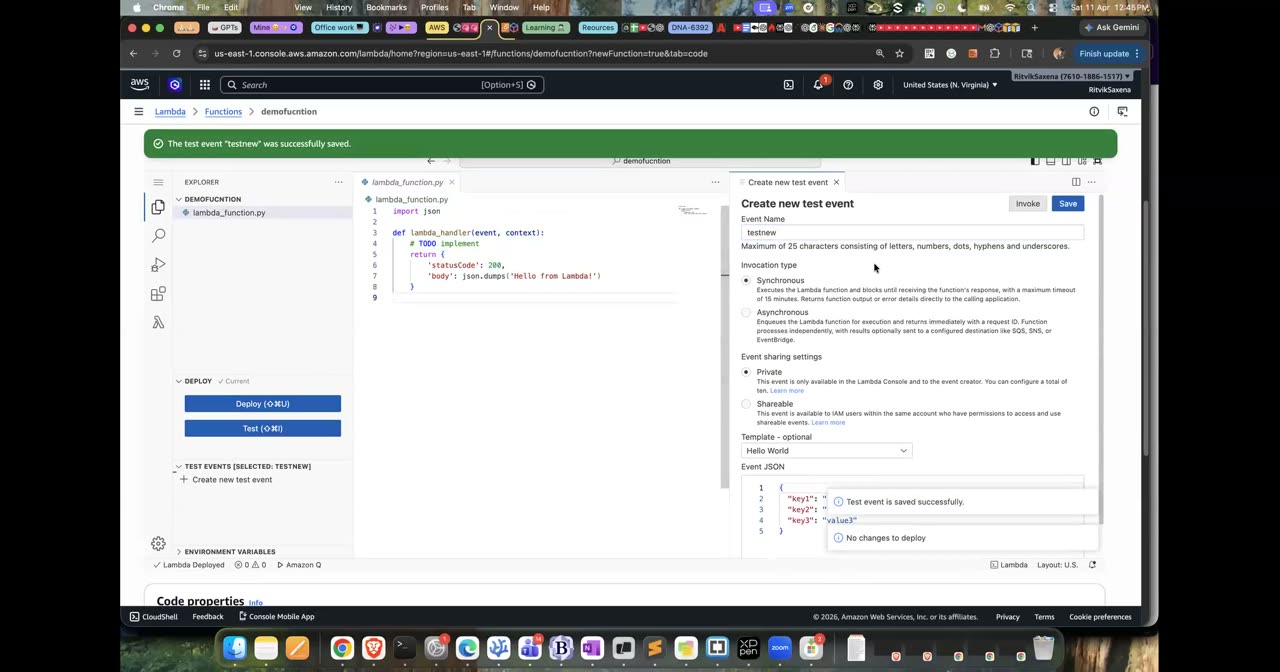
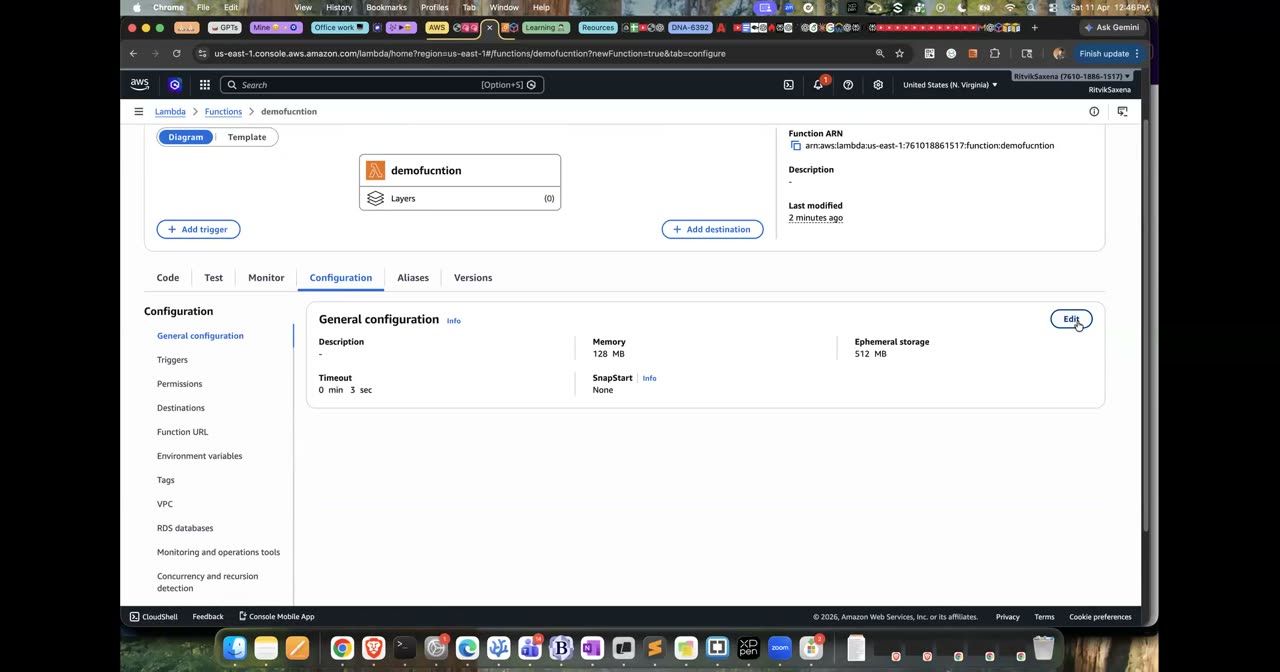
Test event aur timeout/memory config — Lambda ka max timeout 15 min hai.
E Docker: Flask app ko containerize karo
Neeche wale commands ek chhota Flask app, uski dependencies ki list, ek Dockerfile aur ek .dockerignore file banate hain:
mkdir -p ~/deepdive/app && cd ~/deepdive/app

cat > app.py <<'EOF'
import os
import socket

from flask import Flask, jsonify

app = Flask(__name__)


@app.route("/")
def home():
    return jsonify(
        message="Hello from DEEPDIVE",
        version=os.environ.get("APP_VERSION", "v1"),
        host=socket.gethostname(),
    )


@app.route("/health")
def health():
    return "ok", 200


if __name__ == "__main__":
    app.run(host="0.0.0.0", port=5000)
EOF

cat > requirements.txt <<'EOF'
flask==3.1.0
gunicorn==23.0.0
EOF

cat > Dockerfile <<'EOF'
FROM python:3.12-slim
WORKDIR /app
# requirements pehle copy: code badle toh pip install wali layer cache se aayegi
COPY requirements.txt .
RUN pip install --no-cache-dir -r requirements.txt
COPY app.py .
EXPOSE 5000
# Production server (gunicorn), Flask ka dev server nahi
CMD ["gunicorn", "--bind", "0.0.0.0:5000", "--workers", "2", "app:app"]
EOF

cat > .dockerignore <<'EOF'
.venv
__pycache__
*.pyc
EOFImage ek read-only template hai jo layers ke ek dher se banta hai; Dockerfile ki har instruction ek nayi layer banati hai. Container us image ka ek chalta hua roop hai. Docker har layer ko cache karta hai, isliye jo cheezein kam badalti hain (jaise dependencies) unhe Dockerfile mein upar rakha jaata hai, aur jo zyada badalti hain (jaise tumhara code) unhe neeche. Isse code badalne pe sirf aakhri layers dobara banti hain aur build jaldi hota hai.
- Chaar files ban gayi hain: app.py, requirements.txt, Dockerfile aur .dockerignore.
Apple Silicon wale Mac (M1, M2, M3 ya M4) pe docker build default roop se arm64 image banata hai. Lekin Fargate default roop se x86_64 processor pe chalta hai, isliye arm64 image wala task start hote hi exec format error dekar band ho jaata hai. Isliye build karte waqt --platform linux/amd64 dena zaroori hai. Intel Mac ya Windows pe yeh pehle se default hai, isliye wahan yeh option dene se koi nuksaan nahi.
docker build --platform linux/amd64 -t deepdive-app:v1 .
docker images deepdive-app
docker image inspect deepdive-app:v1 --format '{{.Architecture}}'   # amd64

docker run -d --name dd -p 5000:5000 deepdive-app:v1
curl -s localhost:5000 ; echo
curl -s localhost:5000/health ; echo
docker logs dd
docker exec dd hostname        # container ka hostname == JSON ka "host"
docker rm -f dd
Ab app.py mein ek line badlo (jaise message) aur image dobara build karo. Build ke output mein pip install wale step ke aage CACHED likha dikhega, kyunki dependencies wali layer nahi badli. Dekhne ke baad code ko wapas pehle jaisa kar do.
curl localhost:5000JSON response de raha hai.- Image ka architecture
amd64hai. - Dobara build karne pe dependencies wali layer CACHED se aayi.
F ECR + ECS Fargate: container ko cloud pe chalao
Is step mein tum deepdive-app naam ki ek private registry banaoge, usme login karoge, image ko tag karoge aur push karoge.
Cloud mein container chalane wali service (ECS ya EKS) tumhare laptop se image nahi utha sakti; use image ek registry mein chahiye. ECR AWS ki private Docker registry hai. Iska access IAM se control hota hai, aur yeh push hote hi image ko security vulnerabilities ke liye scan bhi kar sakti hai.
aws ecr create-repository --repository-name deepdive-app \
  --image-scanning-configuration scanOnPush=true

export REPO_URI=$ACCOUNT_ID.dkr.ecr.us-east-1.amazonaws.com/deepdive-app- ECR → Repositories → Create repository — Private chuno, naam
deepdive-apprakho, Scan on push ON karo aur Create dabao.
Login/tag/push local Docker se hi hote hain — uska koi console equivalent nahi hai, image tumhare laptop pe hai.
# Docker ko 12-ghante ka ECR token do
aws ecr get-login-password | docker login --username AWS --password-stdin $ACCOUNT_ID.dkr.ecr.us-east-1.amazonaws.com

docker tag deepdive-app:v1 $REPO_URI:v1
docker push $REPO_URI:v1

aws ecr describe-images --repository-name deepdive-app \
--query 'imageDetails[].[imageTags[0],imageSizeInBytes,imagePushedAt]' --output tabledescribe-imageske output mein tagv1dikh raha hai.- ECR console mein deepdive-app repository ki image kholke uska Vulnerabilities scan result dekh liya.
Is step mein tum deepdive-app-task naam ki task definition banaoge, jo Fargate pe 0.25 vCPU aur 0.5 GB memory ke saath web naam ka container port 5000 pe chalayegi.
Task definition ek recipe hai jo batati hai ki container kaise chalana hai; ise tum docker run ke saare options ka JSON roop samajh sakte ho. Isme do alag roles hote hain, aur interviews mein inke baare mein bahut poocha jaata hai:
- Task execution role ECS ke agent ke liye hota hai. Isi ki permission se agent ECR se image kheenchta hai aur container ke logs CloudWatch mein bhejta hai. Iska aam naam
ecsTaskExecutionRolehota hai. - Task role tumhare app ke code ke liye hota hai. Agar app ko S3 ya DynamoDB jaisi services chahiye, toh unki permission isme di jaati hai. Abhi hamare app ko iski zaroorat nahi hai.
- ECS console mein Task definitions → Create new task definition kholo aur family ka naam
deepdive-app-taskrakho. - Launch type mein AWS Fargate, OS/Architecture mein Linux/X86_64, CPU mein .25 vCPU aur Memory mein .5 GB chuno.
- Task role ko khaali (none) chhod do. Task execution role mein Create new role chuno, ya agar
ecsTaskExecutionRolepehle se bana hai toh use chun lo. - Container section mein naam
webrakho (Lab 5 mein yahi naam chahiye hoga), image URI mein<REPO_URI>:v1daalo, Essential ko yes rehne do, aur port mapping mein 5000 TCP jodo. - Environment variables mein
APP_VERSION = v1jodo. Log collection mein Use log collection (CloudWatch) ko on rakho aur Create dabao.
- Task definition ka revision 1 ban gaya hai.
- Task definition ke JSON tab mein
executionRoleArnaurawslogslog driver dikh rahe hain.
- ECS console mein Clusters → Create cluster kholo, naam
deepdive-clusterrakho, infrastructure mein sirf AWS Fargate (serverless) chuno aur Create dabao. - Cluster ke andar Services → Create kholo. Compute mein launch type FARGATE chuno, task definition family mein
deepdive-app-task(latest revision) chuno, service ka naamdeepdive-svcrakho aur desired tasks 1 rakho. - Networking section mein default VPC aur uske 2–3 subnets rehne do. Security group mein Create new chuno, naam
deepdive-ecs-sgrakho aur inbound mein Custom TCP 5000 ko Anywhere se allow karo (yeh sirf lab ke liye hai). Public IP ko ON rakho, kyunki default VPC mein NAT nahi hai aur public IP ke bina task ECR se image hi nahi kheench payega. - Load balancing ko none rehne do aur Create dabao. Ek-do minute ruko.
- Service ke Tasks tab mein task kholo, Configuration section se uska Public IP copy karo aur
curl http://PUBLIC_IP:5000chalao.
- Task RUNNING state mein hai aur
curlJSON de raha hai, jismehostfield task ka hostname hai. - Task ke Logs tab mein gunicorn ke start hone wali lines dikh rahi hain.
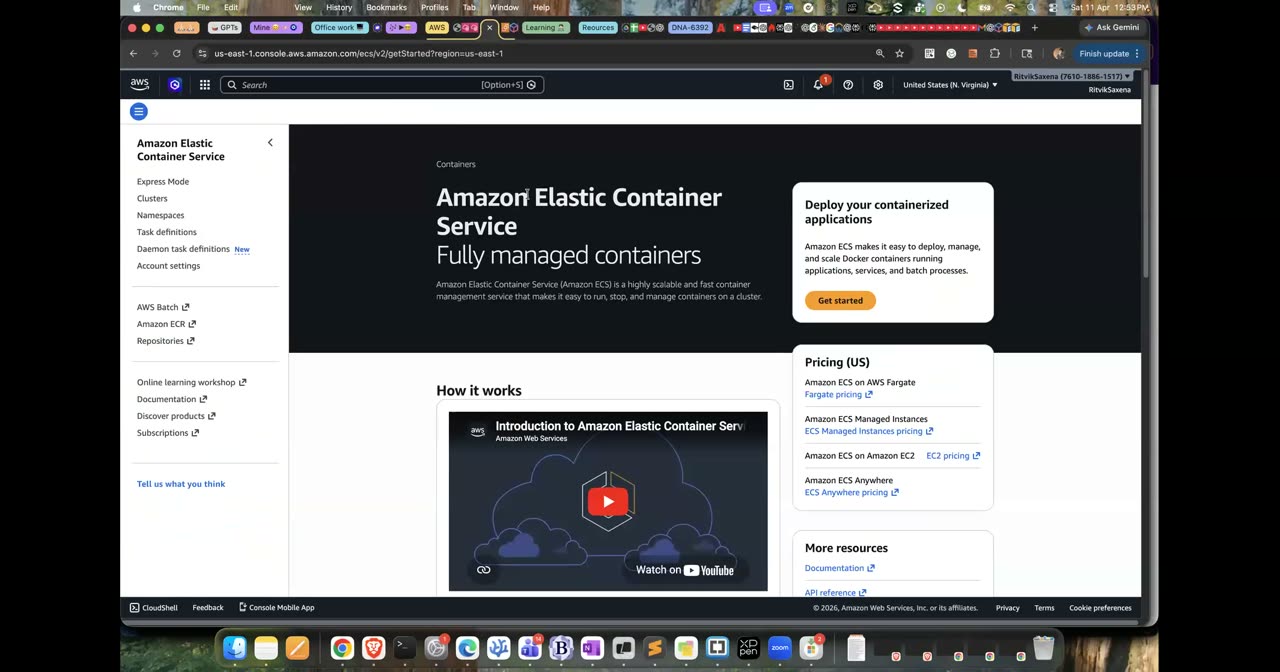
Amazon ECS console landing — is lab mein tum yahi console se cluster/service banaoge.
- Tasks tab mein task select karo aur Stop dabao. Service ek minute ke andar ek naya task shuru kar degi; yeh tum Events tab mein dekh sakte ho. Dhyan do ki naye task ka public IP alag hoga. Isi wajah se production mein tasks ke aage hamesha ek Load Balancer lagaya jaata hai.
- Naya version banane ke liye Task definitions mein deepdive-app-task kholo, Create new revision dabao, environment variable ko
APP_VERSION = v2karo aur Create dabao. - Service mein Update service dabao, latest revision chuno, Force new deployment pe tick lagao aur Update karo. Deployments tab mein rolling update dekho: pehle naya task healthy hota hai, aur uske baad purana task band hota hai.
- Naye task ke IP pe curl karo; response mein
"version": "v2"dikhna chahiye.
ECS ek orchestrator hai, yaani woh tay karta hai ki kaunsa container kahan chalega, kitne chalenge aur band hone pe dobara kab chalenge. Fargate compute ka ek type hai, yaani woh jagah jahan containers asal mein chalte hain. ECS ke saath do launch types hote hain. EC2 launch type mein tum khud EC2 instances ka cluster sambhalte ho, jisme patching, scaling aur containers ko servers pe fit karna tumhara kaam hai; bade scale pe yeh sasta pad sakta hai. Fargate launch type mein tum sirf task ka CPU aur memory batate ho, aur servers ki saari zimmedari AWS ki hoti hai. Fargate EKS ke saath bhi use ho sakta hai.
- Band kiye gaye task ki jagah naya task apne aap aa gaya.
- Version v2 deploy hua aur curl ke response mein
"version": "v2"dikha.
G (Optional) EKS: same container Kubernetes pe
EKS ka control plane lagbhag $0.10 per ghanta leta hai, aur uske upar do t3.small nodes ka kharcha alag hai. Yeh poora part lagbhag ek ghante ka hai, jiska kharcha $0.20 se $0.40 ke beech aata hai. Kaam khatam hote hi cluster delete karna, kyunki bhool gaye toh yeh lagbhag $90 per month ho jaata hai.
Pehle eksctl aur kubectl tools install karo, phir cluster banao. Cluster banne mein 15–20 minute lagte hain, kyunki eksctl andar se VPC, control plane aur nodes ke liye CloudFormation stacks banata hai:
brew install eksctl kubectl
# eksctl na mile toh: brew tap weaveworks/tap && brew install weaveworks/tap/eksctl
eksctl version && kubectl version --client

# ~15-20 minute lagte hain (CloudFormation stacks banate hain: VPC, control plane, nodegroup)
eksctl create cluster --name deepdive-eks --region us-east-1 \
  --zones us-east-1a,us-east-1b \
  --nodegroup-name ng-1 --node-type t3.small --nodes 2

kubectl get nodes -o wide
eksctl tumhari ~/.kube/config file ko khud update kar deta hai, isliye kubectl seedha naye cluster se baat karne lagta hai. Nodes ke IAM role mein ECR se image padhne ki permission pehle se hoti hai, isliye tumhari private image bina kisi extra setup ke pull ho jaayegi.
kubectl get nodesmein do nodesReadystate mein dikh rahe hain.
Kubernetes kuch basic objects se bana hai. Pod sabse chhoti unit hai, jisme ek ya zyada containers hote hain. Deployment batata hai ki kitne pods chalne chahiye aur naya version aane pe unhe dheere-dheere kaise badalna hai. Service pods ke aage ek stable naam aur IP deta hai aur traffic ko pods mein baantta hai. Namespace cluster ke andar ek logical folder hai. RBAC (Role aur RoleBinding) batata hai ki cluster ke andar kaun kya kar sakta hai.
cat > k8s.yaml <<EOF
apiVersion: apps/v1
kind: Deployment
metadata:
  name: deepdive-app
spec:
  replicas: 2
  selector:
    matchLabels:
      app: deepdive
  template:
    metadata:
      labels:
        app: deepdive
    spec:
      containers:
        - name: web
          image: $REPO_URI:v1
          ports:
            - containerPort: 5000
          env:
            - name: APP_VERSION
              value: "k8s-v1"
          resources:
            requests:
              cpu: 100m
              memory: 128Mi
          readinessProbe:
            httpGet:
              path: /health
              port: 5000
---
apiVersion: v1
kind: Service
metadata:
  name: deepdive-app
spec:
  selector:
    app: deepdive
  ports:
    - port: 80
      targetPort: 5000
EOF

kubectl apply -f k8s.yaml
kubectl get deploy,pods,svc -o wide
kubectl port-forward svc/deepdive-app 8080:80
# doosre terminal mein: curl localhost:8080 (baar baar — host badalta dikhega)- Do pods Running state mein hain aur READY column mein 1/1 dikh raha hai, yaani readiness probe pass ho gaya.
- port-forward ke through curl JSON de raha hai jisme
version: k8s-v1hai.
Ab Kubernetes ki chaar khoobiyan ek-ek karke dekho: pods ko maarne pe naye pods ka aana, replicas badhana, naya version rollout karna aur rollout ko wapas lena:
kubectl delete pod -l app=deepdive --wait=false && kubectl get pods -w   # naye pods turant (Ctrl+C)
kubectl scale deployment deepdive-app --replicas=4 && kubectl get pods
kubectl set env deployment/deepdive-app APP_VERSION=k8s-v2
kubectl rollout status deployment/deepdive-app
kubectl rollout history deployment/deepdive-app
kubectl rollout undo deployment/deepdive-app
kubectl describe deployment deepdive-app | head -30
ECS AWS ka apna, simple orchestrator hai. Iske control plane ka koi alag charge nahi hai aur yeh doosri AWS services ke saath bahut achhe se juda hua hai, isliye chhoti aur medium teams ke liye yeh default choice hai. EKS standard Kubernetes hai. Isse multi-cloud portability, Helm charts, operators aur ek bahut bada ecosystem milta hai, lekin iski complexity zyada hai aur har cluster ka lagbhag $0.10 per ghanta alag se lagta hai. Interview mein ek achha jawab yeh hai: "Agar team pehle se Kubernetes jaanti hai, ya portability aur Kubernetes tooling chahiye, toh EKS; warna ECS aur Fargate."
- Pods delete karne pe naye pods aa gaye, scale karne pe pods ki ginti 4 ho gayi, aur rollout aur undo dono chal gaye.
Kaam khatam hote hi cluster delete karo:
kubectl delete -f k8s.yaml
eksctl delete cluster --name deepdive-eks --region us-east-1- CloudFormation console mein
eksctl-deepdive-eks-*naam ke saare stacks DELETE_COMPLETE dikha rahe hain.
H Elastic Beanstalk: PaaS — sirf code do, baaki AWS
Part F mein tumne Dockerfile, ECR repository, task definition, cluster, service aur security group, sab kuch khud banaya tha. Elastic Beanstalk mein tum sirf apne code ka zip file dete ho, aur EB khud EC2 instance, security group, zaroorat ho toh load balancer aur Auto Scaling, monitoring aur deployments, sab bana deta hai. Andar se yeh sab ek CloudFormation stack ke roop mein banta hai. Iska trade-off speed aur control ke beech hai: EB se kaam jaldi hota hai, lekin cheezon pe tumhara control kam hota hai. Lab 1 ke step B2 ki table mein jo "PaaS" wali line thi, yeh wahi hai.
- IAM mein Roles → Create role kholo, AWS service mein EC2 chuno, policy
AWSElasticBeanstalkWebTierjodo, role ka naamaws-elasticbeanstalk-ec2-rolerakho aur Create dabao. EB console ab yeh role khud nahi banata, isliye isko pehle banana padta hai.
Phir app ka zip bundle banao:
cd ~/deepdive/app
echo "web: gunicorn --bind :8000 --workers 2 app:app" > Procfile
zip -r ~/deepdive/lab2/eb-app-v1.zip app.py requirements.txt Procfile
unzip -l ~/deepdive/lab2/eb-app-v1.zip
Procfile Elastic Beanstalk ko batata hai ki app kaise start karna hai. EB ke Python platform pe nginx port 80 pe requests sunta hai aur unhe port 8000 pe tumhare app ko aage bhejta hai, isliye gunicorn ko :8000 pe bind kiya gaya hai. Ek aur zaroori baat: zip ke root mein hi files honi chahiye, kisi folder ke andar nahi. EB deploy fail hone ki yeh sabse common wajah hai.
- Zip ke root mein app.py, requirements.txt aur Procfile hain.
- Elastic Beanstalk console mein Create application dabao. Environment tier mein Web server chuno, application ka naam
deepdive-ebaur environment ka naamdeepdive-eb-devrakho. - Platform mein Python (latest Amazon Linux 2023 branch) chuno. Application code mein Upload your code chuno, version label
v1rakho aureb-app-v1.zipupload karo. - Presets mein Single instance (free tier eligible) chuno aur Next dabao.
- Service role mein Create and use new service role chuno aur EC2 instance profile mein
aws-elasticbeanstalk-ec2-rolechuno. Key pair ko skip kar do. Networking mein default VPC aur public IP on rakho, aage ke pages pe Next dabate raho aur ant mein Submit karo. Environment banne mein lagbhag 5 minute lagte hain. - Environment ka Domain URL kholo; wahan tumhara JSON response aana chahiye.
Ab yeh dekho ki EB ne tumhare liye kya-kya banaya. CloudFormation mein awseb-e-...-stack naam ka stack kholo aur uska Resources tab dekho. EC2 console mein ek instance aur ek security group dikhega. S3 mein elasticbeanstalk-us-east-1-<account> naam ki bucket mein tumhara zip file rakha hoga.
- EB ke URL pe
"message": "Hello from DEEPDIVE"aaya aur environment ka Health Ok hai. - Tumne CloudFormation mein EB ka stack aur uske resources dekh liye.
- Environment mein Configuration → Updates, monitoring, and logging kholo aur Environment properties mein
APP_VERSION = eb-v2jodo, phir Apply dabao. Events tab mein update hota dekho, aur uske baad URL pe"version": "eb-v2"dikhna chahiye. app.pymein message badlo, naya zipeb-app-v2.zipbanao, Upload and deploy dabao aur versionv2rakho. Application versions page pe ab dono versions dikhenge;v1select karke Deploy dabane se ek click mein rollback ho jaata hai.- Logs → Request logs → Last 100 lines kholo; wahan nginx aur web.stdout, dono ke logs dikhenge.
Elastic Beanstalk naya version deploy karne ke kai tareeke deta hai. All at once sabse tez hai lekin usme thoda downtime hota hai. Rolling instances ko thode-thode karke update karta hai. Rolling with additional batch pehle extra instances laata hai taaki capacity kam na ho. Immutable bilkul naye instances banata hai, aur agar kuch fail ho toh purane instances ko haath bhi nahi lagta. Traffic splitting canary release karta hai. Inhe Lab 5 ki deployment strategies se compare karo; concepts wahi hain, bas EB inhe ek dropdown mein de deta hai.
- Environment property se version badla, v2 deploy hua, aur tumne v1 pe rollback karke dekha.
- Tumne request logs dekh liye.
I AWS Batch: 5 jobs ek saath, Fargate Spot pe
Socho tumhare paas hazaaron alag-alag kaam hain, jaise videos ko convert karna, har customer ki alag report banana, ya bahut saari files pe ML model chalana. AWS Batch teen cheezon se banta hai: ek job queue, jisme kaam line mein lagte hain; ek compute environment, jo EC2, Spot, Fargate ya Fargate Spot ho sakta hai aur zaroorat ke hisaab se khud badhta-ghatta hai; aur ek job definition, jo batati hai ki kaunsi container image, kitna CPU aur memory, aur fail hone pe kitni baar retry. Tumhe bas submit-job chalana hota hai. Array jobs se ek hi command mein N copies chal jaati hain, aur har copy ko AWS_BATCH_JOB_ARRAY_INDEX environment variable mein apna number milta hai.
Pehle default VPC ke do subnets aur uska default security group nikaalo, phir unse ek Fargate Spot compute environment aur ek job queue banao:
cd ~/deepdive/lab2
VPC_ID=$(aws ec2 describe-vpcs --filters Name=isDefault,Values=true --query 'Vpcs[0].VpcId' --output text)
SUBNETS=$(aws ec2 describe-subnets --filters Name=vpc-id,Values=$VPC_ID Name=default-for-az,Values=true \
  --query 'Subnets[0:2].SubnetId' --output json)
DEF_SG=$(aws ec2 describe-security-groups --filters Name=vpc-id,Values=$VPC_ID Name=group-name,Values=default \
  --query 'SecurityGroups[0].GroupId' --output text)

cat > ce.json <<EOF
{
  "computeEnvironmentName": "deepdive-fargate-spot-ce",
  "type": "MANAGED",
  "computeResources": {
    "type": "FARGATE_SPOT",
    "maxvCpus": 4,
    "subnets": $SUBNETS,
    "securityGroupIds": ["$DEF_SG"]
  }
}
EOF
aws batch create-compute-environment --cli-input-json file://ce.json
sleep 20
aws batch describe-compute-environments --compute-environments deepdive-fargate-spot-ce \
  --query 'computeEnvironments[0].[status,state]'

aws batch create-job-queue --job-queue-name deepdive-queue --priority 1 \
--compute-environment-order order=1,computeEnvironment=deepdive-fargate-spot-ce- AWS Batch → Compute environments → Create — type Fargate, provisioning model Spot, naam
deepdive-fargate-spot-ce, maximum vCPUs 4, default VPC ke subnets aur default security group chuno, Create dabao. - Job queues → Create — naam
deepdive-queue, priority 1, connected compute environment meindeepdive-fargate-spot-cechuno aur Create dabao.
- Compute environment
VALIDaurENABLEDhai, aur queueVALIDhai.
Ab ek job definition register karo jo ek chhota container chalati hai, aur phir ek array job submit karo jo us container ki paanch copies ek saath chalata hai:
EXEC_ROLE=$(aws iam get-role --role-name ecsTaskExecutionRole --query Role.Arn --output text)
# Na mile toh: ECS console mein task definition banate waqt "Create new role" se banta hai (Part F2)

cat > jobdef.json <<EOF
{
  "jobDefinitionName": "deepdive-hello",
  "type": "container",
  "platformCapabilities": ["FARGATE"],
  "retryStrategy": { "attempts": 2 },
  "containerProperties": {
    "image": "public.ecr.aws/amazonlinux/amazonlinux:2023",
    "command": ["sh", "-c", "echo Job index \$AWS_BATCH_JOB_ARRAY_INDEX on \$(hostname); sleep 20; echo done"],
    "resourceRequirements": [
      { "type": "VCPU", "value": "0.25" },
      { "type": "MEMORY", "value": "512" }
    ],
    "executionRoleArn": "$EXEC_ROLE",
    "networkConfiguration": { "assignPublicIp": "ENABLED" }
  }
}
EOF
aws batch register-job-definition --cli-input-json file://jobdef.json

JOB_ID=$(aws batch submit-job --job-name hello-array --job-queue deepdive-queue \
  --job-definition deepdive-hello --array-properties size=5 --query jobId --output text)

# SUBMITTED → RUNNABLE → STARTING → RUNNING → SUCCEEDED  (2-4 min)
aws batch describe-jobs --jobs $JOB_ID --query 'jobs[0].[status,arrayProperties.statusSummary]'
aws batch list-jobs --array-job-id $JOB_ID --query 'jobSummaryList[].[arrayProperties.index,status]' --output table- AWS Batch → Job definitions → Create — name
deepdive-hello, platform Fargate, image aur command upar wale JSON jaisa bhar do (Command field mein comma-separated tokens ki jagah UI text-area mein pura command likh sakte ho), execution roleecsTaskExecutionRolechuno aur Create dabao. - Jobs → Submit new job — naam
hello-array, job definitiondeepdive-hello, queuedeepdive-queue, aur Array size mein5daal ke Submit karo. - Jobs list mein status
SUBMITTED → RUNNABLE → STARTING → RUNNING → SUCCEEDEDbadalta dekho; job kholke uske 5 child jobs ki individual status bhi dikhti hai.
Logs dekhne ke liye CloudWatch mein Log groups mein /aws/batch/job kholo. Har child job ki alag log stream mein "Job index 0" se "Job index 4" tak ki line dikhegi. Dhyan do ki heredoc mein \$AWS_BATCH_JOB_ARRAY_INDEX ke aage backslash lagaya gaya hai. Aisa isliye kiya gaya hai taaki yeh variable tumhare laptop pe nahi, balki container ke andar expand ho, jahan uski asli value hoti hai.
- Array job ke paanchon child jobs SUCCEEDED ho gaye.
- Logs mein index 0 se 4 tak alag-alag lines dikh rahi hain.
J Decision tree, Break & Fix, Challenge
- Har raat 2 baje paanch minute ki ek report generate karni hai. Kaunsi service? ?
- Ek purana Java app jo apni local disk pe data rakhta hai aur 24x7 chalta hai. Kaunsi service? ?
- Das microservices hain, aur team Docker jaanti hai lekin Kubernetes nahi. Kaunsi service? ?
- Company teen cloud providers use karti hai aur same Helm charts har jagah chalne chahiye. Kaunsi service? ?
- 50,000 images ke thumbnails ek baar banane hain, koi jaldi nahi hai aur kharcha kam chahiye. Kaunsi service? ?
- LLM fine-tuning ke liye GPU chahiye. Kaunsi service? ?
Jawab: Lambda (ya EventBridge Scheduler ke saath Lambda) · EC2 · ECS ke saath Fargate · EKS · Spot pe AWS Batch (ya Lambda fan-out) · EC2 ki P-family ya SageMaker training jobs
docker build -t deepdive-app:arm --platform linux/arm64 . se ek arm64 image banao, use $REPO_URI:arm tag karke push karo, aur task definition ka ek naya revision banao jisme image :arm ho, lekin architecture X86_64 hi rehne do. Phir service ko update karo. Task Stopped ho jaayega. Tasks tab mein Stopped tasks mein woh task kholo aur uske Logs mein exec format error dekho. Isko theek karne ke do tareeke hain: ya toh image amd64 ke liye banao, ya task definition mein Linux/ARM64 chuno, jo Graviton pe chalta hai aur lagbhag 20% sasta hai. Test ke baad service ko wapas v1 ya v2 revision pe le aao.
Service ko update karke networking mein Public IP OFF kar do aur force new deployment karo. Task PENDING state mein atak ke fail ho jaayega aur error hoga CannotPullContainerError ... i/o timeout. Aisa isliye hota hai kyunki default VPC mein NAT gateway nahi hota, aur public IP ke bina task ECR tak pahunch hi nahi sakta. Iske teen solutions hain: Public IP ON rakho, ya task ko private subnet mein NAT ke saath chalao (jo Lab 4 mein seekhoge), ya ECR aur S3 ke liye VPC endpoints banao. Test ke baad Public IP wapas ON kar do.
Apne Lambda function ko upgrade karo. Jab bhi incoming/ mein koi .txt file aaye, function us file ko padhe, uske words gine, aur result results/<filename>.json mein likh de. Execution role mein sirf zaroori permissions do: incoming/* pe s3:GetObject aur results/* pe s3:PutObject. Trigger mein suffix .txt ka filter bhi lagao. Phir soch ke batao ki kya is design mein recursive loop ka khatra hai, aur kyun.
- EC2 ko stop karke start karne pe public IP kyun badal jaata hai? Agar fixed endpoint chahiye toh production mein kya karte ho?
- User-data kab chalta hai, aur launch template aur Auto Scaling group ke saath uska kya role hai?
- Lambda cold start kya hota hai, kab hota hai, aur use kaise kam karoge?
- Lambda ke execution role aur resource-based policy mein kya farak hai?
- ECS mein task role aur task execution role mein kya farak hai?
- Apple Silicon Mac pe bani image Fargate pe kyun crash hui?
- ECS, EKS, Fargate aur Elastic Beanstalk, in chaaron ko ek-ek sentence mein samjhao.
- Spot interruption ka notice app tak kaise pahunchta hai? Batch array job kya hota hai?
- EC2:
deepdive-consoleaur koi bhi bacha hua instance Terminate karo, aur confirm karo ki Auto Scaling group delete ho gaya hai (step C7). - ECS: service
deepdive-svcka desired count 0 karke use delete karo, phir cluster delete karo. Agar tum Lab 5 turant karne wale ho, toh service ko chalne do, kyunki Lab 5 ki CI/CD pipeline isi service pe deploy karegi; lekin use usi din band kar dena. - ECR:
deepdive-apprepository ko rakh lo, kyunki Lab 5 ko iski zaroorat hai. 500 MB tak ki storage free tier mein aati hai. - EKS:
eksctl delete clusterchal chuka hai; CloudFormation mein confirm kar lo ki stacks delete ho gaye. - Lambda aur bucket:
deepdive-s3-loggerfunction aurdeepdive-uploads-...bucket ko rakh lo, kyunki Lab 5 mein EventBridge ke saath kaam aayenge. Jab tak inka use nahi hota, inka koi kharcha nahi hai. - Spot aur FIS: confirm karo ki spot instance terminate ho chuka hai. FIS experiment template ko delete kar sakte ho.
- Elastic Beanstalk: environment mein Actions → Terminate environment chuno, aur phir application delete karo. EB apni
elasticbeanstalk-us-east-1-...bucket pe ek bucket policy lagata hai jo use delete hone se bachati hai; tum ise rakh sakte ho kyunki yeh kuch KB ki hai, ya pehle bucket policy hata ke use delete kar sakte ho. - Batch: in commands ko kram se chalao, aur har command ke beech lagbhag 30 second ruko:
aws batch update-job-queue --job-queue deepdive-queue --state DISABLED, phiraws batch delete-job-queue --job-queue deepdive-queue, phiraws batch update-compute-environment --compute-environment deepdive-fargate-spot-ce --state DISABLED, aur phiraws batch delete-compute-environment --compute-environment deepdive-fargate-spot-ce. Khaali compute environment ka koi charge nahi lagta. - Key pair, security groups aur launch template muft hain, isliye inhe rakh sakte ho.