Lab 3: Storage & Databases
Is lab mein tum storage ke chaaron bade tareeke — Object (S3), Block (EBS), File (EFS) aur Database (RDS aur DynamoDB) — khud chala ke unka farak mehsoos karoge. S3 mein tum versioning, lifecycle rules aur presigned URLs use karoge, aur Python (Boto3) se ek chhota automation tool likhoge. EBS mein snapshot se "disaster" ke baad data wapas laoge, aur EFS pe do servers ke beech files share karoge. Uske baad ek private RDS database banaoge jise sirf app server chhoo sake, uspe SQL, transactions, password rotation, failover aur read replica chala ke dekhoge. DynamoDB mein access patterns ke hisaab se table design karoge, aur ant mein ElastiCache se caching aur Aurora Serverless v2 bhi hands-on karoge.
- Setup
- S3 deep-dive: versioning, delete markers, policies, lifecycle
- Boto3: S3 automation script + presigned URLs
- EBS: attach, format, snapshot, restore
- EFS: ek file system, do servers
- RDS PostgreSQL: private DB, SQL, ACID, backups, rotation, Multi-AZ failover, read replica
- DynamoDB: keys, query vs scan, GSI, conditional writes
- ElastiCache (cache-aside benchmark) + Aurora Serverless v2 (reader, failover)
- Break & Fix, Challenge, Cleanup
0 Setup
export AWS_DEFAULT_REGION=us-east-1
export ACCOUNT_ID=$(aws sts get-caller-identity --query Account --output text)
export TYPE=t3.micro
export DATA_BUCKET=deepdive-data-$ACCOUNT_ID
mkdir -p ~/deepdive/lab3 && cd ~/deepdive/lab3| Type | AWS service | Kaise access hota hai | Rozmarra ki misaal |
|---|---|---|---|
| Object | S3 | HTTP API se; poora object ek saath upload ya download hota hai | Google Drive: file upload-download karte ho, beech mein edit nahi |
| Block | EBS | Ek server ki disk ki tarah (jaise /dev/nvme1n1) | Tumhare laptop ki SSD |
| File | EFS | NFS network share, jise kai servers ek saath use karte hain | Office ka shared drive |
| Database | RDS / DynamoDB | SQL queries ya API calls se | Niyamon wala Excel: rows, relations aur indexes |
A S3 deep-dive: versioning, delete markers, policies, lifecycle
Ek bucket banao aur phir uski public access aur encryption settings check karo:
aws s3api create-bucket --bucket $DATA_BUCKET     # us-east-1 mein LocationConstraint nahi chahiye
aws s3api get-public-access-block --bucket $DATA_BUCKET
aws s3api get-bucket-encryption --bucket $DATA_BUCKET- S3 → Buckets → Create bucket — naam
deepdive-data-<account-id>rakho, baaki defaults rehne do aur Create bucket dabao. - Bucket kholo aur uske Permissions tab mein "Block public access" ke chaaron flags dekho, aur Properties tab mein "Default encryption" dekho — dono by default on hote hain.
Output mein dekhoge ki Block Public Access ki chaaron settings true hain aur default encryption SSE-S3 (AES256) chalu hai. 2023 se har naya bucket isi tarah banta hai, kyunki galti se public reh gaye S3 buckets se data leak hona cloud ka sabse common breach raha hai. Ab agar kisi bucket ko public karna ho, toh tumhe yeh suraksha jaan-boojh ke hatani padegi.
- Public access block ke chaaron flags
truehain. - Encryption
AES256hai.
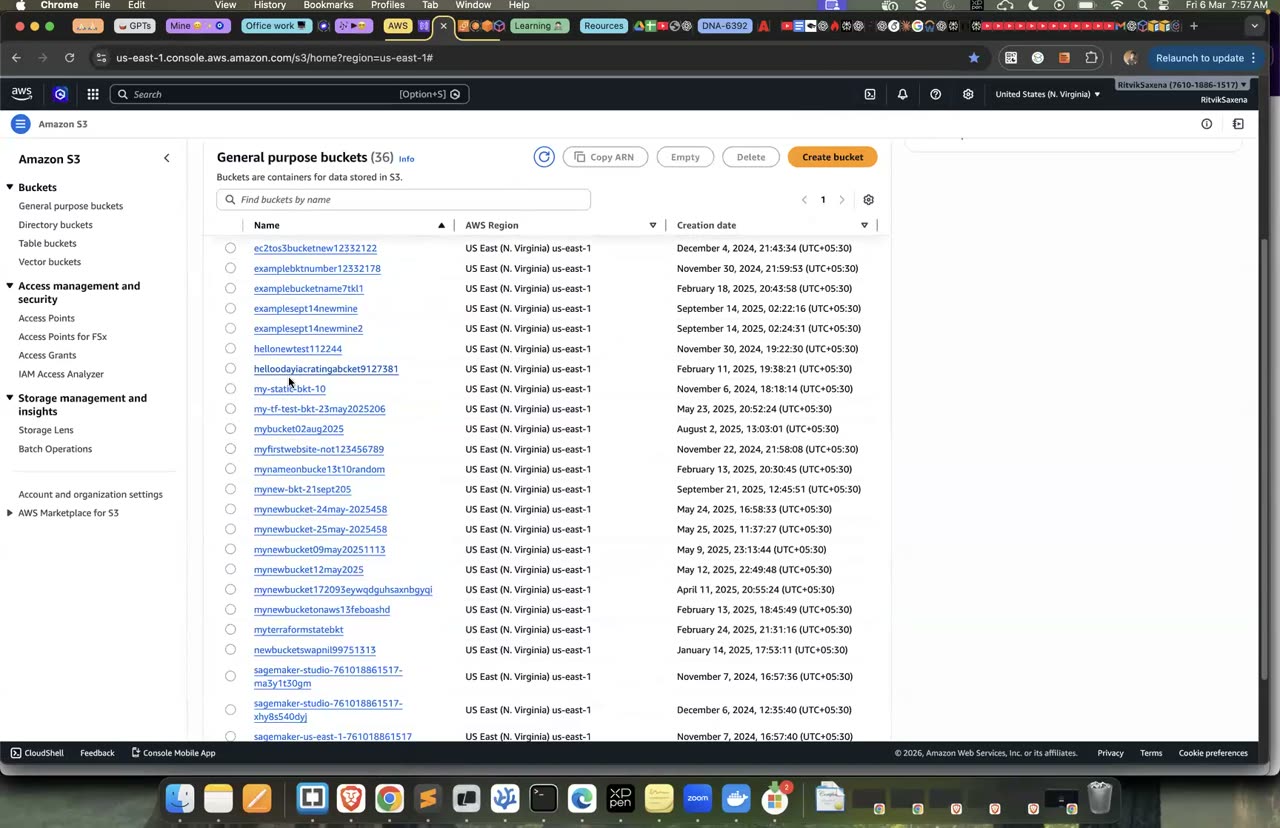
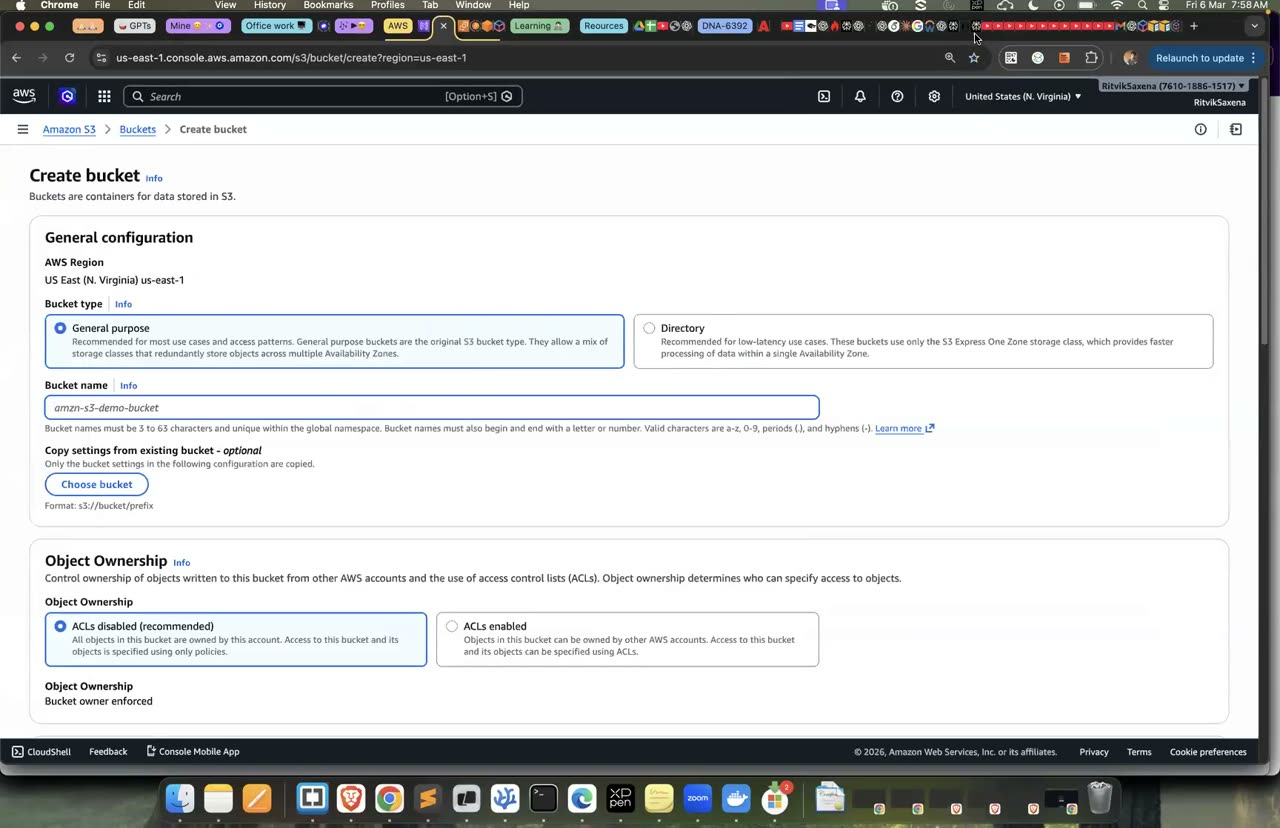
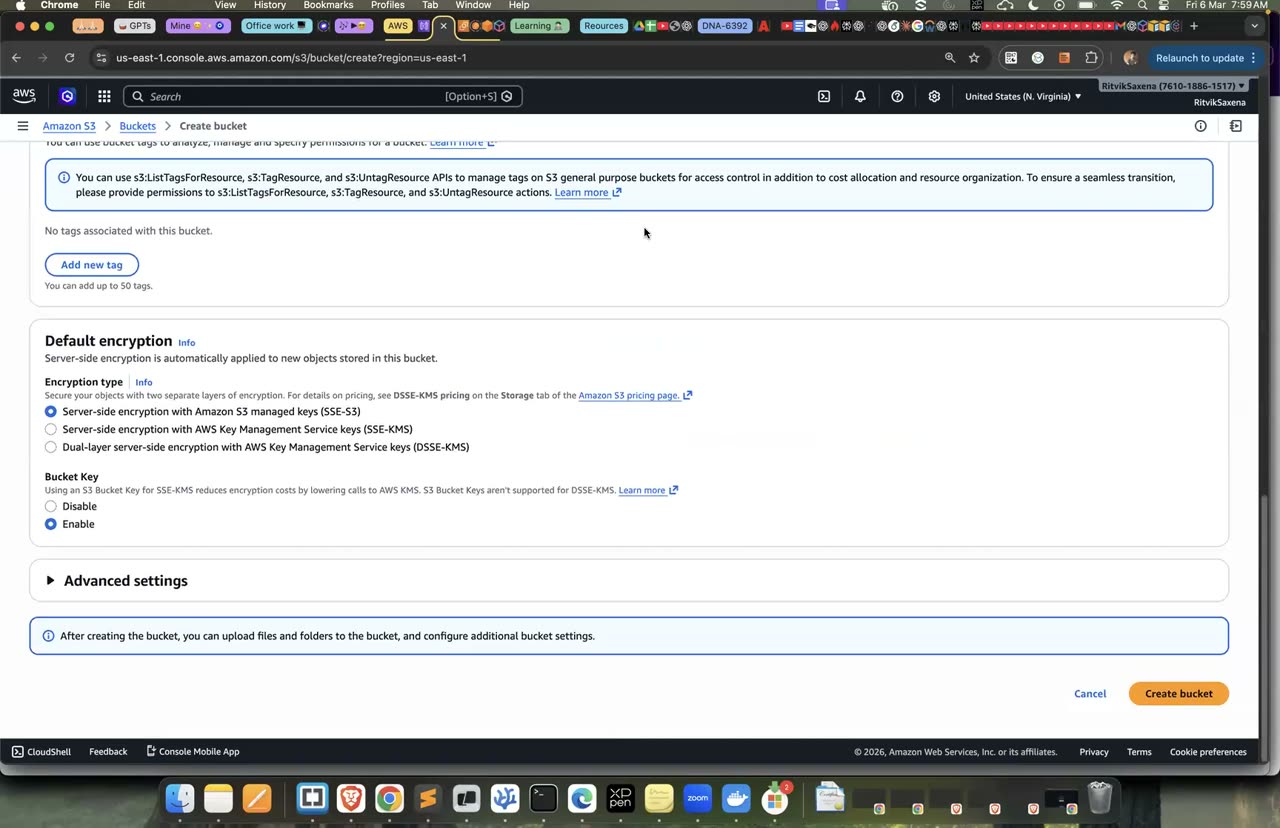
Bucket create karne ka wahi 3-step form (naam, ownership, versioning/encryption).
Agar versioning band ho aur tum kisi file ke upar nayi file likh do, toh purana data hamesha ke liye chala jaata hai. Versioning chalu karne ke baad har upload ek naya version banata hai, aur purane versions "noncurrent" ban ke surakshit rehte hain. Ransomware ya galti se hue overwrite ke khilaaf yeh sabse pehli suraksha hai.
Versioning chalu karo, ek hi naam se do alag files upload karo, versions dekho, aur purana version wapas download karo:
aws s3api put-bucket-versioning --bucket $DATA_BUCKET \
  --versioning-configuration Status=Enabled

echo "v1: original price list" > notes.txt && aws s3 cp notes.txt s3://$DATA_BUCKET/notes.txt
echo "v2: galti se sab price 0" > notes.txt && aws s3 cp notes.txt s3://$DATA_BUCKET/notes.txt

aws s3api list-object-versions --bucket $DATA_BUCKET --prefix notes.txt \
  --query 'Versions[].[VersionId,IsLatest,LastModified]' --output table

# purana (IsLatest=False) VersionId copy karke:
aws s3api get-object --bucket $DATA_BUCKET --key notes.txt --version-id <OLD_VERSION_ID> recovered.txt
cat recovered.txt- S3 → deepdive-data-... → Properties → Bucket Versioning → Edit — Enable chuno aur Save karo.
- Upload se
notes.txtko do baar (do alag content ke saath) upload karo, same key. - Objects tab mein Show versions toggle ON karo — dono versions dikhenge. Purani wali (Latest = No) ke checkbox se select karke Download se purana content wapas mil jaata hai.
- Do versions dikhe: ek
True(latest) aur ekFalse. recovered.txtmein v1 wala purana content wapas mil gaya.
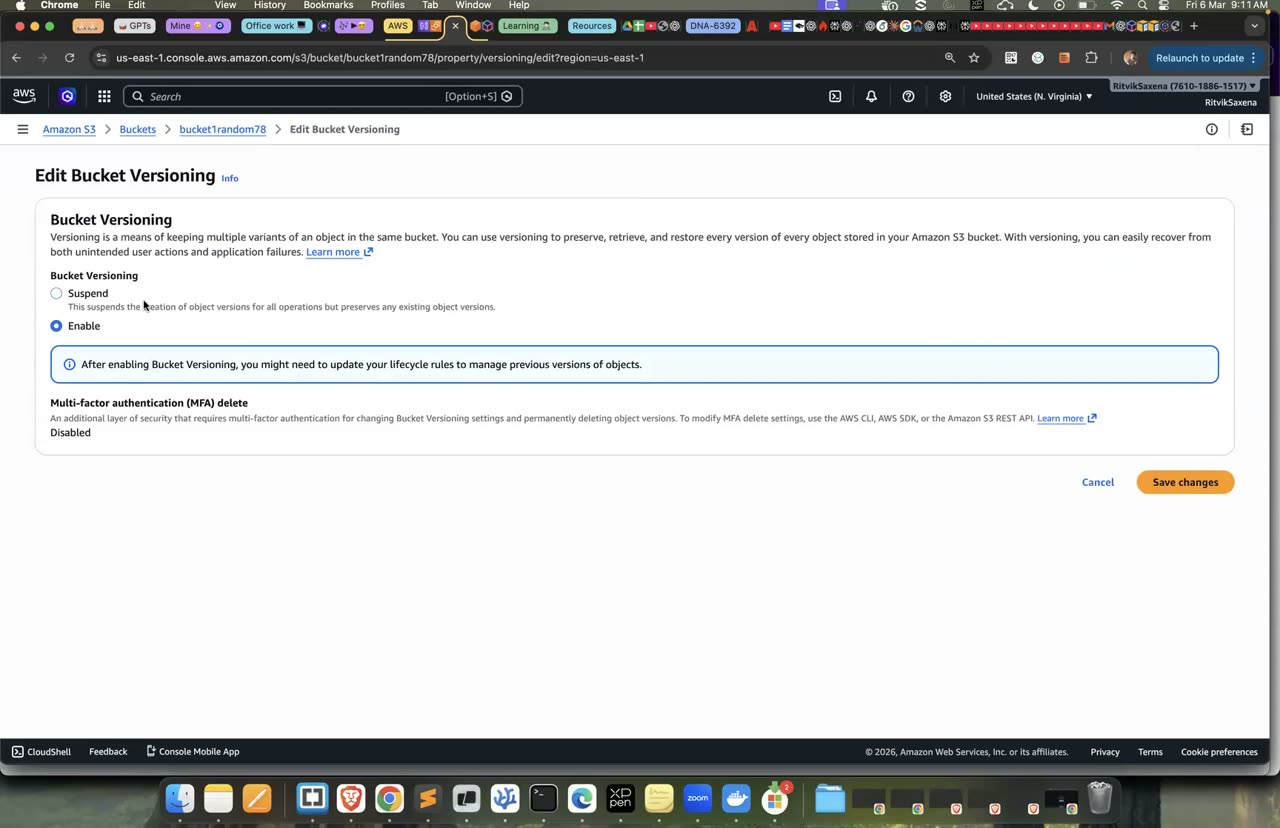
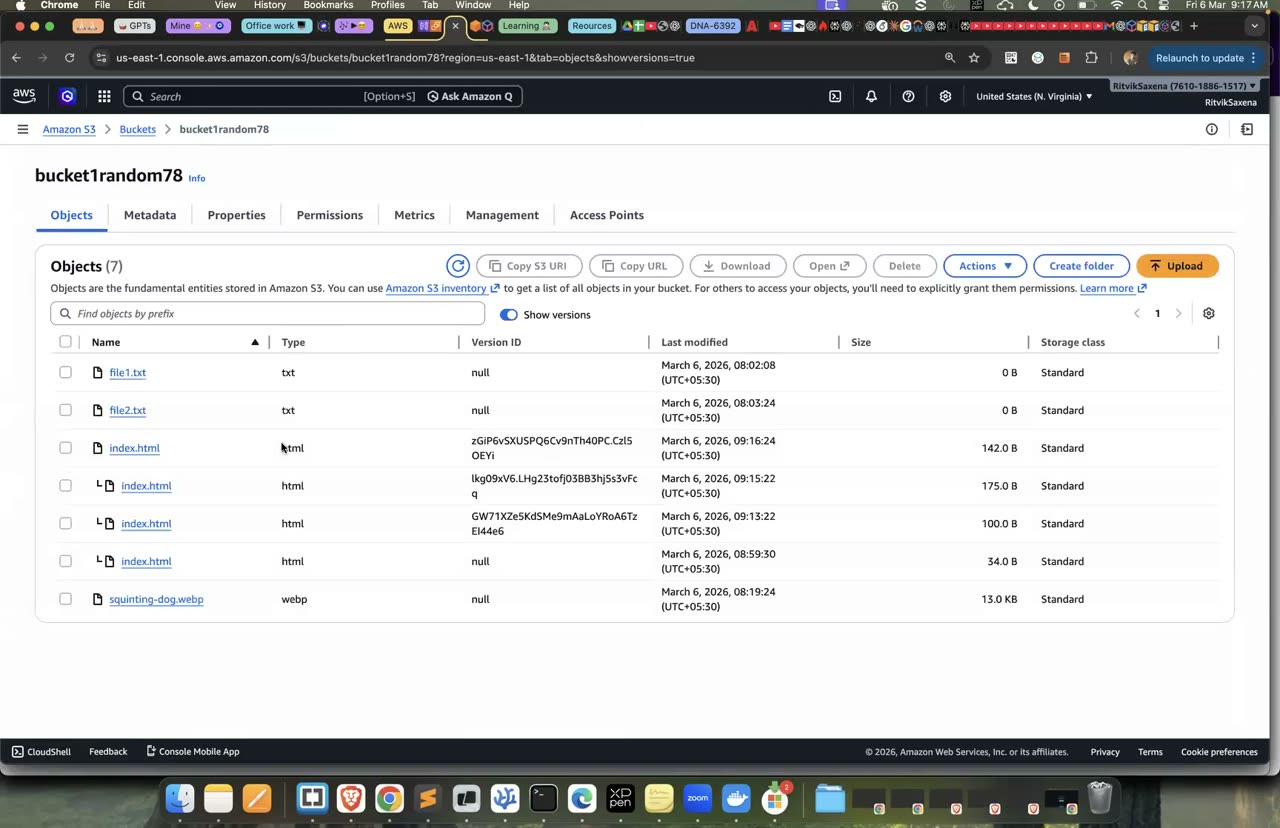
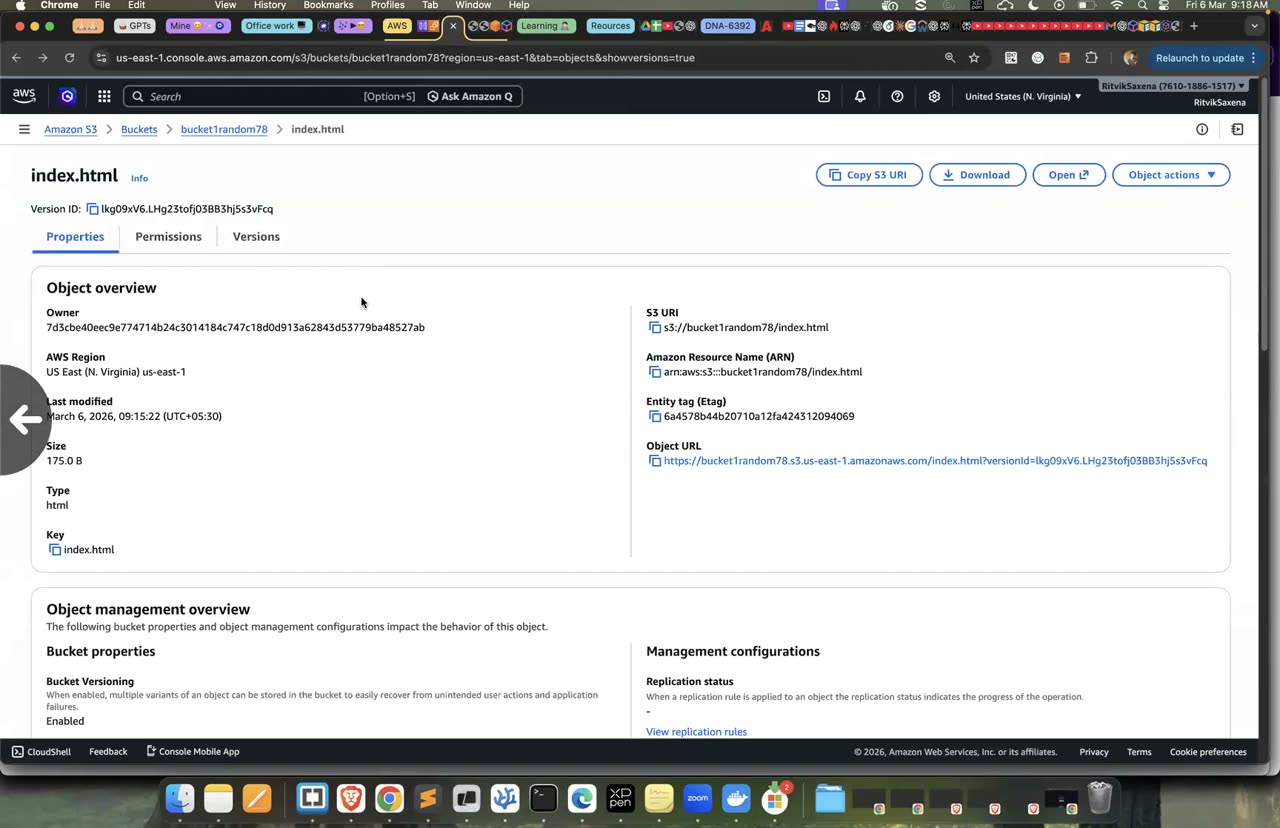
Versioning ON karna aur Show versions se purana version kholna — wahi console.
Ab file ko delete karo, dekho ki woh list se gayab ho gayi, aur phir use wapas lao:
aws s3 rm s3://$DATA_BUCKET/notes.txt
aws s3 ls s3://$DATA_BUCKET/                    # notes.txt gayab!

aws s3api list-object-versions --bucket $DATA_BUCKET --prefix notes.txt \
  --query '{Versions:Versions[].VersionId, DeleteMarkers:DeleteMarkers[].[VersionId,IsLatest]}'

# Delete marker ko hi delete kar do → file wapas
aws s3api delete-object --bucket $DATA_BUCKET --key notes.txt --version-id <DELETE_MARKER_ID>
aws s3 ls s3://$DATA_BUCKET/- Objects list mein
notes.txtko select karke Delete dabao — file list se gayab ho jaayegi. - Show versions ON karo — ab ek naya row "Delete marker" type ka dikhega, uske upar wale versions abhi bhi maujood hain.
- Delete marker wale row ko select karke Delete dabao (yeh permanently delete karta hai) — file list mein wapas aa jaayegi.
Versioned bucket mein normal delete command data ko asal mein delete nahi karti. Woh bas file ke upar ek "delete marker" rakh deti hai, jisse file list mein dikhna band ho jaati hai. File ko hamesha ke liye mitane ke liye tumhe har version ko uske version-id ke saath delete karna padta hai. Production mein iske upar MFA Delete ya Object Lock jaisi aur suraksha bhi lagayi jaati hai.
- Delete ke baad file normal list mein nahi dikhi, lekin versions ki list mein thi.
- Delete marker hatane ke baad file wapas aa gayi.
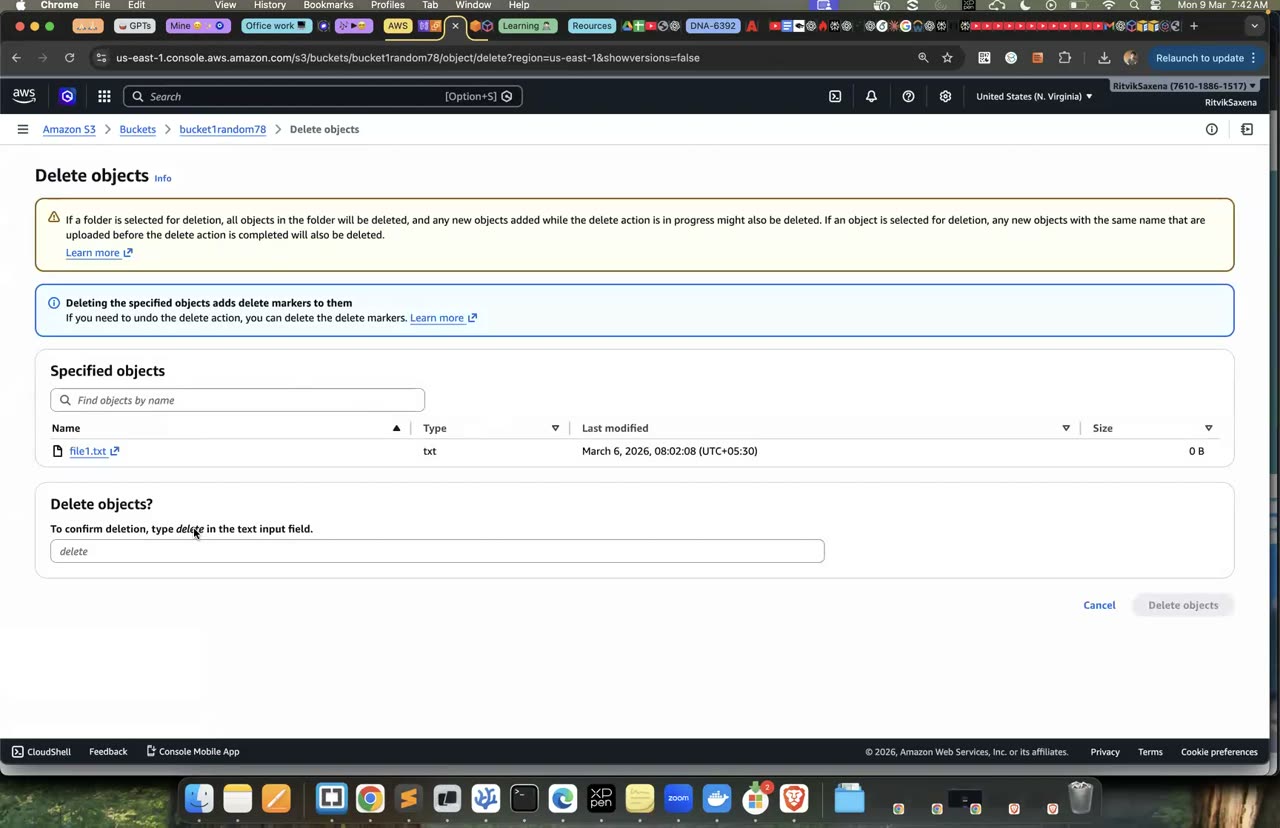
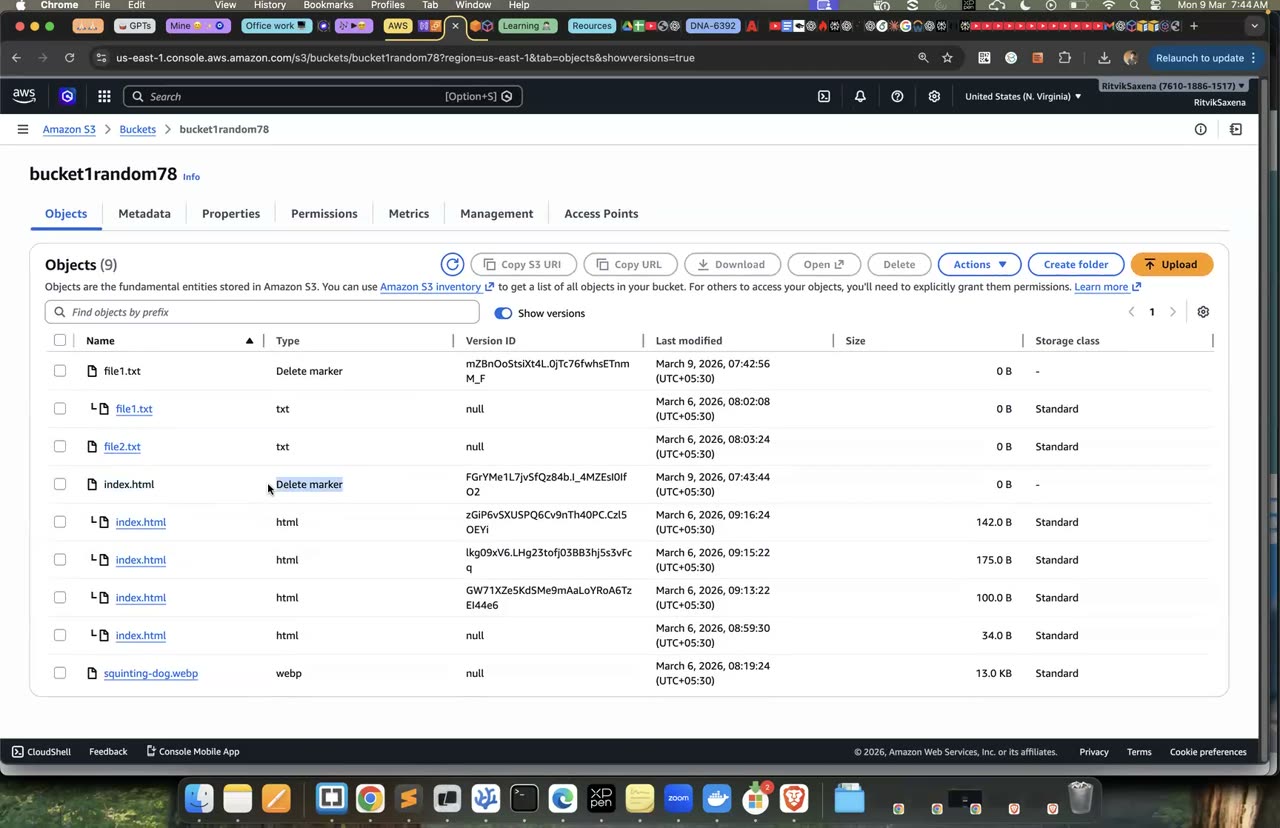
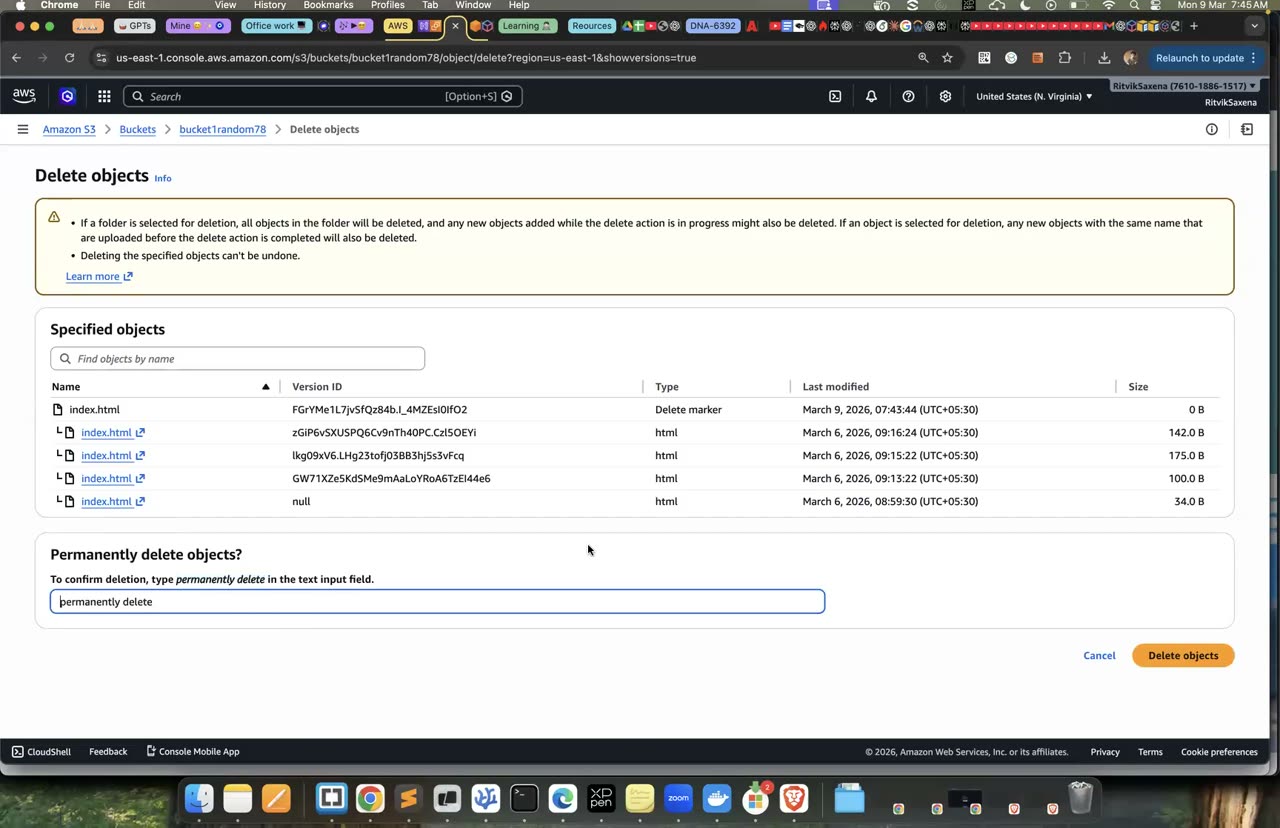
Delete marker: delete karne pe file 'gayab' hoti hai but versions mein zinda rehti hai.
IAM policy kisi identity pe lagti hai aur batati hai ki "yeh user ya role kya kar sakta hai". Bucket policy kisi resource pe lagti hai aur batati hai ki "is bucket ke saath kaun kya kar sakta hai". Bucket policies aam taur pe doosre accounts ko access dene ke liye aur aise niyam lagane ke liye use hoti hain jo sab pe laagu hon, jaise data ka encrypted connection pe hi aana-jaana. Neeche wali policy bina encryption wali (HTTP) saari requests ko deny karti hai, aur compliance audits mein yeh ek standard check hai.
cat > tls-policy.json <<EOF
{
  "Version": "2012-10-17",
  "Statement": [
    {
      "Sid": "DenyInsecureTransport",
      "Effect": "Deny",
      "Principal": "*",
      "Action": "s3:*",
      "Resource": [
        "arn:aws:s3:::$DATA_BUCKET",
        "arn:aws:s3:::$DATA_BUCKET/*"
      ],
      "Condition": { "Bool": { "aws:SecureTransport": "false" } }
    }
  ]
}
EOF
aws s3api put-bucket-policy --bucket $DATA_BUCKET --policy file://tls-policy.json
aws s3api get-bucket-policy --bucket $DATA_BUCKET --query Policy --output text | python3 -m json.tool- S3 → deepdive-data-... → Permissions → Bucket policy → Edit pe jao aur upar wali JSON paste karo (
$DATA_BUCKETki jagah apna actual bucket naam), Save changes dabao.
- Policy lag gayi hai aur
aws s3 ls s3://$DATA_BUCKETabhi bhi chal raha hai, kyunki CLI hamesha HTTPS use karta hai. - Tum samjha sakte ho ki yeh policy kuch bhi "allow" kyun nahi karti aur sirf deny kyun karti hai. (Access IAM policies se aata hai; yeh policy sirf ek shart lagati hai.)
S3 Standard mein har GB ka ek tay rate lagta hai. Jo data kam padha jaata hai, use sasti storage classes mein bhej ke kaafi paisa bachaya ja sakta hai. Lifecycle rules yeh kaam apne aap karte hain, aur logs, backups aur purane versions ke liye inse bahut bachat hoti hai.
| Class | Kab use karein | Lagbhag storage $/GB-month (us-east-1) | Dhyan rakhne wali baat |
|---|---|---|---|
| Standard | Jo data baar-baar padha jaata hai | 0.023 | — |
| Intelligent-Tiering | Jab pata na ho ki data kitna padha jaayega | apne aap | Har object pe chhoti si monitoring fee |
| Standard-IA | Mahine mein kabhi-kabhaar | 0.0125 | Padhne ki fee lagti hai, aur kam se kam 30 din ka charge |
| Glacier Instant Retrieval | Teen mahine mein ek baar, lekin turant chahiye | 0.004 | Kam se kam 90 din ka charge |
| Glacier Flexible / Deep Archive | Compliance ke liye rakhe gaye archives | 0.0036 / 0.00099 | Wapas laane mein minutes se lekar 12+ ghante lagte hain |
Neeche wali lifecycle configuration do rules lagati hai. Pehla rule logs/ wali files ko 30 din baad Standard-IA mein, 90 din baad Glacier Instant Retrieval mein bhejta hai, aur ek saal baad delete kar deta hai. Doosra rule saari files ke purane versions ko 30 din baad hata deta hai:
cat > lifecycle.json <<'EOF'
{
  "Rules": [
    {
      "ID": "archive-logs",
      "Filter": { "Prefix": "logs/" },
      "Status": "Enabled",
      "Transitions": [
        { "Days": 30, "StorageClass": "STANDARD_IA" },
        { "Days": 90, "StorageClass": "GLACIER_IR" }
      ],
      "Expiration": { "Days": 365 }
    },
    {
      "ID": "expire-old-versions",
      "Filter": { "Prefix": "" },
      "Status": "Enabled",
      "NoncurrentVersionExpiration": { "NoncurrentDays": 30 }
    }
  ]
}
EOF
aws s3api put-bucket-lifecycle-configuration --bucket $DATA_BUCKET \
  --lifecycle-configuration file://lifecycle.json
aws s3api get-bucket-lifecycle-configuration --bucket $DATA_BUCKET- S3 → deepdive-data-... → Management → Create lifecycle rule — naam
archive-logs, scope prefixlogs/, transitions 30 din→Standard-IA aur 90 din→Glacier Instant Retrieval, expiration 365 din. - Dobara Create lifecycle rule — naam
expire-old-versions, scope "Apply to all objects", sirf Permanently delete noncurrent versions ON karo, 30 din daalo.
Doosra rule bahut zaroori hai. Agar tum versioning chalu karke bhool jaate ho, toh har purana version hamesha ke liye storage ka paisa leta rahega.
- Console mein bucket ke Management tab mein dono rules dikh rahe hain.
- Tum moti-moti hisaab laga sakte ho ki 1 TB logs ko ek saal tak sirf Standard mein rakhne mein, aur is lifecycle ke saath rakhne mein, kitna farak padega.
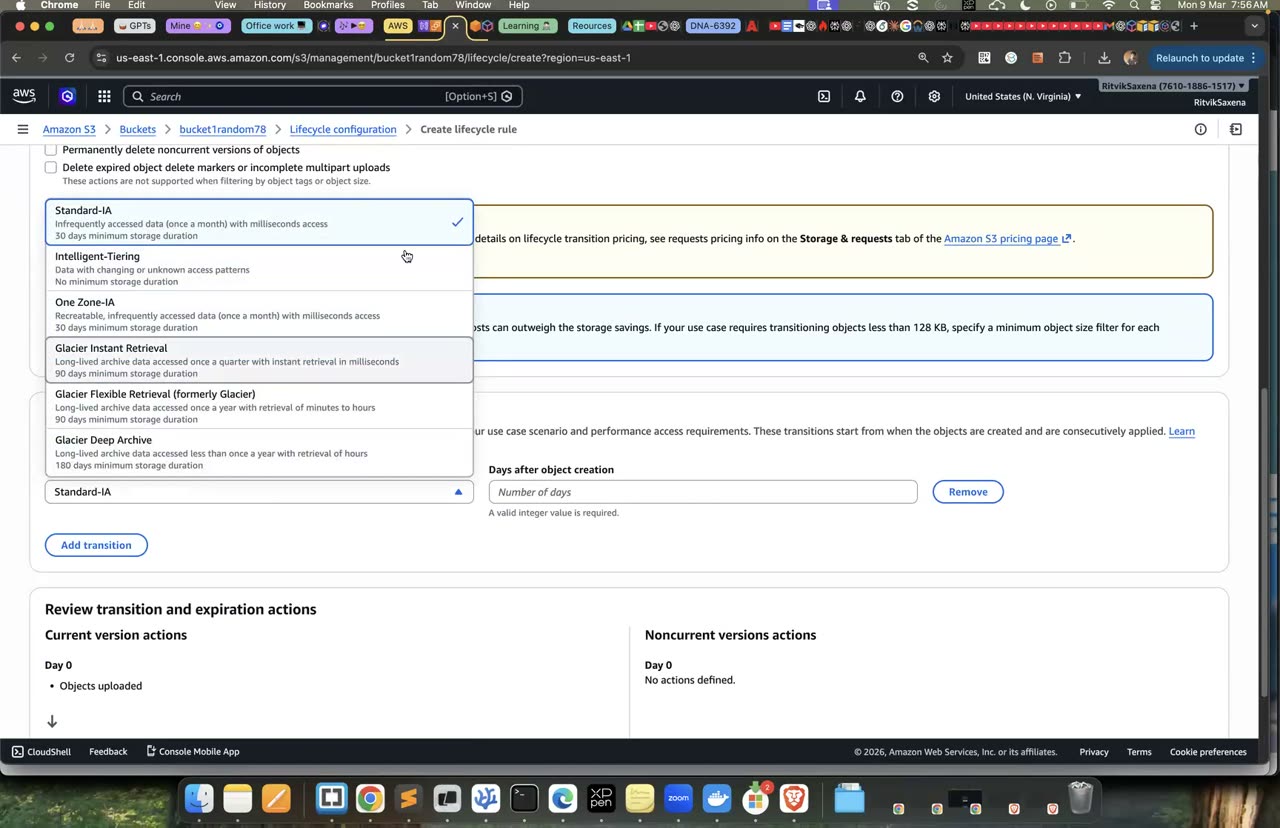
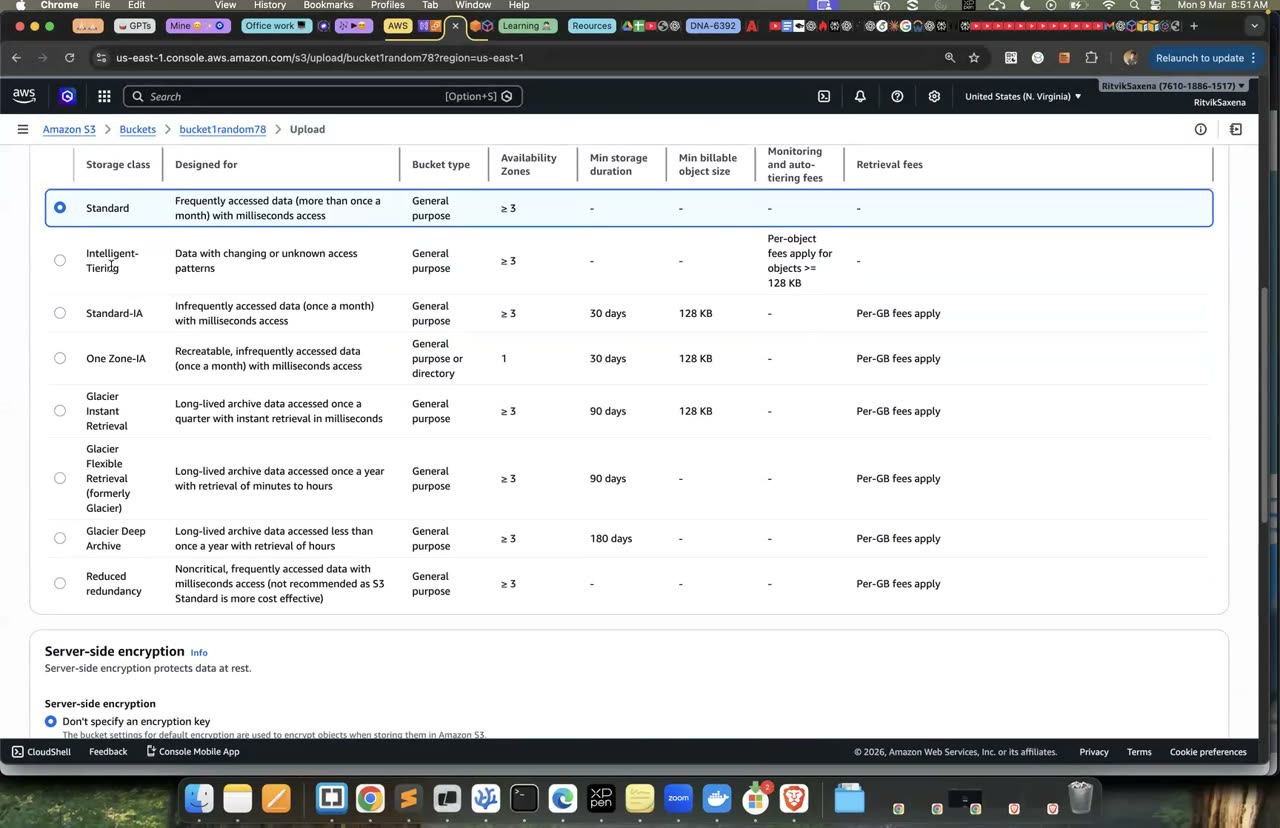
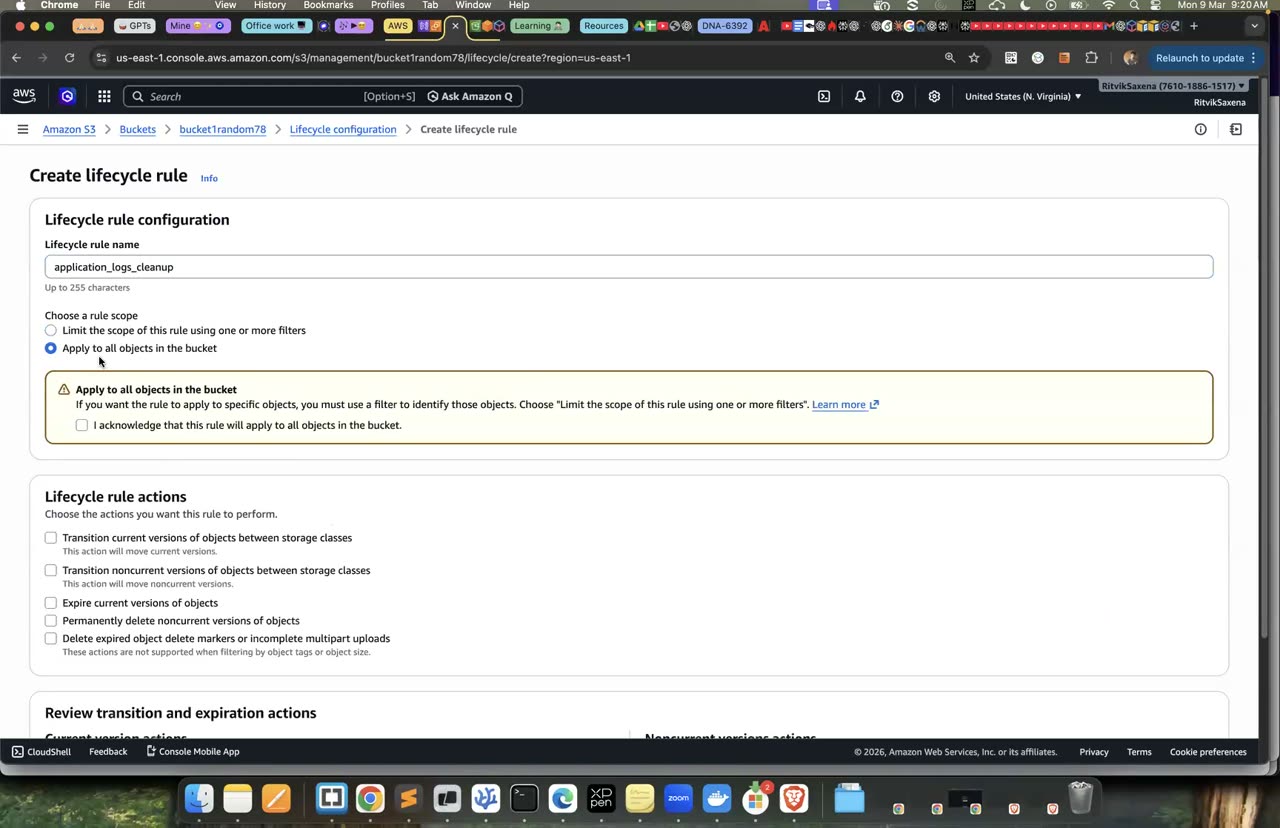
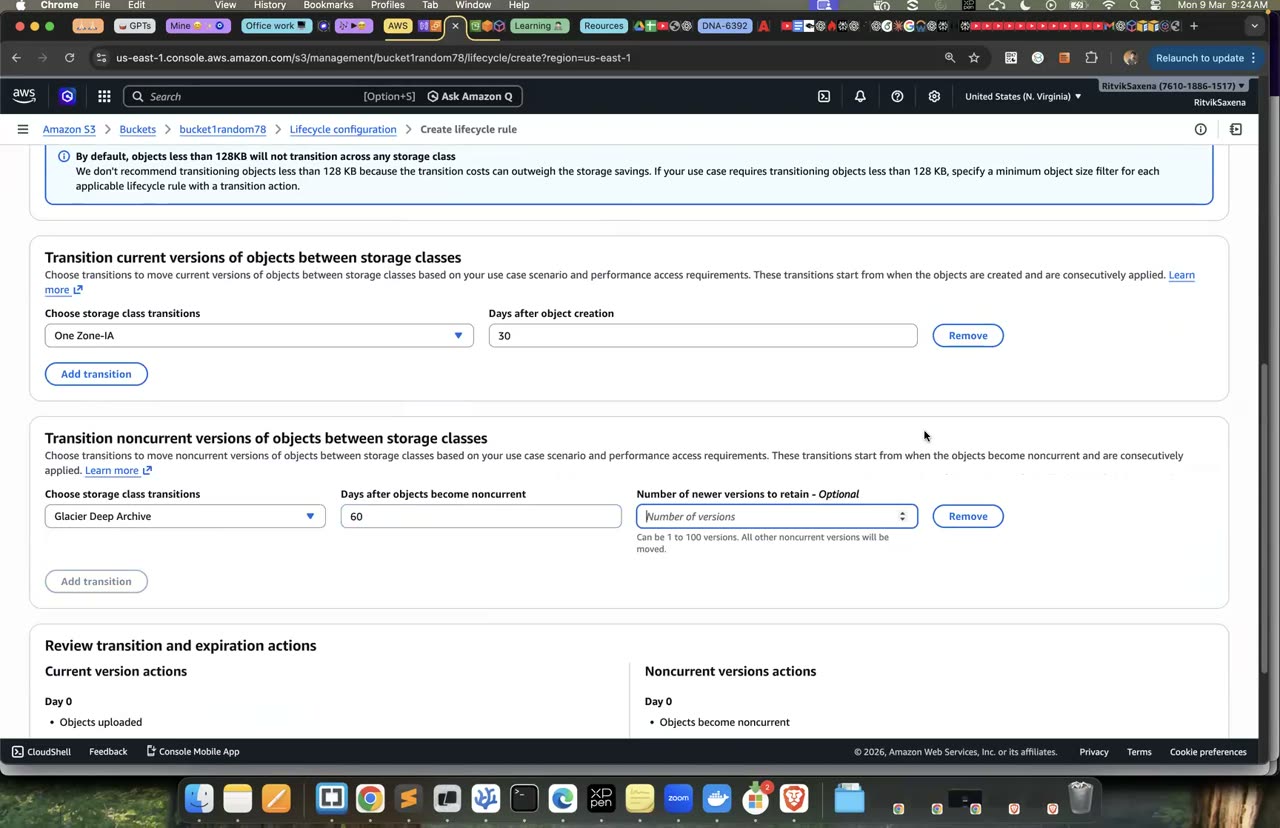
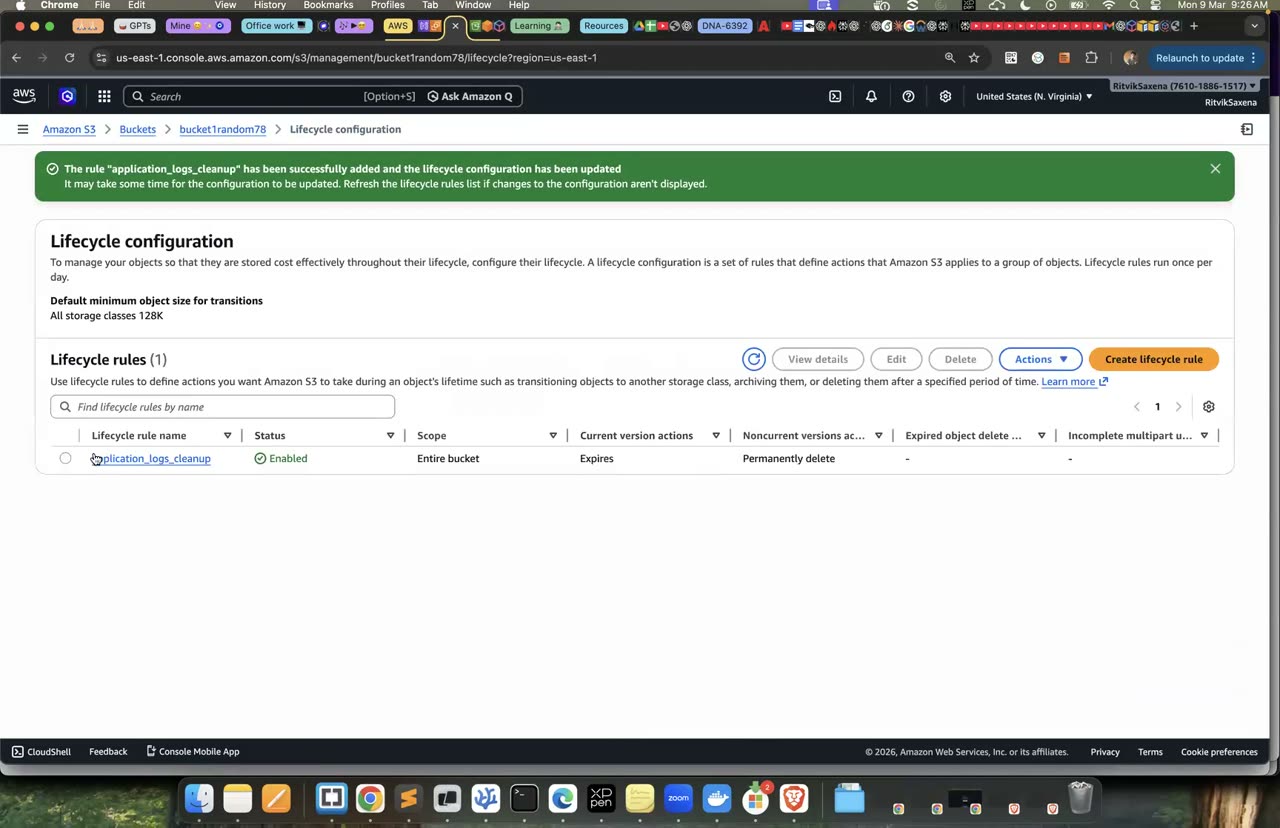
Storage classes dropdown aur lifecycle rule banane ka poora flow.
B Boto3: S3 automation script + presigned URLs
Is step mein tum s3_tool.py naam ka ek chhota command-line tool likhoge jo buckets list kar sake, files upload aur download kar sake, bucket ke andar ki files gin sake (pagination ke saath), aur presigned URL bana sake.
Boto3 Python ke liye AWS ka SDK hai. DevOps ke kaam mein aise scripts roz likhe jaate hain, jaise backups, reports ya purani files saaf karne ke liye. Isme pagination samajhna bahut zaroori hai: list_objects_v2 ek call mein zyada se zyada 1000 objects hi lautata hai. Agar tum paginator use nahi karte, toh bade bucket mein tumhara script bina koi error diye aadha data chhod dega.
Yeh code s3_tool.py file mein save karo:
import argparse

import boto3

s3 = boto3.client("s3")


def list_buckets():
    for b in s3.list_buckets()["Buckets"]:
        print(b["CreationDate"].date(), b["Name"])


def upload(path, bucket, key):
    s3.upload_file(path, bucket, key)          # bade files ko automatically multipart mein bhejta hai
    print(f"uploaded {path} -> s3://{bucket}/{key}")


def download(bucket, key, path):
    s3.download_file(bucket, key, path)
    print(f"downloaded s3://{bucket}/{key} -> {path}")


def ls(bucket, prefix=""):
    paginator = s3.get_paginator("list_objects_v2")
    total = 0
    for page in paginator.paginate(Bucket=bucket, Prefix=prefix):
        for obj in page.get("Contents", []):
            print(f'{obj["Size"]:>10}  {obj["Key"]}')
            total += 1
    print(f"{total} objects")


def presign(bucket, key, seconds):
    url = s3.generate_presigned_url(
        "get_object", Params={"Bucket": bucket, "Key": key}, ExpiresIn=seconds
    )
    print(url)


if __name__ == "__main__":
    p = argparse.ArgumentParser(description="DEEPDIVE S3 tool")
    sub = p.add_subparsers(dest="cmd", required=True)
    sub.add_parser("buckets")
    u = sub.add_parser("upload"); u.add_argument("path"); u.add_argument("bucket"); u.add_argument("key")
    d = sub.add_parser("download"); d.add_argument("bucket"); d.add_argument("key"); d.add_argument("path")
    l = sub.add_parser("ls"); l.add_argument("bucket"); l.add_argument("--prefix", default="")
    s = sub.add_parser("presign"); s.add_argument("bucket"); s.add_argument("key"); s.add_argument("--seconds", type=int, default=300)
    a = p.parse_args()

    if a.cmd == "buckets":
        list_buckets()
    elif a.cmd == "upload":
        upload(a.path, a.bucket, a.key)
    elif a.cmd == "download":
        download(a.bucket, a.key, a.path)
    elif a.cmd == "ls":
        ls(a.bucket, a.prefix)
    elif a.cmd == "presign":
        presign(a.bucket, a.key, a.seconds)
Ab ek Python virtual environment banao, boto3 install karo, aur tool ko chala ke dekho. Neeche wala loop 25 chhoti files bana ke logs/2026/ prefix mein upload karta hai:
python3 -m venv .venv && source .venv/bin/activate && pip install boto3

python s3_tool.py buckets
for i in $(seq 1 25); do echo "log line $i" > l$i.txt; python s3_tool.py upload l$i.txt $DATA_BUCKET logs/2026/l$i.txt; done
python s3_tool.py ls $DATA_BUCKET --prefix logs/
python s3_tool.py download $DATA_BUCKET logs/2026/l7.txt downloaded.txt && cat downloaded.txtlscommand ne 25 objects gine.- Download ki gayi file sahi content ke saath aayi.
Kai baar bucket private hota hai, lekin phir bhi kisi ko ek file thodi der ke liye deni hoti hai, jaise invoice download karne ke liye ya user se koi file upload karwane ke liye. Presigned URL tumhare credentials se signed hota hai aur ek tay samay ke baad bekaar ho jaata hai. Web apps mein yeh standard tareeka hai: backend ek presigned URL banata hai, aur user ka browser seedha S3 se file download ya upload karta hai, jisse tumhare server pe koi load nahi padta.
python s3_tool.py presign $DATA_BUCKET notes.txt --seconds 60
# URL browser mein kholo → content dikhega
# Normal URL try karo: https://<DATA_BUCKET>.s3.amazonaws.com/notes.txt  → AccessDenied
# 60 second baad presigned URL refresh karo → "Request has expired"- Presigned URL browser mein chala, normal URL pe AccessDenied aaya, aur expiry ke baad presigned URL bhi fail ho gaya.
C EBS: attach, format, snapshot, restore
Is step mein tum deepdive-app-sg naam ka security group banaoge jisme koi inbound rule nahi hoga, aur us-east-1a mein deepdive-storage-1 naam ka instance launch karoge jis pe Lab 1 wala role laga hoga, taaki Session Manager se uske andar ja sako.
VPC_ID=$(aws ec2 describe-vpcs --filters Name=isDefault,Values=true --query 'Vpcs[0].VpcId' --output text)
APP_SG=$(aws ec2 create-security-group --group-name deepdive-app-sg \
  --description "DEEPDIVE app servers (no inbound)" --vpc-id $VPC_ID --query GroupId --output text)

SUBNET_A=$(aws ec2 describe-subnets --filters Name=default-for-az,Values=true Name=availability-zone,Values=us-east-1a --query 'Subnets[0].SubnetId' --output text)
SUBNET_B=$(aws ec2 describe-subnets --filters Name=default-for-az,Values=true Name=availability-zone,Values=us-east-1b --query 'Subnets[0].SubnetId' --output text)
AMI_ID=$(aws ssm get-parameter --name /aws/service/ami-amazon-linux-latest/al2023-ami-kernel-default-x86_64 --query Parameter.Value --output text)

launch() {  # $1=name $2=subnet
  aws ec2 run-instances --image-id $AMI_ID --instance-type $TYPE \
    --subnet-id $2 --security-group-ids $APP_SG \
    --iam-instance-profile Name=deepdive-ec2-role \
    --metadata-options HttpTokens=required \
    --tag-specifications "ResourceType=instance,Tags=[{Key=Name,Value=$1},{Key=Project,Value=deepdive}]" \
    --query 'Instances[0].InstanceId' --output text
}
I1=$(launch deepdive-storage-1 $SUBNET_A); echo $I1
aws ec2 wait instance-running --instance-ids $I1- EC2 → Security Groups → Create security group — naam
deepdive-app-sg, description bhar ke, default VPC chuno, koi inbound rule mat jodo (khaali chhodo) aur Create dabao. Instance launch A2 jaisa hi hai, bas is SG aur subnet us-east-1a ko chuno.
Is terminal mein bane variables (APP_SG, I1, SUBNET_B waghera) aage ke steps mein chahiye honge, isliye yeh terminal band mat karna.
deepdive-storage-1us-east-1a mein chal raha hai.- 2–3 minute baad Session Manager se us instance mein connect ho pa rahe ho.
EBS volume hamesha ek hi AZ ke andar rehta hai; us-east-1a mein bana volume sirf us-east-1a ke instance se hi jud sakta hai. EBS ke alag-alag types hote hain: gp3 general-purpose SSD hai aur default choice hai, io2 un databases ke liye hai jinhe bahut zyada IOPS chahiye, aur st1/sc1 saste HDD hain jo bade, lagataar reads ke liye theek hain.
Pehle apne laptop se ek 1 GiB ka volume banao aur use instance se jodo:
VOL=$(aws ec2 create-volume --availability-zone us-east-1a --size 1 --volume-type gp3 \
  --tag-specifications 'ResourceType=volume,Tags=[{Key=Name,Value=deepdive-data-vol},{Key=Project,Value=deepdive}]' \
  --query VolumeId --output text)
aws ec2 wait volume-available --volume-ids $VOL
aws ec2 attach-volume --volume-id $VOL --instance-id $I1 --device /dev/sdf- EC2 → Volumes → Create volume — AZ us-east-1a (instance jis AZ mein hai wahi hona chahiye), size 1 GiB, type gp3, tag
Name=deepdive-data-volaur Create karo. - Volume select karo, Actions → Attach volume, instance mein
deepdive-storage-1chuno, device name/dev/sdfrakho aur Attach dabao.
Phir instance ke Session Manager shell mein disk ko dekho, uspe filesystem banao, use mount karo aur ek file likho:
lsblk                                  # naya 1G disk: nvme1n1 (Nitro instances pe /dev/sdf aise dikhta hai)
sudo file -s /dev/nvme1n1              # "data" = khaali, koi filesystem nahi
sudo mkfs -t xfs /dev/nvme1n1          # SIRF naye khaali volume pe!
sudo mkdir -p /data && sudo mount /dev/nvme1n1 /data
echo "important customer data $(date)" | sudo tee /data/important.txt
df -h /datalsblkmein nvme1n1 dikha aur woh/datape mount ho gaya./data/important.txtfile ban gayi.
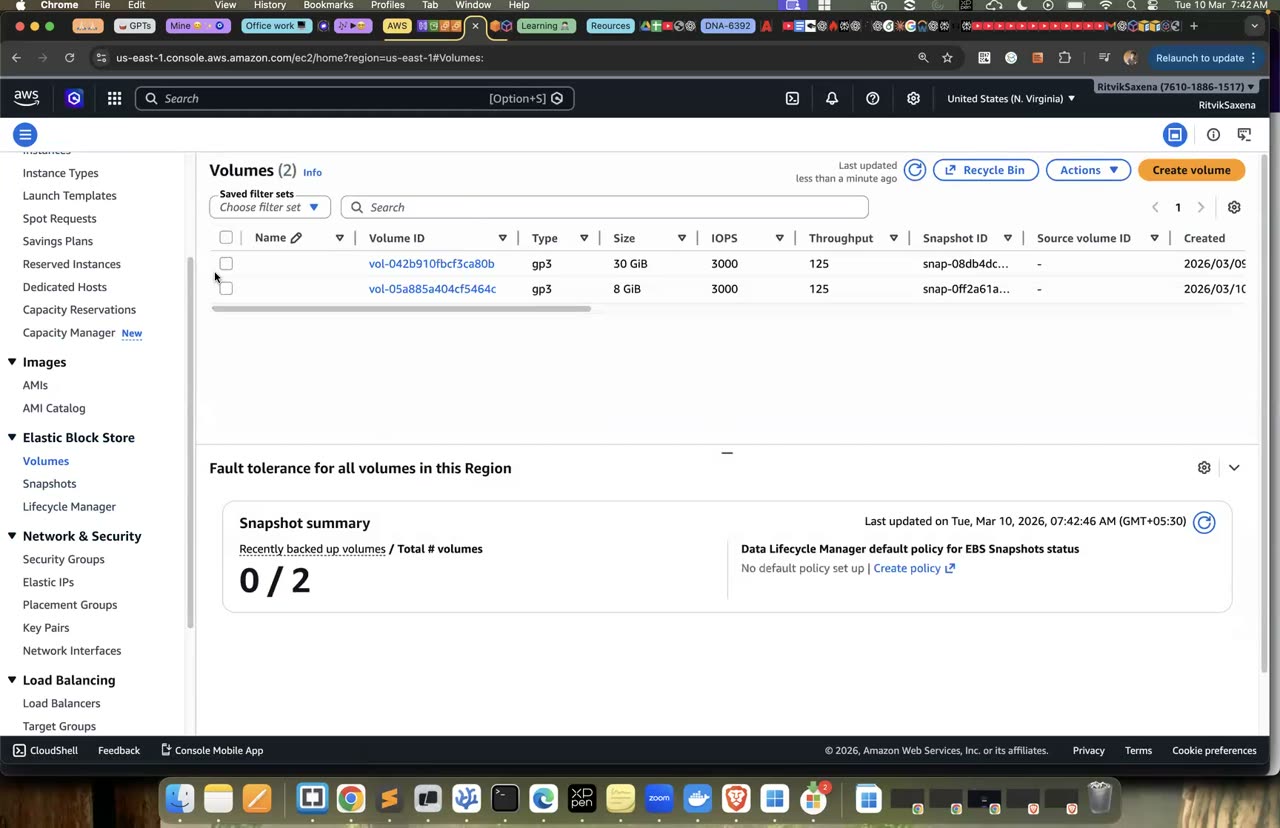
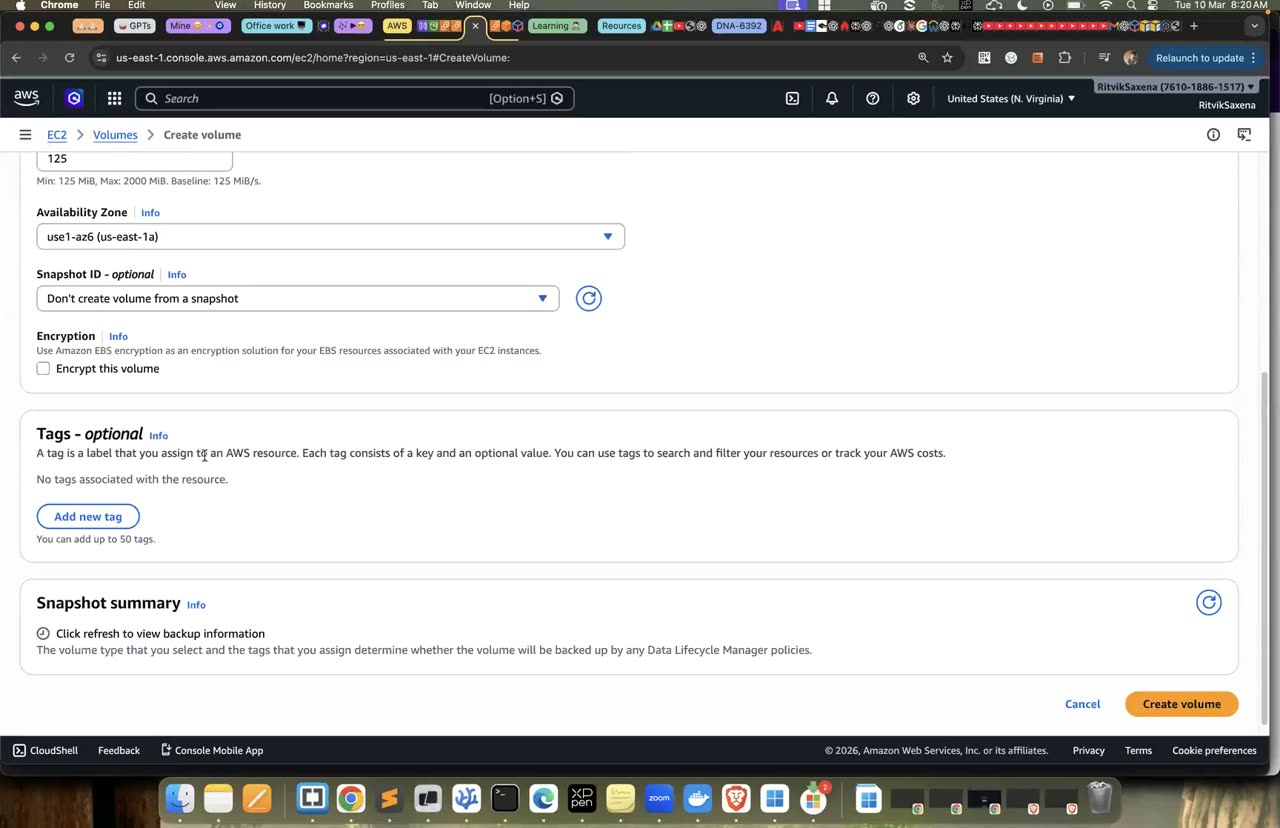
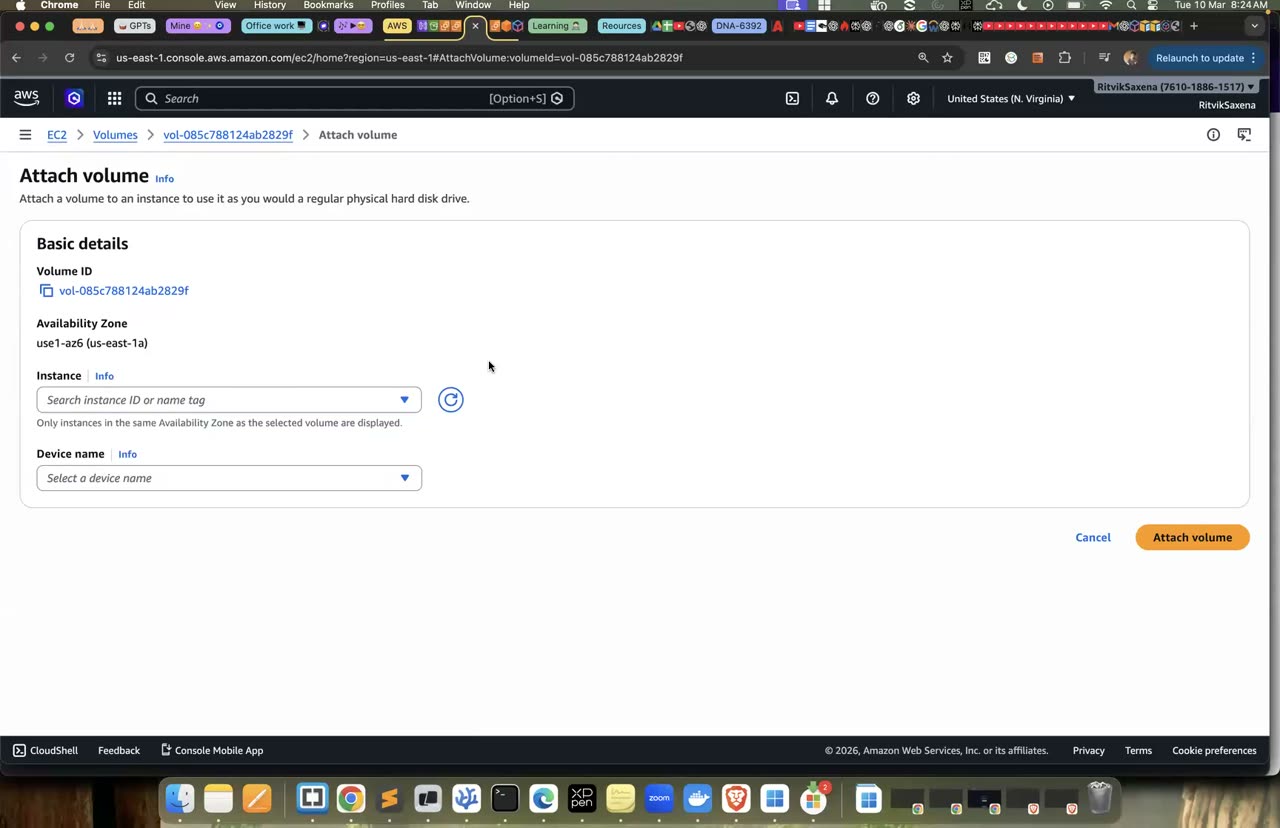
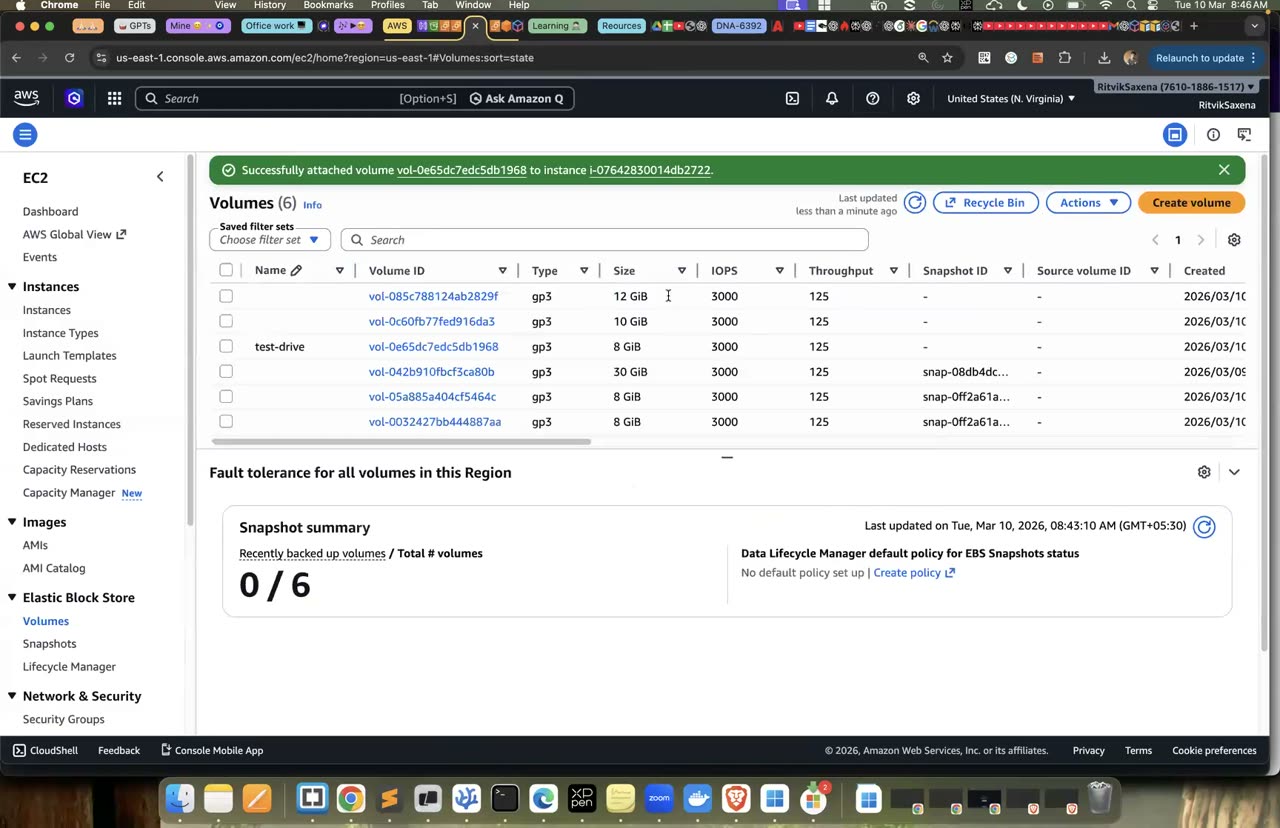
Volume create + attach ka console; format/mount terminal commands raw-notes mein hain.
Snapshot kisi volume ka ek point-in-time backup hota hai, jise AWS apni managed S3 storage mein rakhta hai. Snapshots incremental hote hain, yaani pehle snapshot ke baad sirf badle hue blocks save hote hain. Snapshot se kisi bhi AZ mein naya volume banaya ja sakta hai, aur data ko ek AZ se doosre AZ mein le jaane ka yahi tareeka hai. Snapshot ko doosre region mein copy bhi kiya ja sakta hai, jo disaster recovery mein kaam aata hai.
Pehle volume ka snapshot lo aur uske poora hone ka intezaar karo:
SNAP=$(aws ec2 create-snapshot --volume-id $VOL --description "deepdive lab3 backup" \
  --tag-specifications 'ResourceType=snapshot,Tags=[{Key=Project,Value=deepdive}]' --query SnapshotId --output text)
aws ec2 wait snapshot-completed --snapshot-ids $SNAP && echo "snapshot ready"- Volume select karo, Actions → Create snapshot, description daalo aur Create karo.
Ab instance ke andar sudo umount /data chala ke disk ko unmount karo. Phir laptop se "disaster" karo, yaani volume ko nikaal ke delete kar do, aur uske baad snapshot se ek naya volume bana ke instance se jodo:
aws ec2 detach-volume --volume-id $VOL && aws ec2 wait volume-available --volume-ids $VOL
aws ec2 delete-volume --volume-id $VOL       # data "gaya"

# Restore — naya volume snapshot se
VOL2=$(aws ec2 create-volume --availability-zone us-east-1a --snapshot-id $SNAP --volume-type gp3 \
  --query VolumeId --output text)
aws ec2 wait volume-available --volume-ids $VOL2
aws ec2 attach-volume --volume-id $VOL2 --instance-id $I1 --device /dev/sdf- EC2 → Snapshots mein apna snapshot select karo, Actions → Create volume from snapshot, AZ us-east-1a rakho aur Create karo.
- Naye volume ko select karke Actions → Attach volume se
deepdive-storage-1pe/dev/sdfdevice se jodo.
Ab instance ke andar naye volume ko mount karo. Dhyan rakhna ki is baar mkfs bilkul nahi chalana, kyunki mkfs naya filesystem banata hai aur restore kiye hue data ko mita dega:
lsblk
sudo mount /dev/nvme1n1 /data && cat /data/important.txt
EBS network se juda hua storage hai jo persistent hota hai, yaani instance ko stop aur start karne pe bhi data bacha rehta hai. Instance store kuch instance types (jaise i4i ya m6id) mein milne wali host machine ki apni physical disk hai. Yeh bahut tez hoti hai, lekin instance stop ya terminate hote hi iska saara data chala jaata hai. Isliye instance store sirf cache ya temporary data ke liye use kiya jaata hai.
- Volume delete hone ke baad bhi snapshot se
important.txtwapas mil gayi. - Tum samjha sakte ho ki restore kiye gaye volume pe mkfs kyun nahi chalaya.
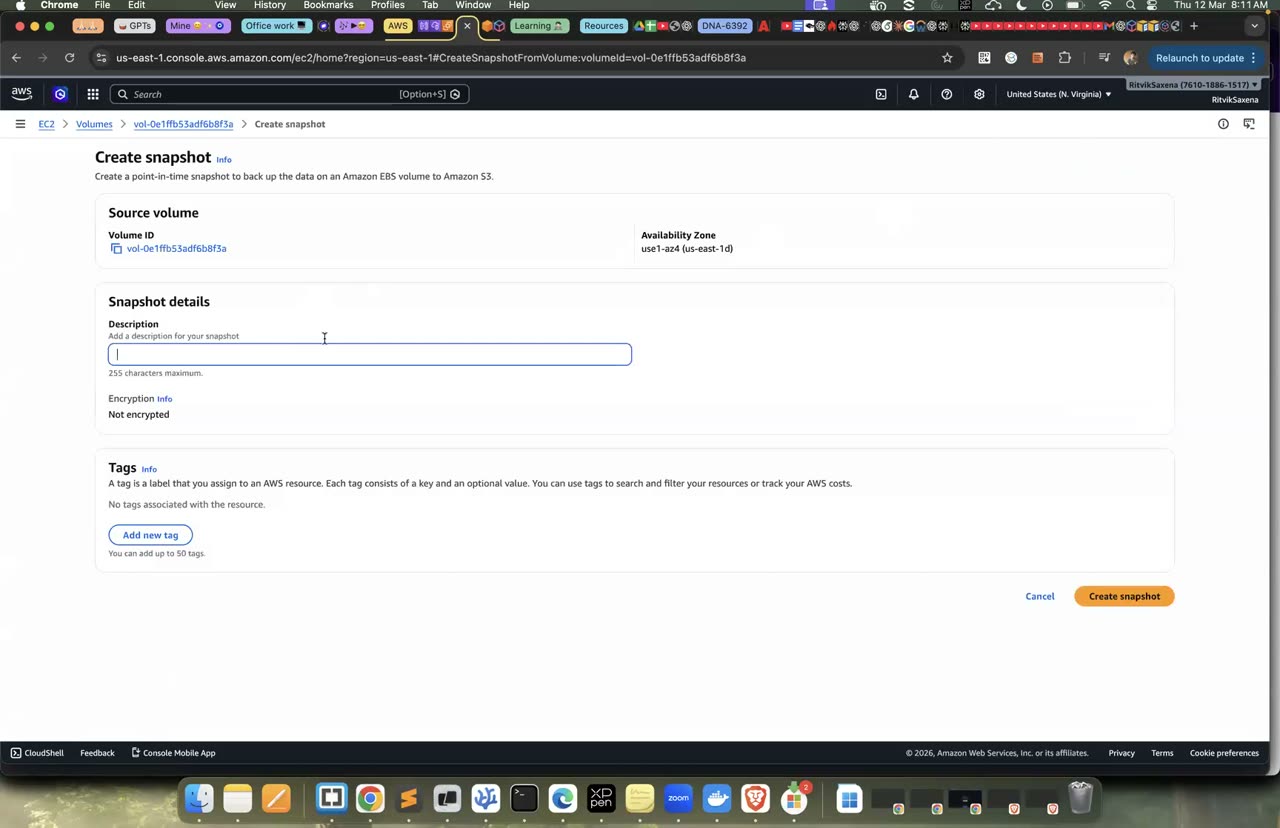
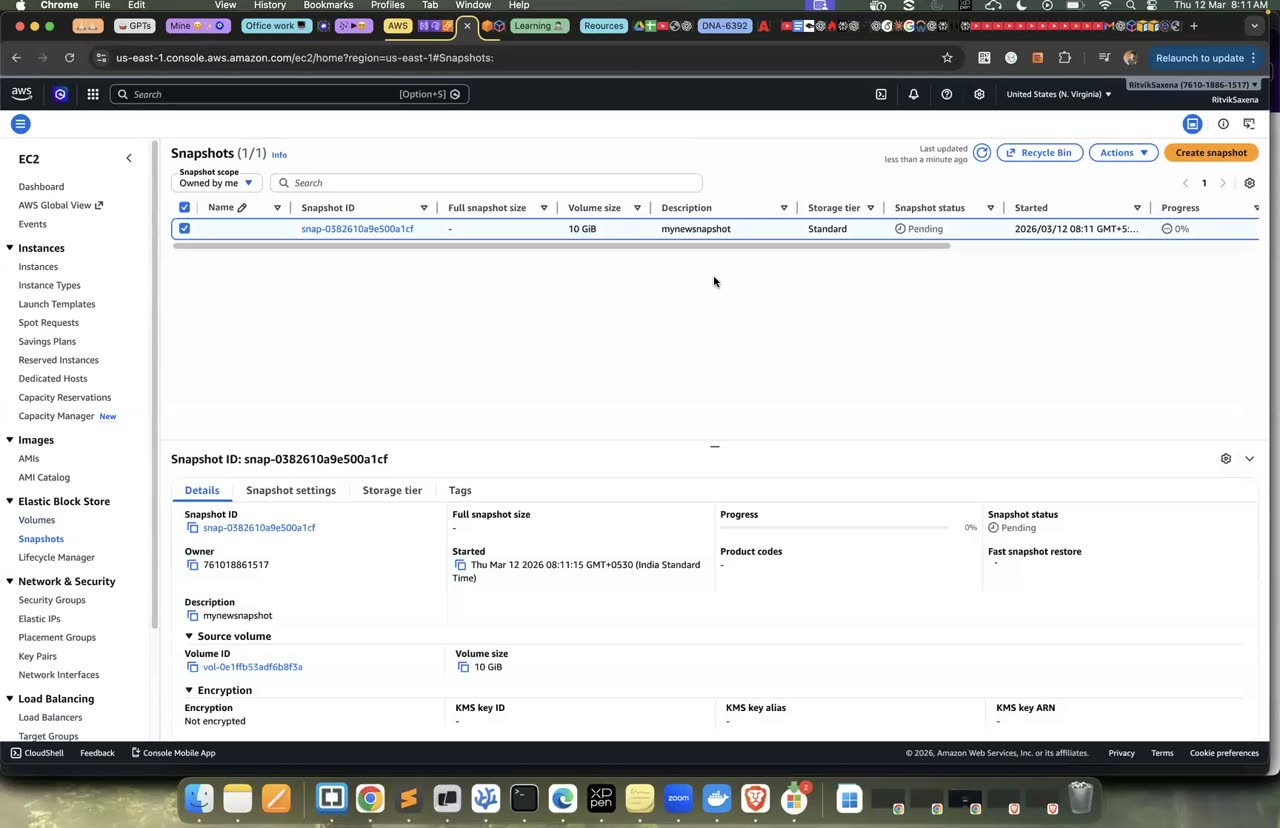
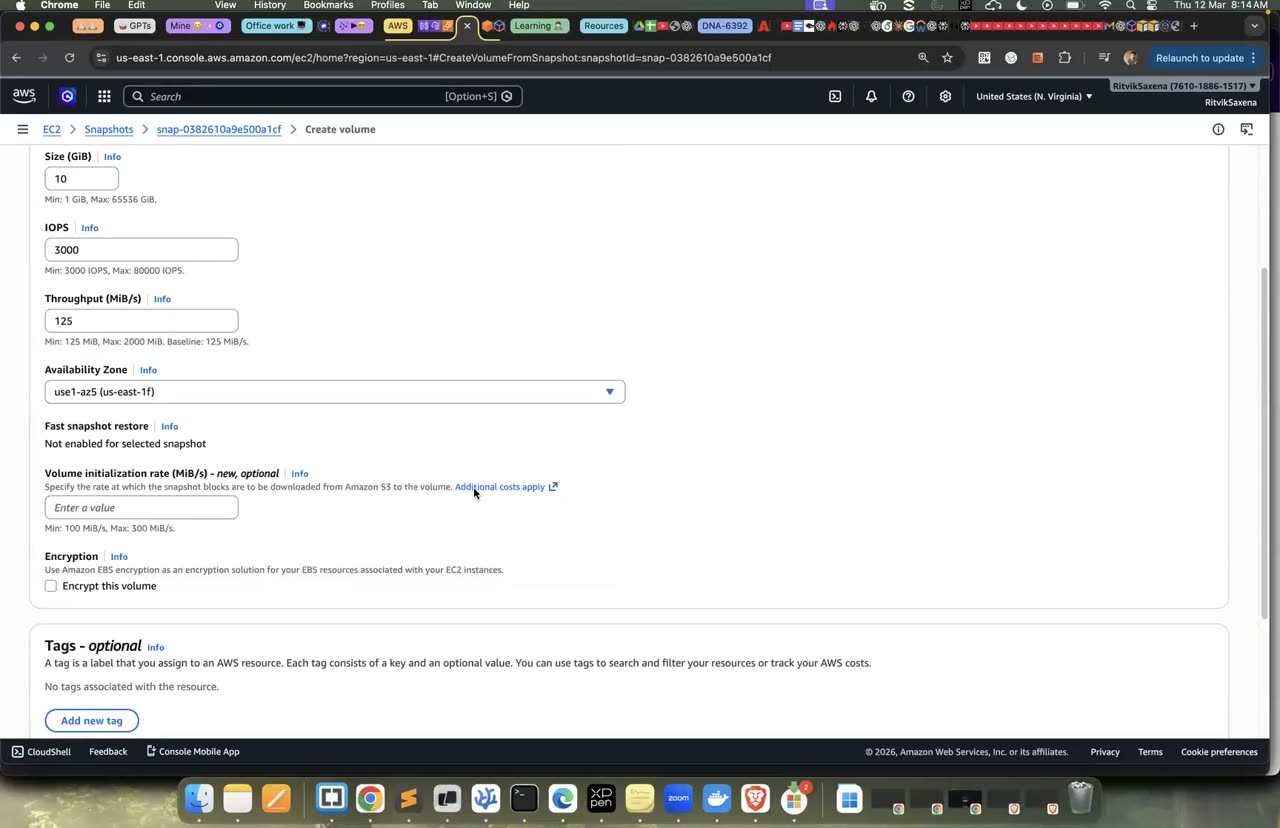
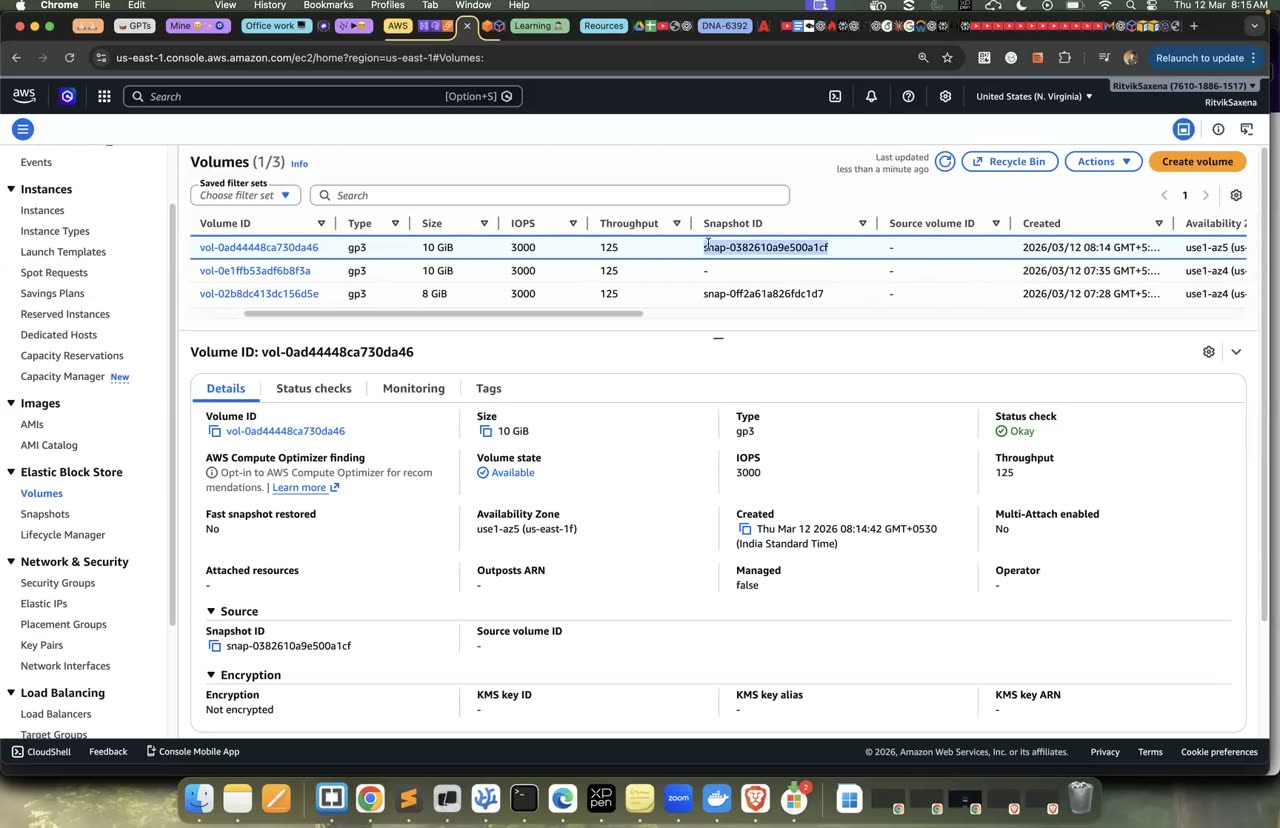
Snapshot banana aur usse naya volume banane ka wahi console.
D EFS: ek file system, do servers
Doosre AZ mein ek aur instance launch karo, aur EFS ke liye ek security group banao jo sirf app servers se NFS traffic allow kare:
I2=$(launch deepdive-storage-2 $SUBNET_B); echo $I2

EFS_SG=$(aws ec2 create-security-group --group-name deepdive-efs-sg \
  --description "NFS from app servers only" --vpc-id $VPC_ID --query GroupId --output text)
aws ec2 authorize-security-group-ingress --group-id $EFS_SG \
--protocol tcp --port 2049 --source-group $APP_SG- EC2 → Security Groups → Create security group — naam
deepdive-efs-sg, default VPC. Inbound rule jodo: type NFS, source Custom chun ke us dropdown meindeepdive-app-sgselect karo (yahan koi bhi doosra security group source ban sakta hai). Create karo.
Is rule ko dhyan se dekho. Iska source koi IP range nahi, balki ek doosra security group hai. Iska matlab hai ki "jo bhi instance deepdive-app-sg mein hai, woh NFS (port 2049) pe aa sakta hai". Agar kal tum das naye app servers jodte ho, toh rule badalne ki zaroorat nahi padegi. Security group referencing ka yeh pattern tumhe RDS mein aur Lab 4 mein bhi dikhega.
deepdive-efs-sgke inbound rules mein port 2049 ka sourcesg-...(yaani deepdive-app-sg) hai.
- EFS console mein Create file system → Customize kholo. Naam
deepdive-efsrakho, storage class mein Standard (Regional, multi-AZ) chuno, throughput mode Elastic rakho, lab ke liye automatic backups band kar do aur Next dabao. - Network wale page pe default VPC rehne do. Har AZ ke mount target se default security group hata do aur uski jagah
deepdive-efs-sglagao. Phir Next, Next dabate hue Create karo. - File system ka ID (
fs-xxxxxxxx) copy kar lo, aur mount targets ke "Available" hone tak 1–2 minute ruko.
- Network tab mein har AZ ka mount target Available hai aur uspe deepdive-efs-sg laga hai.
Ab dono instances pe, do alag Session Manager tabs mein, yeh commands chalao. fs-XXXXXXXX ki jagah apna file system ID daalo:
sudo dnf install -y amazon-efs-utils
sudo mkdir -p /shared
sudo mount -t efs -o tls fs-XXXXXXXX:/ /shared
df -h /shared            # size ~8.0E — "exabytes": EFS elastic hai, pehle se size nahi chunna padta
Ab ek server se likho aur doosre se padho. storage-1 pe echo "hello from server 1 in us-east-1a" | sudo tee /shared/hello.txt chalao.
Phir storage-2 pe cat /shared/hello.txt chalao, aur uske baad echo "reply from server 2 in us-east-1b" | sudo tee -a /shared/hello.txt se ek line aur jodo.
Ant mein storage-1 pe dobara cat /shared/hello.txt chalao; tumhe dono lines dikhni chahiye.
EBS ek server ke liye hai. Yeh kam latency deta hai, isliye databases aur boot disk ke liye sahi hai. EFS tab chahiye jab kai servers ko ek hi files ek saath chahiye hon, jaise web servers ka shared uploads folder, CMS ki media files, ya ML training ka data. Lekin EFS ka per-GB rate EBS se zyada hai aur uski latency bhi thodi zyada hoti hai. Windows servers ke liye FSx for Windows aur high-performance computing ke liye FSx for Lustre jaise alag options bhi hain.
- Do alag AZs ke do servers ek hi file ko padh aur likh pa rahe hain.
E RDS PostgreSQL: private database, SQL, ACID, backups
Is step mein tum free-tier size ka ek PostgreSQL database banaoge jiska Public access band hoga, aur jiska password RDS khud Secrets Manager mein sambhalega.
Database ko kabhi bhi internet pe khula nahi hona chahiye. Is setup mein sirf app servers (deepdive-app-sg) hi database se baat kar payenge, jo wahi security group referencing wala pattern hai. Password kisi insaan ko pata hi nahi hoga: RDS use Secrets Manager mein rakhega, aur app chalte waqt use wahan se padh lega. Lab 1 ke Part F mein seekhi gayi cheez ka yeh asli istemaal hai.
- RDS console mein Create database dabao aur Standard create chuno. Engine mein PostgreSQL (default version) chuno aur template mein Free tier chuno. Agar Free tier ka option na dikhe, toh "Sandbox" ya "Dev/Test" chuno, aur phir instance class manually
db.t4g.microyadb.t3.microaur deployment Single-AZ rakho. - DB instance identifier
deepdive-dbrakho, master usernamepostgresrakho, aur credentials management mein Managed in AWS Secrets Manager chuno. - Storage mein 20 GiB gp3 ya gp2 rakho aur storage autoscaling band kar do.
- Connectivity mein Don't connect to an EC2 compute resource chuno, kyunki connection hum khud banayenge. Default VPC rehne do, Public access ko No rakho, aur VPC security group mein Create new chun ke naam
deepdive-rds-sgdo. - Additional configuration kholo, initial database name
shoprakho, backup retention 1 day rakho, encryption ko default (on) rehne do aur Create dabao. Database banne mein 5–10 minute lagte hain.
Jab tak database ban raha hai, EC2 console mein Security Groups mein deepdive-rds-sg kholo. Inbound rules mein jo bhi default rule bana ho use delete karo, aur ek naya rule jodo: type PostgreSQL (5432) aur source deepdive-app-sg. Phir Save karo.
- Database ka status Available hai aur "Publicly accessible" No hai.
deepdive-rds-sgmein port 5432 sirfdeepdive-app-sgse allowed hai.- Database ke Configuration tab mein Secrets Manager wala "Master credentials ARN" dikh raha hai.
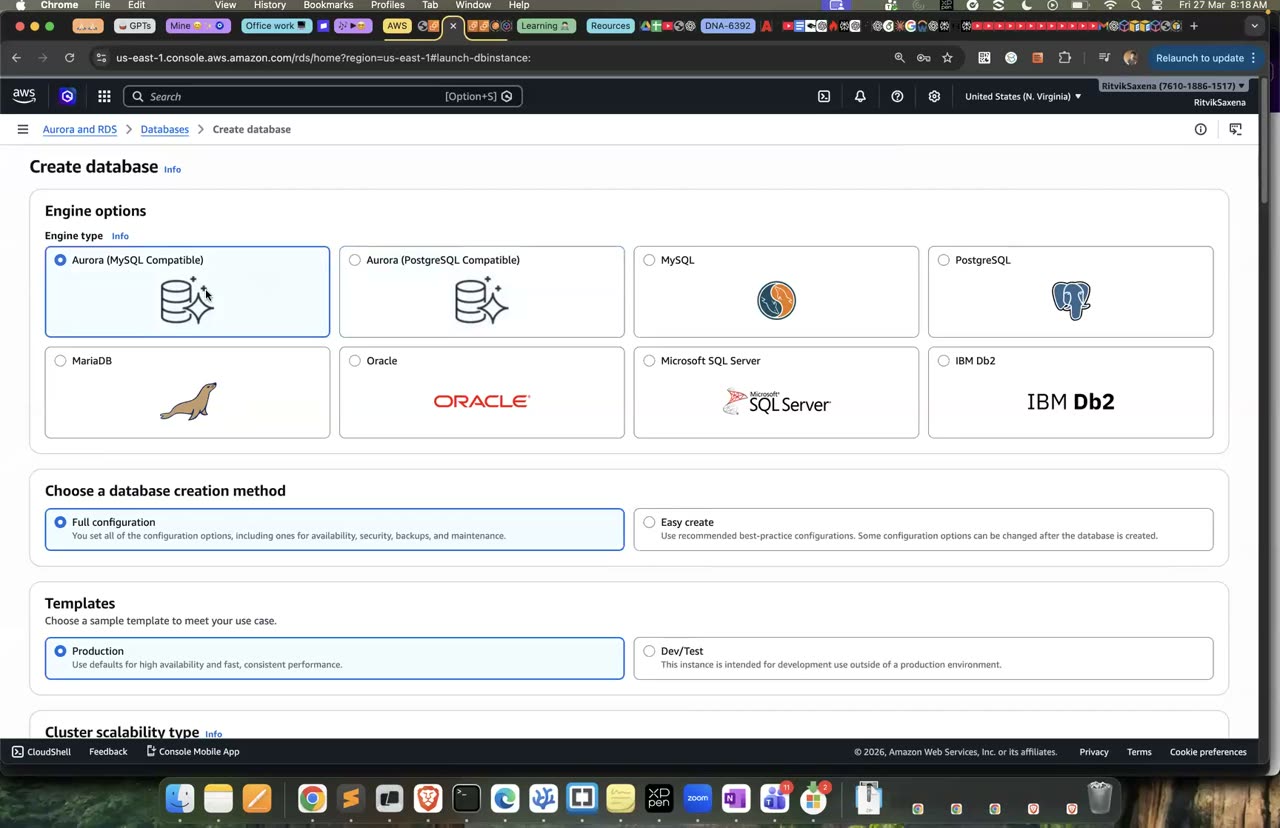
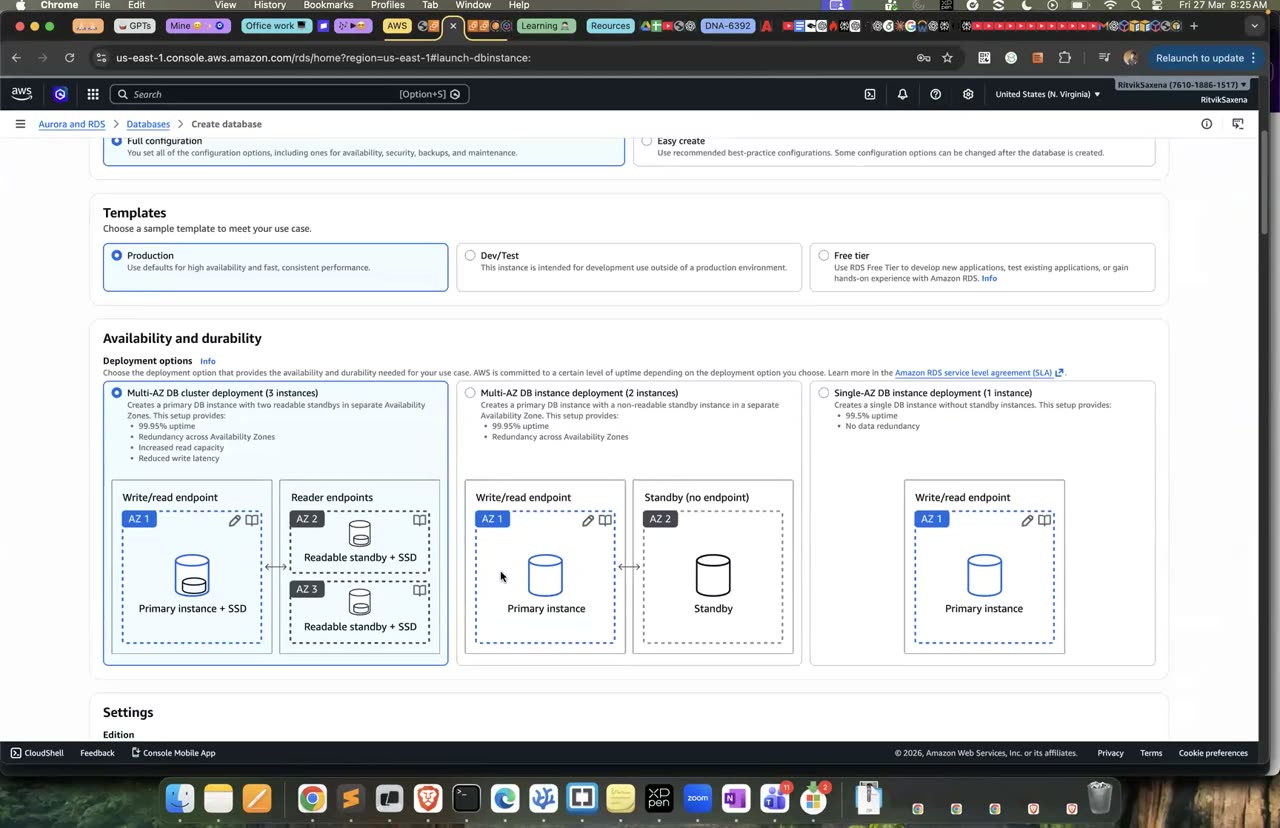
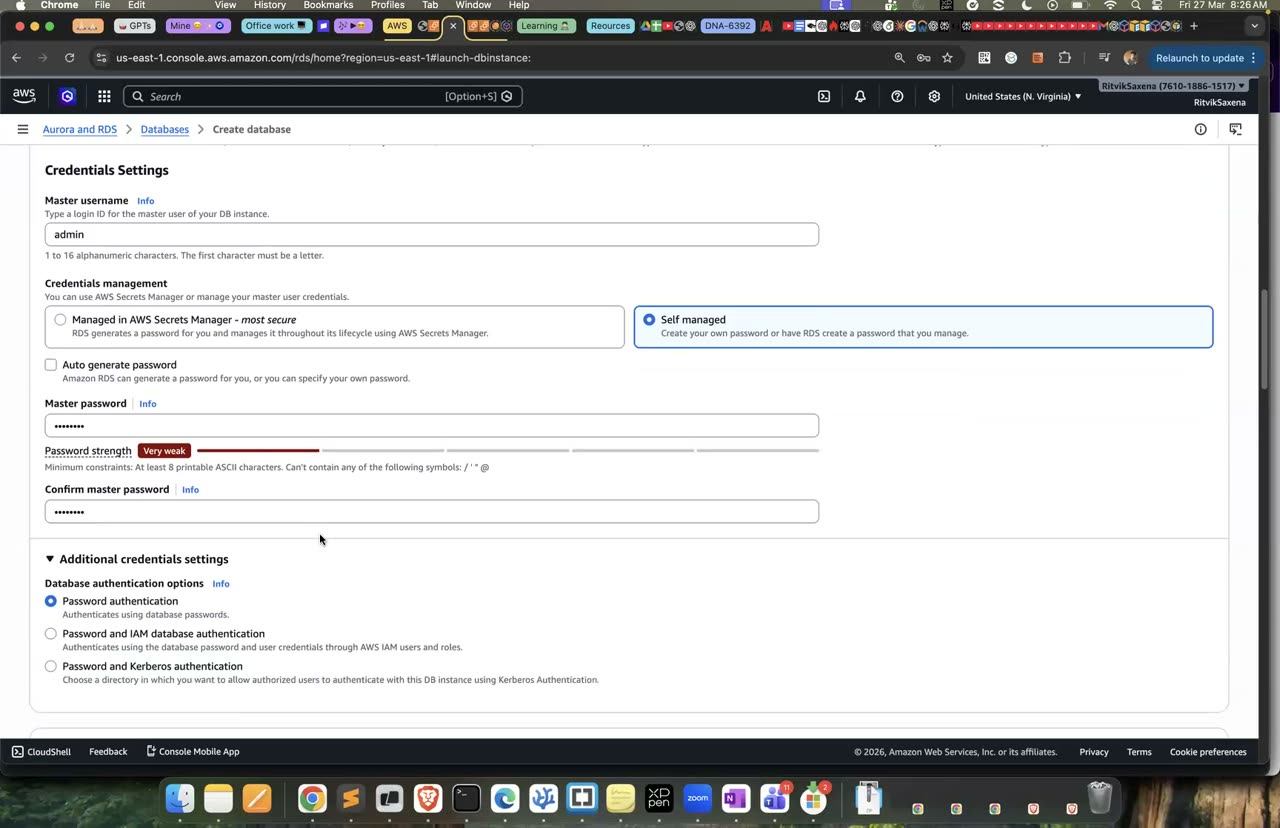
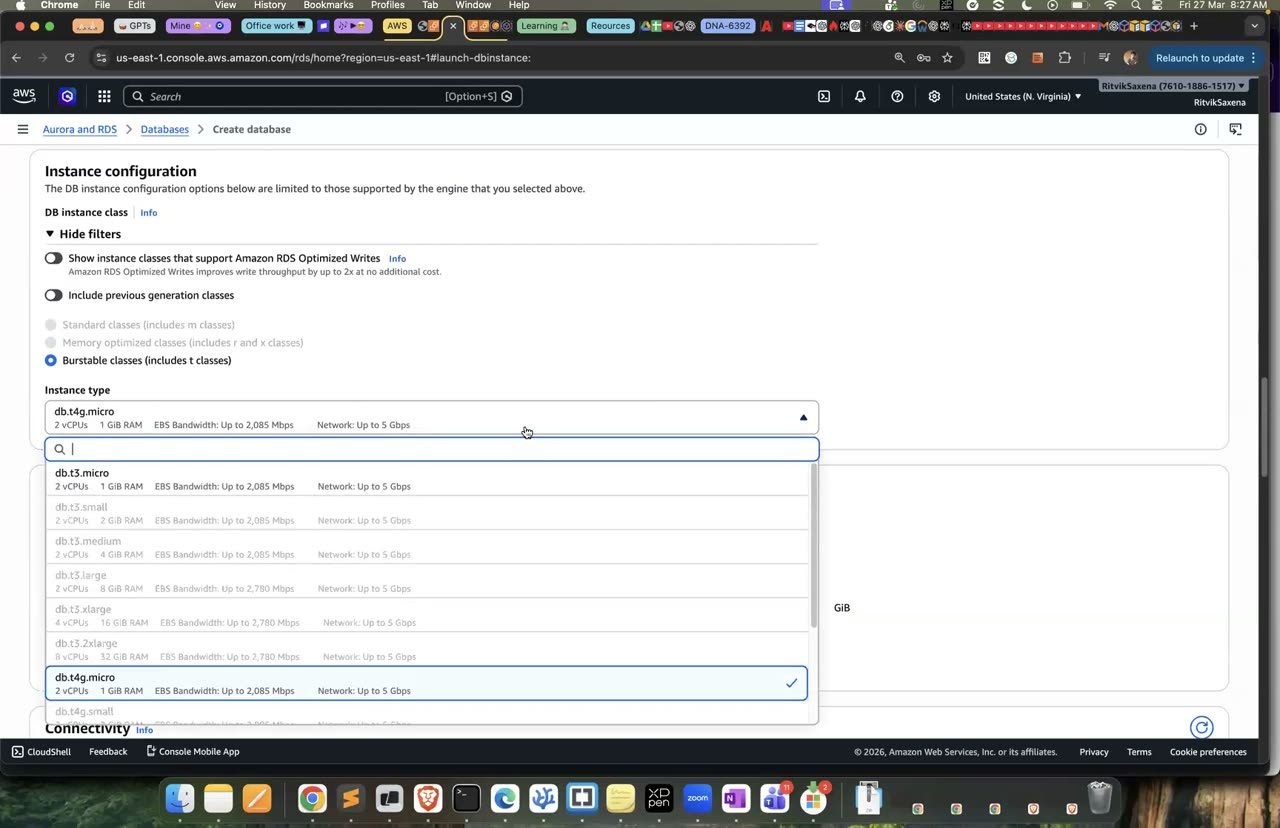
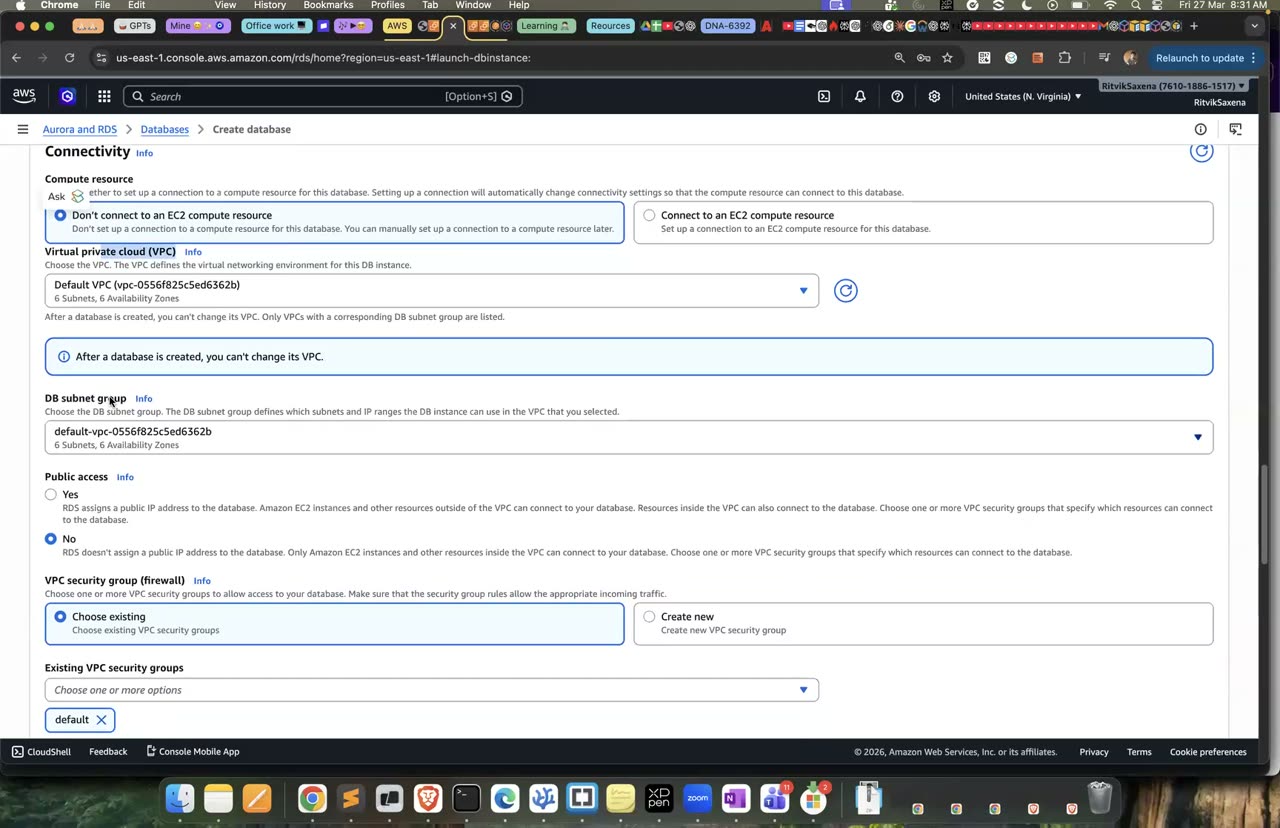
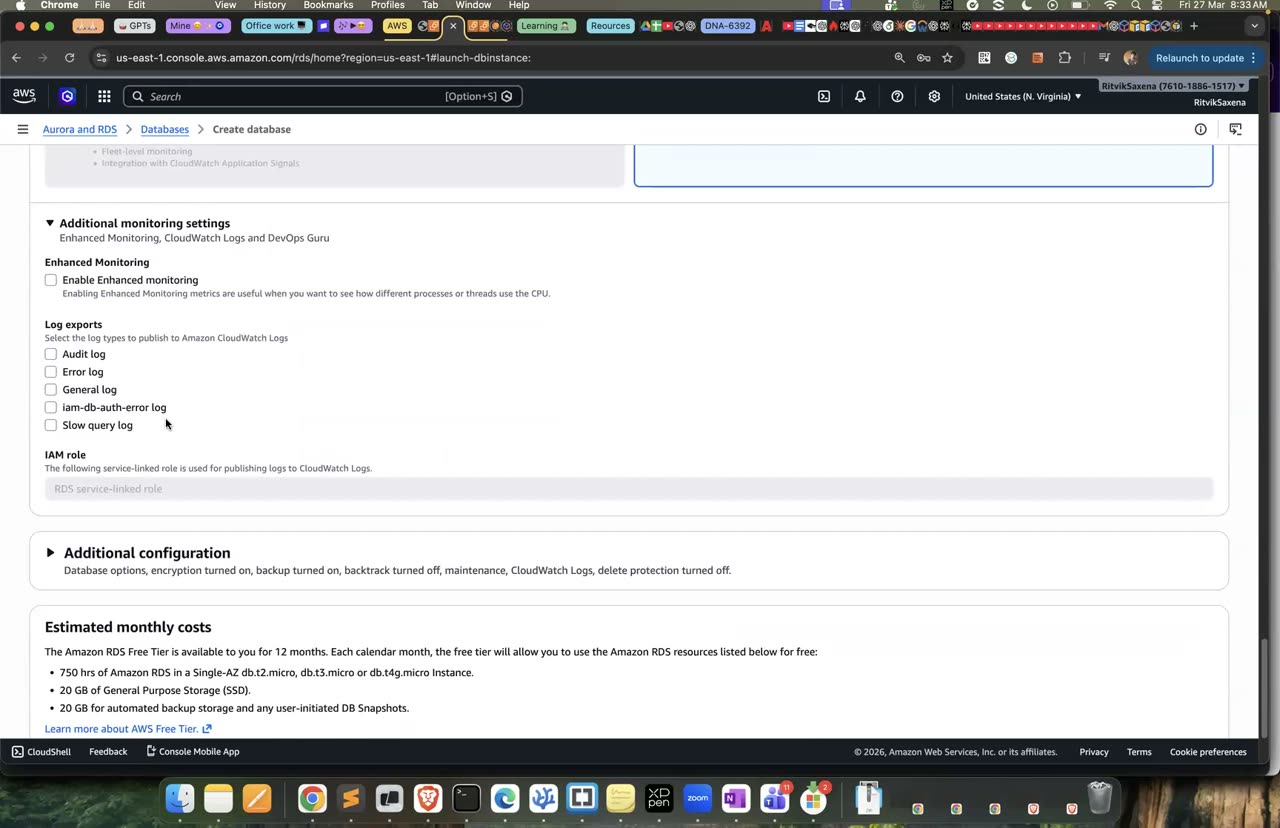
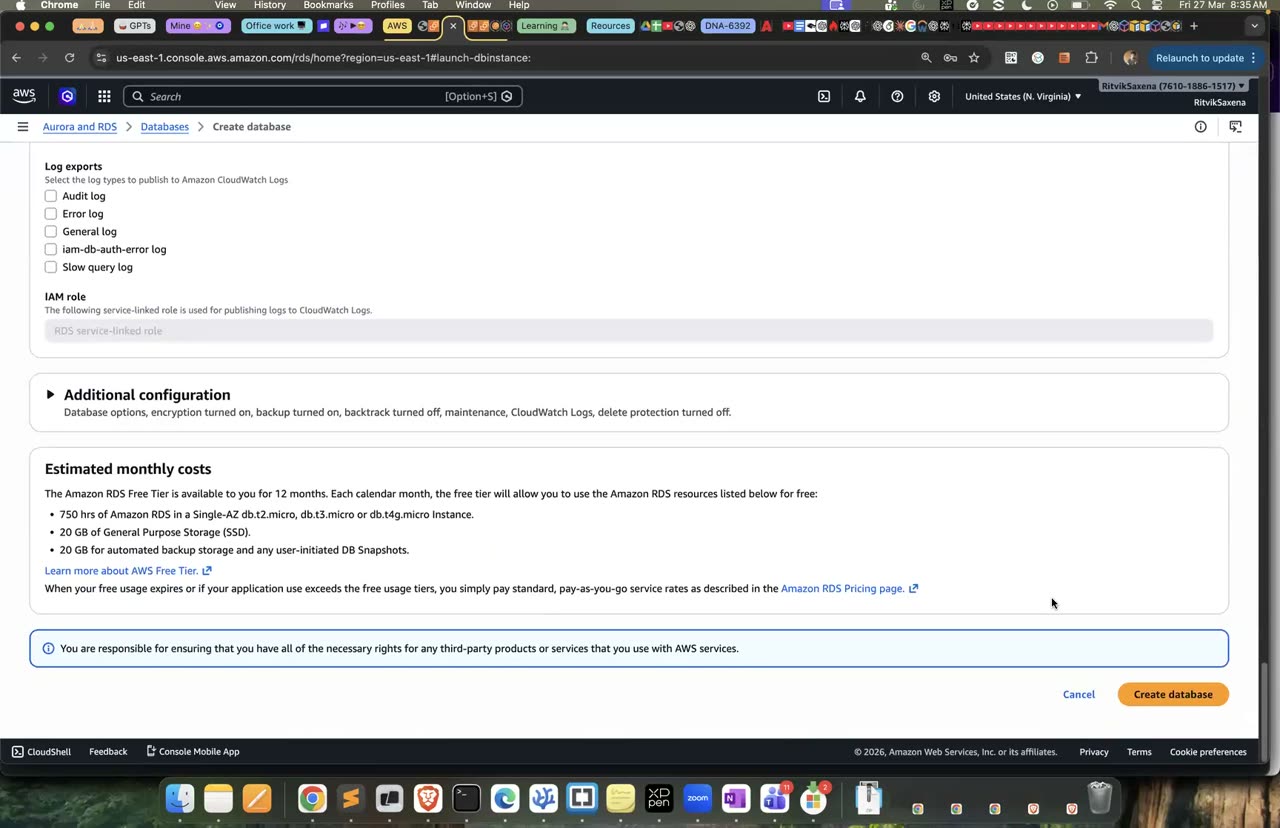
Poora RDS create-database wizard — engine se leke public-access-No tak, yahi is step ka flow hai.
App server ke role ko sirf RDS ke managed secrets padhne ki permission do, aur phir database ka endpoint aur secret ARN nikaalo:
cat > rds-secret.json <<EOF
{
  "Version": "2012-10-17",
  "Statement": [
    {
      "Effect": "Allow",
      "Action": "secretsmanager:GetSecretValue",
      "Resource": "arn:aws:secretsmanager:us-east-1:$ACCOUNT_ID:secret:rds!db-*"
    }
  ]
}
EOF
aws iam put-role-policy --role-name deepdive-ec2-role \
  --policy-name ReadRdsManagedSecrets --policy-document file://rds-secret.json

aws rds describe-db-instances --db-instance-identifier deepdive-db \
--query 'DBInstances[0].[Endpoint.Address,MasterUserSecret.SecretArn]' --output text- IAM → Roles → deepdive-ec2-role → Permissions tab kholo, Add permissions → Create inline policy, JSON tab mein upar wali
rds-secret.jsonpaste karo, naamReadRdsManagedSecretsrakho aur Create karo. - Endpoint aur secret ARN CLI ke bina bhi mil jaate hain: RDS → Databases → deepdive-db → Connectivity & security tab pe endpoint, aur Configuration tab pe "Master credentials ARN" (secret ka ARN) dikhta hai.
RDS jo secrets khud banata hai, unke naam rds!db-... se shuru hote hain, isliye policy mein yeh scoped wildcard use kiya gaya hai. Output mein aaye endpoint aur secret ARN ko copy kar lo.
- Tumhe endpoint (jaise
deepdive-db.xxxx.us-east-1.rds.amazonaws.com) aur secret ARN mil gaye.
storage-1 ke Session Manager shell mein PostgreSQL client install karo, secret se password padho aur database se connect karo:
sudo dnf install -y postgresql16 jq      # na mile toh: dnf search postgresql  → latest client install karo
export AWS_DEFAULT_REGION=us-east-1
export PGHOST=<ENDPOINT>
export SECRET_ARN='<SECRET_ARN>'
export PGPASSWORD=$(aws secretsmanager get-secret-value --secret-id "$SECRET_ARN" \
  --query SecretString --output text | jq -r .password)

psql "host=$PGHOST port=5432 dbname=shop user=postgres sslmode=require"
Ab yahi connection apne laptop se try karo (psql -h <ENDPOINT> ... ya nc -vz <ENDPOINT> 5432). Yeh timeout ho jaayega, kyunki endpoint ka naam ek private IP pe resolve hota hai aur security group sirf app servers ko andar aane deta hai.
- storage-1 se
shop=>prompt mil gaya. - Laptop se connect karne pe timeout hua.
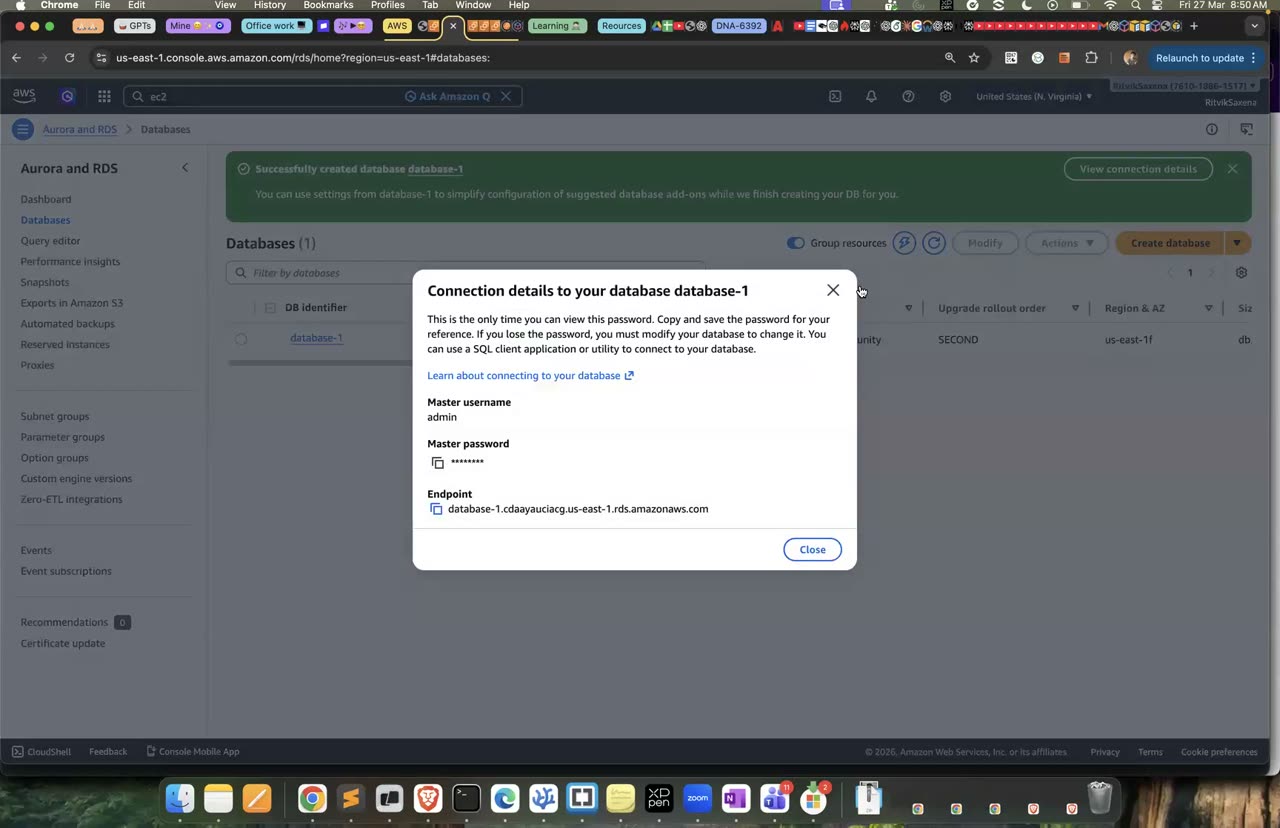
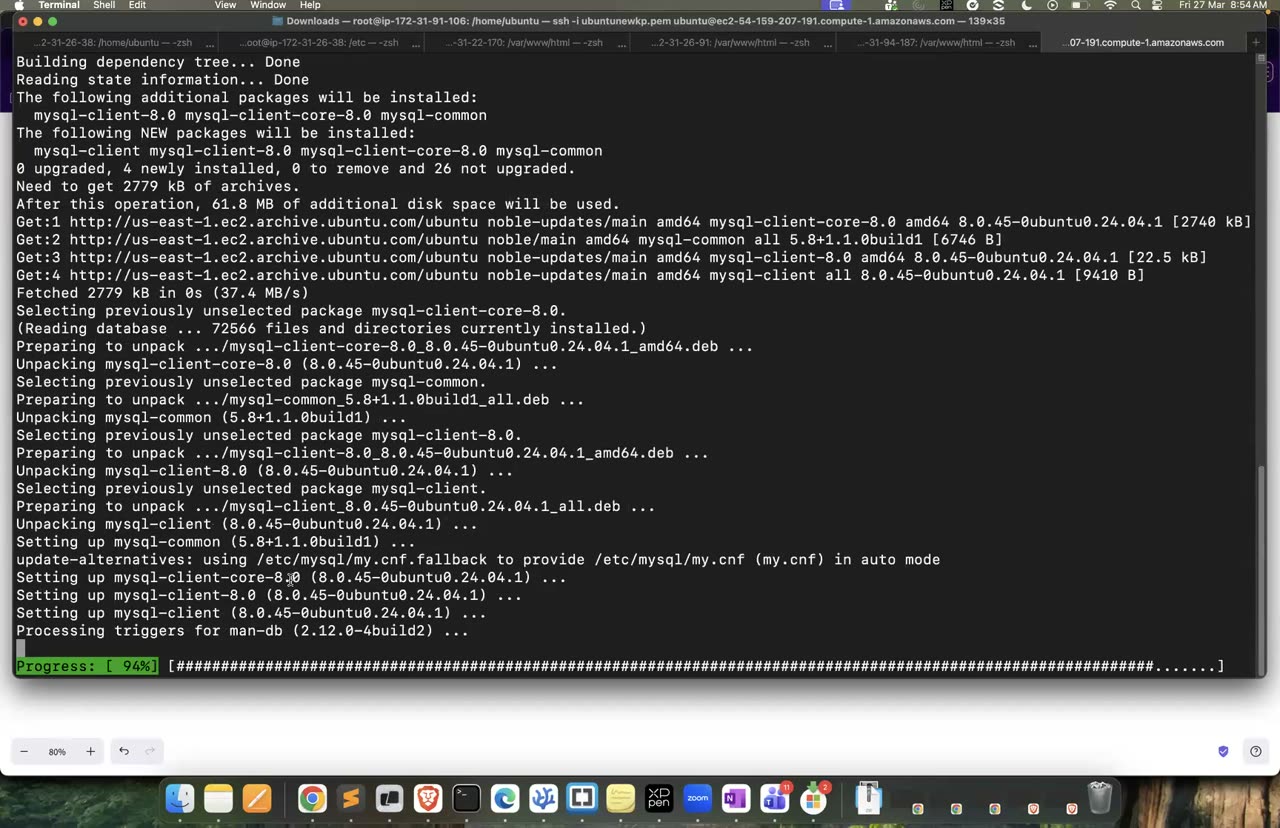
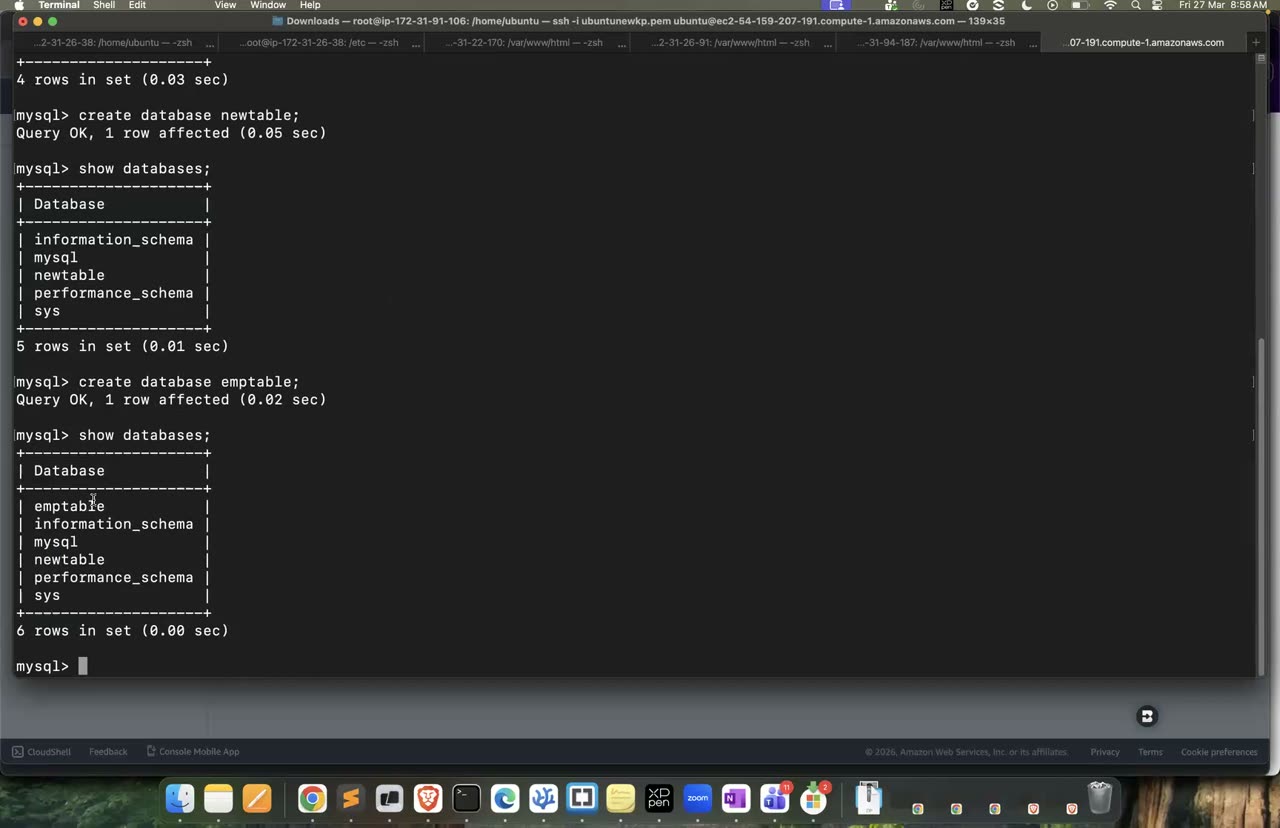
Endpoint copy karna, mysql-client install karna, aur mysql -h se connect hona.
psql prompt pe neeche wali SQL chalao. Yeh do tables banati hai, unme data daalti hai, ek JOIN query chalati hai, aur phir database ke do niyamon (foreign key aur transaction) ko test karti hai:
CREATE TABLE customers (
  id   SERIAL PRIMARY KEY,
  name TEXT NOT NULL,
  city TEXT
);
CREATE TABLE orders (
  id          SERIAL PRIMARY KEY,
  customer_id INT NOT NULL REFERENCES customers(id),
  amount      NUMERIC(10,2) NOT NULL,
  created_at  TIMESTAMPTZ DEFAULT now()
);

INSERT INTO customers (name, city) VALUES ('Asha', 'Pune'), ('Ravi', 'Delhi'), ('Meera', 'Chennai');
INSERT INTO orders (customer_id, amount) VALUES (1, 499.00), (1, 1299.50), (2, 250.00);

-- JOIN + aggregate: har customer ne kitna kharcha kiya (Meera ka 0 bhi dikhe)
SELECT c.name, COUNT(o.id) AS orders, COALESCE(SUM(o.amount), 0) AS total
FROM customers c LEFT JOIN orders o ON o.customer_id = c.id
GROUP BY c.name ORDER BY total DESC;

-- Consistency: non-existent customer ka order → ERROR (foreign key)
INSERT INTO orders (customer_id, amount) VALUES (99, 10);

-- Atomicity: transaction ke andar galti → ROLLBACK
BEGIN;
UPDATE orders SET amount = 0;
SELECT SUM(amount) FROM orders;      -- 0
ROLLBACK;
SELECT SUM(amount) FROM orders;      -- wapas 2048.50

\dt
\qACID chaar guarantees ka naam hai. Atomicity ka matlab hai ki transaction ya toh poora hoga ya bilkul nahi hoga. Consistency ka matlab hai ki database ke niyam (constraints) kabhi nahi tootenge. Isolation ka matlab hai ki ek saath chal rahe transactions ek doosre ka adhoora kaam nahi dekhte. Durability ka matlab hai ki commit ho chuka data crash ke baad bhi bacha rehta hai. Jahan relations, joins aur transactions ki zaroorat ho, jaise bank transfer, orders ya inventory, wahan RDS ya Aurora jaisa relational database sahi choice hai.
- JOIN query ne teeno customers ka total dikhaya.
- Foreign key toodne wale INSERT pe error aaya.
- ROLLBACK ke baad SUM wapas pehle jaisa ho gaya.
Apne laptop se database ka ek manual snapshot lo aur uska status dekho:
aws rds create-db-snapshot --db-instance-identifier deepdive-db --db-snapshot-identifier deepdive-db-manual-1
aws rds describe-db-snapshots --db-instance-identifier deepdive-db \
--query 'DBSnapshots[].[DBSnapshotIdentifier,SnapshotType,Status]' --output table- RDS mein deepdive-db select karo, Actions → Take snapshot, naam
deepdive-db-manual-1rakho aur Take Snapshot dabao.
Phir console mein deepdive-db ka Maintenance & backups tab kholo. Wahan automated backups dikhenge, jinse point-in-time restore hota hai, yaani retention period ke andar kisi bhi second pe database ko wapas laaya ja sakta hai. Wahin maintenance window bhi dikhegi, jis samay AWS database ki patching karta hai.
| Multi-AZ | Read Replica | |
|---|---|---|
| Maqsad | High availability, yaani failover | Read scaling, jaise reports aur analytics |
| Replication | Synchronous; standby doosre AZ mein rehta hai | Asynchronous; thoda sa lag hota hai |
| Standby se read ho sakta hai? | Nahi (classic Multi-AZ instance mein) | Haan, apne alag endpoint se |
| Failover | Automatic, same endpoint ke saath, lagbhag 1–2 minute mein | Manually promote karna padta hai |
Agle steps mein tum in dono ko khud chala ke dekhoge.
- Manual snapshot
availablestate mein aa gaya. - Tum bina table dekhe Multi-AZ aur Read Replica ka farak samjha sakte ho.
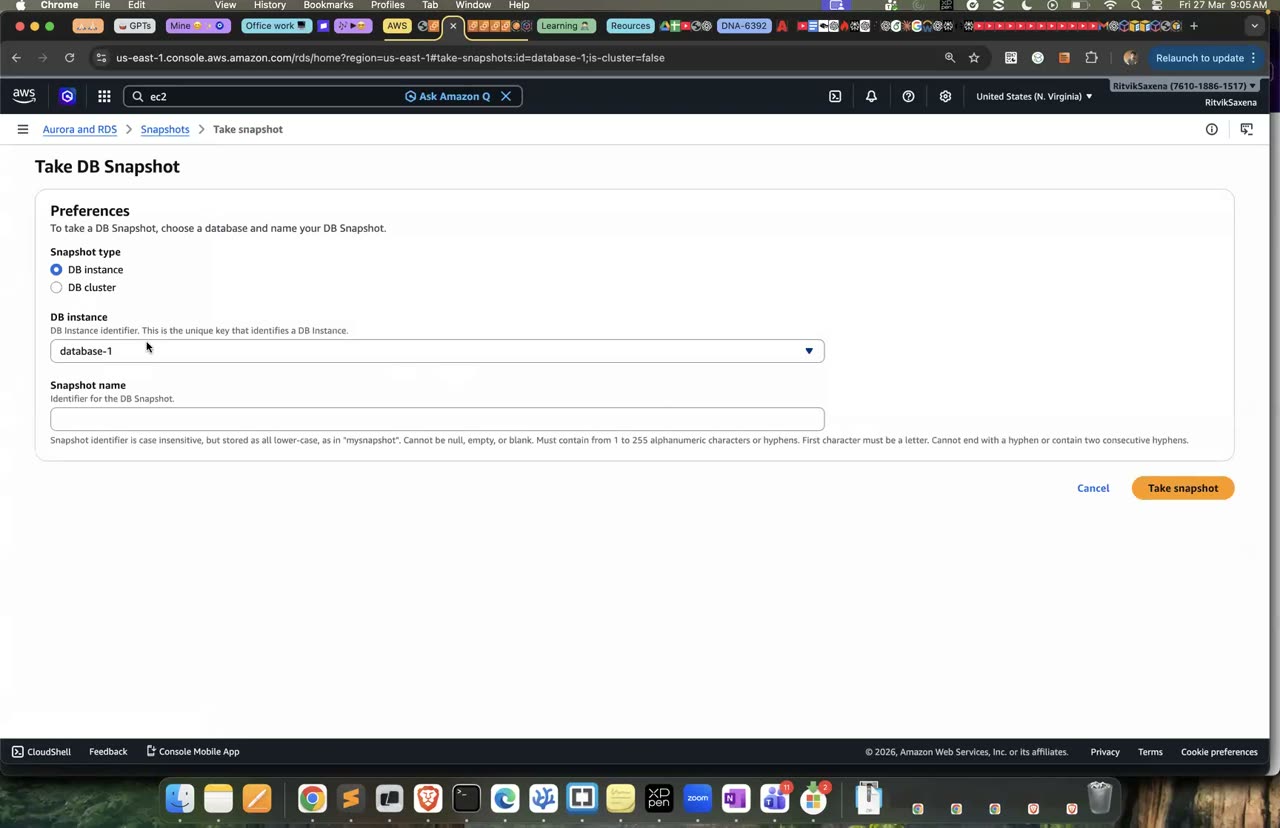
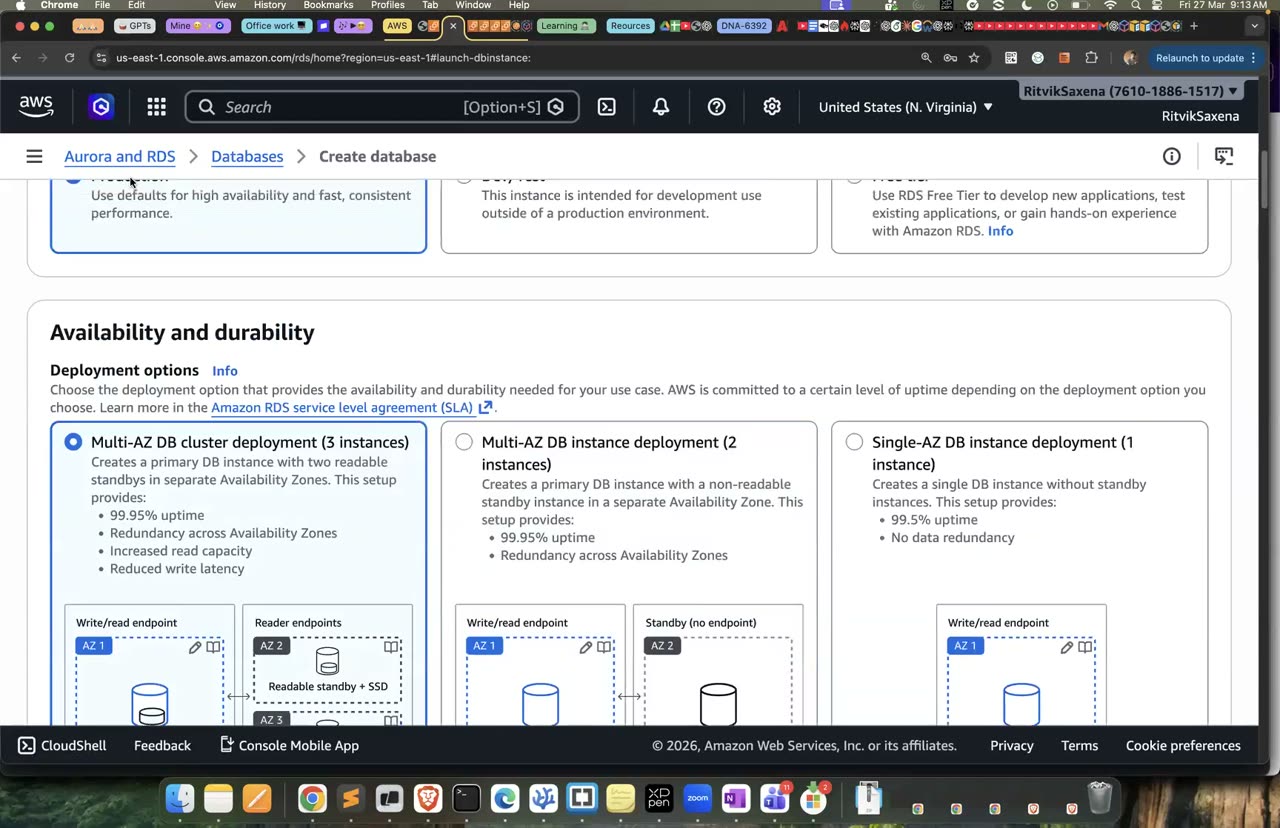
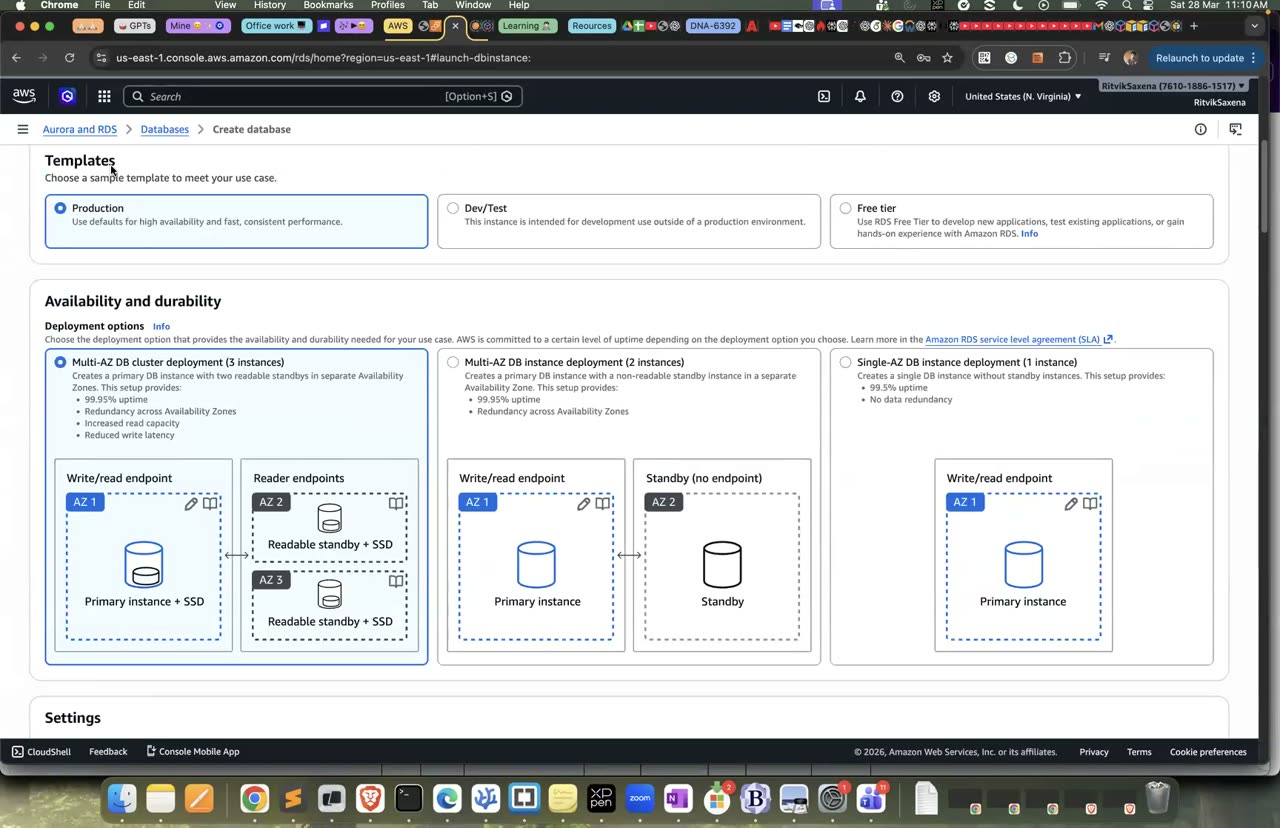
Snapshot lena aur Single-AZ / Multi-AZ instance / Multi-AZ cluster templates ka farak.
Is step mein tum RDS ke managed password ko abhi rotate karoge, aur dekhoge ki purana password kaam karna band kar deta hai, jabki naya password (jo chalte waqt fetch kiya gaya) kaam karta hai.
Agar koi password leak ho jaaye, toh woh utne hi samay tak khatarnaak hai jab tak use badla na jaaye. RDS ke managed secrets default roop se har 7 din mein rotate hote hain. Agar app har connection pe (ya cache expire hone pe) secret dobara fetch karta hai, toh use password badalne ka pata bhi nahi chalta.
- Secrets Manager mein
rds!db-...wala secret kholo, Rotation tab mein schedule dekho, aur Rotate secret immediately dabake Rotate karo. Isme lagbhag ek minute lagta hai. - storage-1 pe, jahan
PGPASSWORDmein abhi bhi purana password hai, yeh chalao:psql "host=$PGHOST dbname=shop user=postgres sslmode=require" -c "select 1". Tumhepassword authentication failedmilega. - Ab E3 wali
export PGPASSWORD=$(aws secretsmanager ...)line dobara chala ke secret phir se fetch karo, aur wahi psql command chalao. Is baar woh chal jaayegi. - Secret ke Versions section mein
AWSCURRENTaurAWSPREVIOUSlabels dekho.
- Purane password se login fail hua, aur secret dobara fetch karne ke baad login chal gaya.
- Secret ke versions mein AWSCURRENT aur AWSPREVIOUS labels dikhe.
Is step mein tum database ko Multi-AZ banaoge, aur phir zabardasti failover karwa ke naapoge ki kitni der tak database uplabdh nahi raha.
Multi-AZ free tier mein nahi aata. db.t4g.micro ya t3.micro pe iska rate lagbhag dugna ho jaata hai, yaani lagbhag $0.03 per ghanta extra. Yeh kaam 30–40 minute ka hai, aur uske baad database ko wapas Single-AZ kar dena.
Apne laptop se Multi-AZ chalu karo aur uske poora hone ka intezaar karo:
aws rds modify-db-instance --db-instance-identifier deepdive-db --multi-az --apply-immediately
# 10-20 min: status "modifying" → "available"
aws rds wait db-instance-available --db-instance-identifier deepdive-db
aws rds describe-db-instances --db-instance-identifier deepdive-db \
--query 'DBInstances[0].[MultiAZ,AvailabilityZone,SecondaryAvailabilityZone]' --output table- deepdive-db select karo, Modify dabao, "Multi-AZ deployment" ko Yes karo, neeche Apply immediately chuno aur Continue → Modify DB instance karo.
Ab storage-1 pe ek naye Session Manager tab mein, PGHOST aur PGPASSWORD set karke, ek "heartbeat" loop chalao jo har do second mein database se ek chhoti query karta hai:
while true; do
  printf "%s " "$(date +%T)"
  psql "host=$PGHOST dbname=shop user=postgres sslmode=require connect_timeout=3" -tAc "select 'ok'" 2>&1 | head -1
  sleep 2
done
Jab loop chal raha ho, apne laptop se failover karwao:
aws rds reboot-db-instance --db-instance-identifier deepdive-db --force-failover
aws rds wait db-instance-available --db-instance-identifier deepdive-db
aws rds describe-db-instances --db-instance-identifier deepdive-db \
--query 'DBInstances[0].[AvailabilityZone,SecondaryAvailabilityZone]' --output table- deepdive-db select karo, Actions → Reboot, dialog mein Reboot With Failover? checkbox tick karo aur Confirm dabao.
Heartbeat mein kuch second ya ek-do minute tak errors aayenge, aur phir wapas ok aane lagega. Dhyan do ki endpoint wahi raha; bas uska DNS ab naye primary ki taraf point karne laga. AZ wale columns bhi aapas mein badal gaye honge. RDS ke Events mein "Multi-AZ instance failover started" aur "completed" wale messages dikhenge.
- MultiAZ True dikha aur Secondary AZ bhi dikhi.
- Failover ke baad Primary aur Secondary AZ aapas mein badal gaye.
- Tumne naapa ki heartbeat kitne second tak fail hua, yaani kitna downtime tha.
Apne laptop se ek read replica banao aur uska endpoint nikaalo. Replica banne mein lagbhag 10 minute lagte hain:
aws rds create-db-instance-read-replica --db-instance-identifier deepdive-db-replica \
  --source-db-instance-identifier deepdive-db
aws rds wait db-instance-available --db-instance-identifier deepdive-db-replica    # ~10 min
REPLICA=$(aws rds describe-db-instances --db-instance-identifier deepdive-db-replica \
--query 'DBInstances[0].Endpoint.Address' --output text); echo $REPLICA- deepdive-db select karo, Actions → Create read replica, identifier
deepdive-db-replicarakho, baaki defaults rehne do aur Create dabao. Endpoint replica ke Connectivity tab pe milega.
Ab storage-1 pe replica ko test karo. Replica wahi security group aur wahi password use karta hai. Neeche ke commands mein <REPLICA> ki jagah replica ka endpoint daalo:
psql "host=<REPLICA> dbname=shop user=postgres sslmode=require" -c "SELECT count(*) FROM orders;"
psql "host=<REPLICA> dbname=shop user=postgres sslmode=require" -c "INSERT INTO customers (name) VALUES ('X');"
#  → ERROR: cannot execute INSERT in a read-only transaction

# Primary pe insert → replica pe kitni der mein dikha?
psql "host=$PGHOST dbname=shop user=postgres sslmode=require" -c "INSERT INTO customers (name, city) VALUES ('Zoya','Goa');"
psql "host=<REPLICA> dbname=shop user=postgres sslmode=require" -c "SELECT name FROM customers ORDER BY id DESC LIMIT 1;"
psql "host=<REPLICA> dbname=shop user=postgres sslmode=require" -c "SELECT now() - pg_last_xact_replay_timestamp() AS replica_lag;"
CloudWatch mein RDS ke metrics mein deepdive-db-replica ka ReplicaLag metric bhi dekho. Replica asynchronous hota hai, yaani primary aur replica ke beech thoda sa lag rehta hai. Isliye replica reports aur dashboards ke liye perfect hai, lekin jahan "abhi likha aur turant padhna hai" wali zaroorat ho, wahan read primary se hi karna chahiye.
- Replica pe SELECT chal gaya aur INSERT pe read-only wala error aaya.
- Primary pe daali gayi nayi row replica pe bhi dikh gayi, aur tumne lag ka number dekha.
Kaam ho gaya, ab kharcha wapas kam karo. Replica delete karo aur database ko Single-AZ pe le aao:
aws rds delete-db-instance --db-instance-identifier deepdive-db-replica --skip-final-snapshot
aws rds modify-db-instance --db-instance-identifier deepdive-db --no-multi-az --apply-immediately
Agar tum Part G ka ElastiCache wala cache-aside test karna chahte ho, toh deepdive-db ko abhi delete mat karna, kyunki woh test isi database ka use karta hai.
- Replica delete ho raha hai aur primary ka MultiAZ ab False hai.
F DynamoDB: keys, query vs scan, GSI, conditional writes
SQL mein tum pehle tables design karte ho aur queries baad mein likhte ho. DynamoDB mein iska ulta hota hai: pehle yeh likho ki tumhara app kaun-kaun se sawal poochega, aur phir keys unhi sawalon ke hisaab se banao. Partition key tay karti hai ki data kis partition mein jaayega, aur data hamesha partition key se hi dhoondha jaata hai. Sort key ek partition ke andar items ko kram mein rakhti hai, aur begins_with ya between jaisi range queries ko possible banati hai. DynamoDB mein joins nahi hote.
Hamare app ke chaar sawal hain: pehla, ek customer ke saare orders; doosra, ek customer ke kisi ek mahine ke orders; teesra, ek khaas order; aur chautha, saare "PENDING" orders. Iske liye design yeh hai: partition key customerId, sort key orderDate#orderId, aur chauthe sawal ke liye ek Global Secondary Index (GSI).
Table banao aur ek chhote helper function se chaar orders daalo:
aws dynamodb create-table --table-name deepdive-orders \
  --attribute-definitions AttributeName=customerId,AttributeType=S AttributeName=orderKey,AttributeType=S \
  --key-schema AttributeName=customerId,KeyType=HASH AttributeName=orderKey,KeyType=RANGE \
  --billing-mode PAY_PER_REQUEST \
  --tags Key=Project,Value=deepdive
aws dynamodb wait table-exists --table-name deepdive-orders

put() {  # customer, orderKey, amount, status
  aws dynamodb put-item --table-name deepdive-orders --item \
    "{\"customerId\":{\"S\":\"$1\"},\"orderKey\":{\"S\":\"$2\"},\"amount\":{\"N\":\"$3\"},\"status\":{\"S\":\"$4\"}}"
}
put C001 2026-08-14#O1001 499  DELIVERED
put C001 2026-09-02#O1007 1299 PENDING
put C001 2026-09-20#O1012 89   PENDING
put C002 2026-09-05#O1009 250 DELIVERED- DynamoDB → Tables → Create table — naam
deepdive-orders, partition keycustomerId(String), sort keyorderKey(String), default settings (On-demand) rehne do aur Create table dabao. - Table kholo, Explore table items → Create item, JSON view mein switch karke ek item ka JSON paste karo (jaise
{"customerId":{"S":"C001"},"orderKey":{"S":"2026-08-14#O1001"},"amount":{"N":"499"},"status":{"S":"DELIVERED"}}) aur Create item dabao. Baaki teen items ke liye repeat karo.
CLI mein har value ke saath uska type batana padta hai: S string ke liye, N number ke liye (jo string ke andar likha jaata hai), BOOL true/false ke liye, M map ke liye aur L list ke liye. PAY_PER_REQUEST ka matlab on-demand mode hai, jisme capacity pehle se plan nahi karni padti aur har read ya write ka paisa lagta hai.
aws dynamodb scan --table-name deepdive-orders --select COUNTchalane pe Count 4 aata hai.
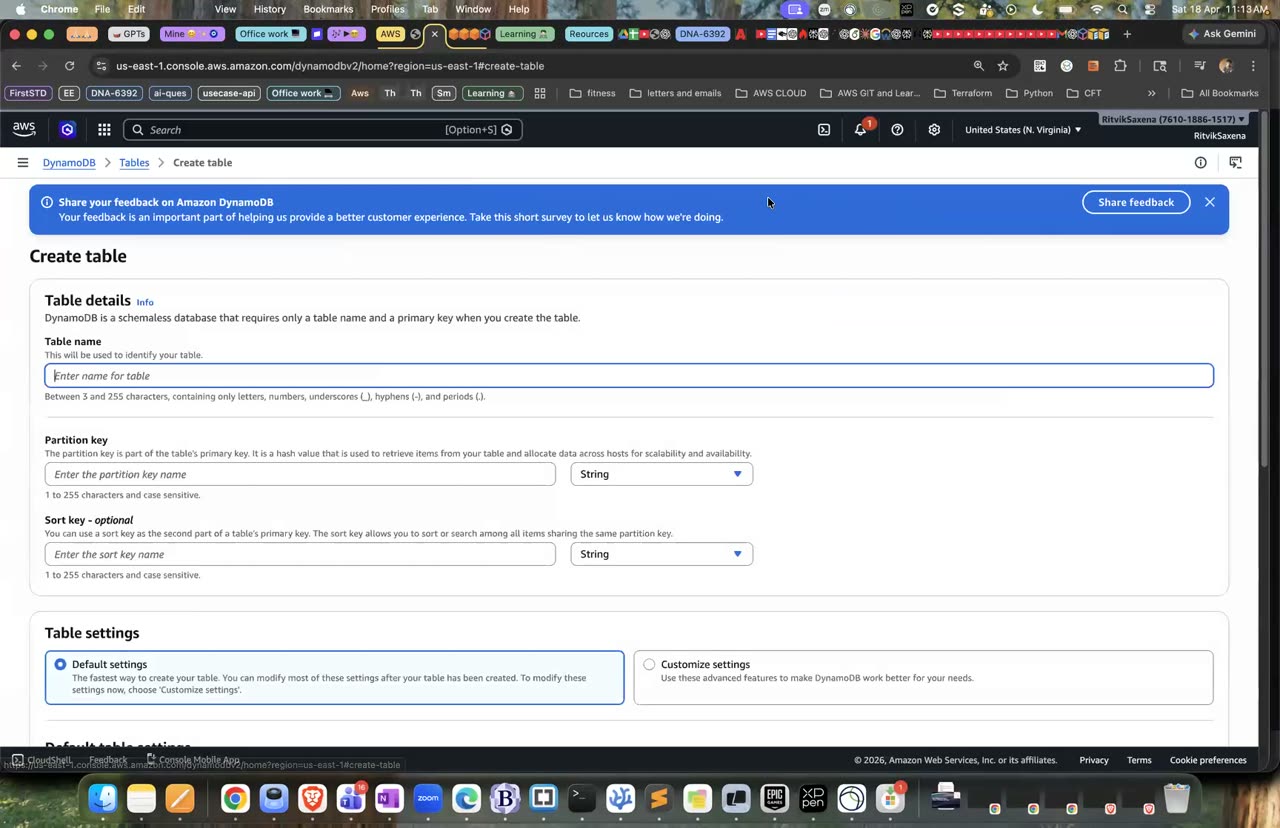
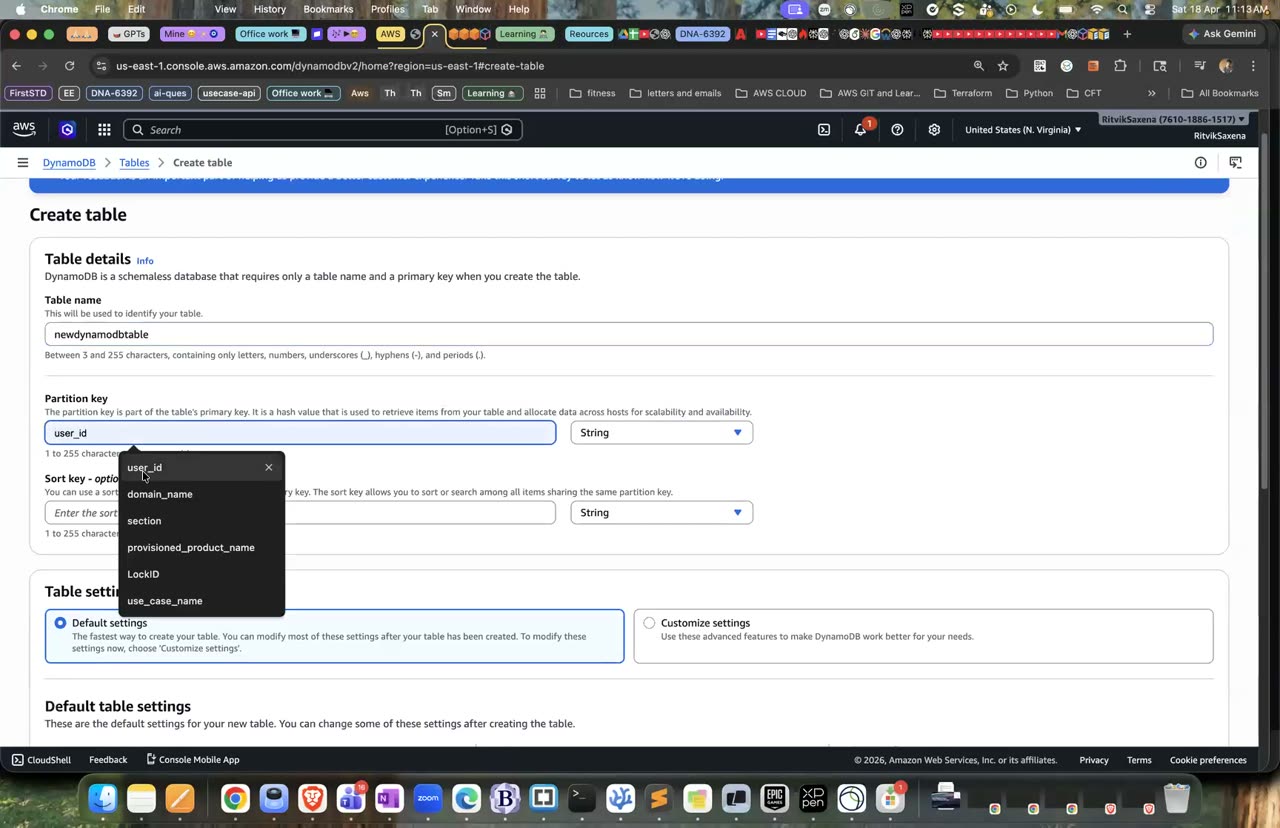
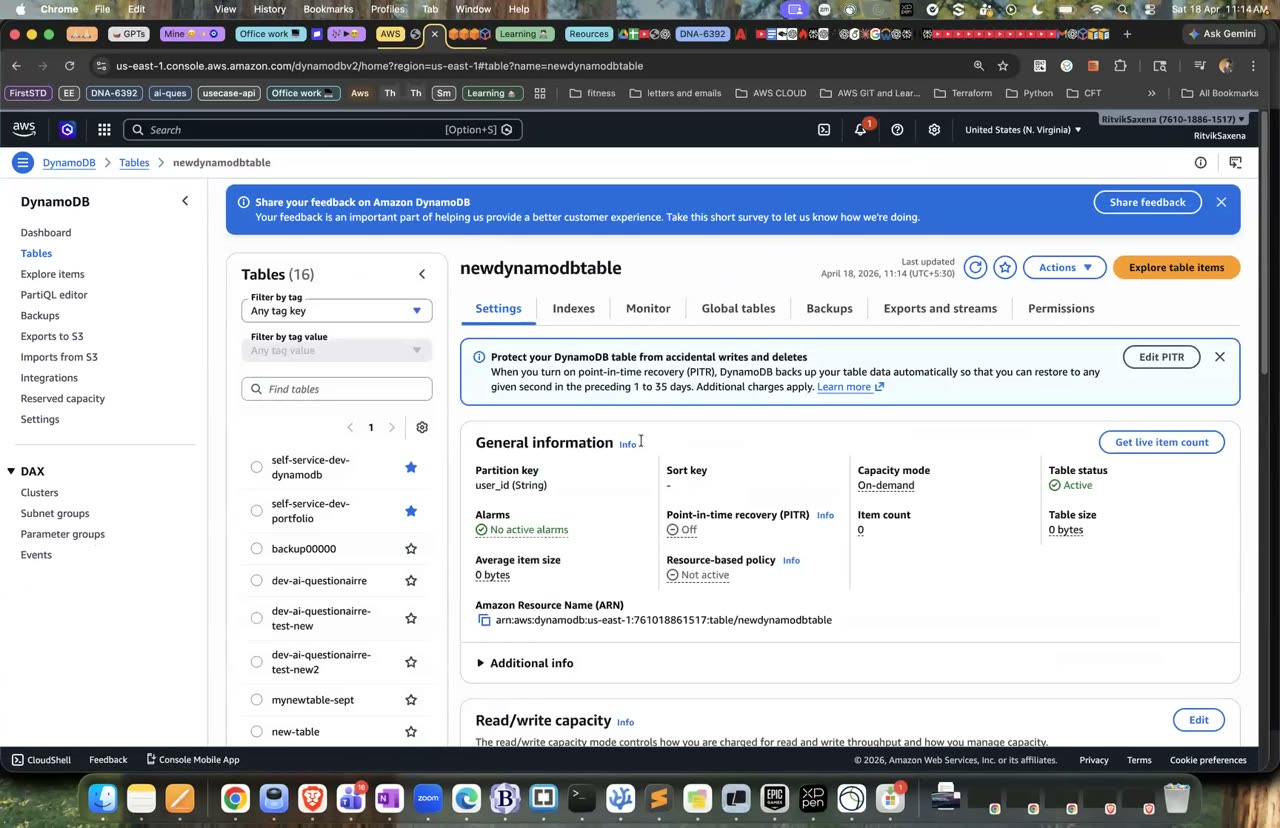
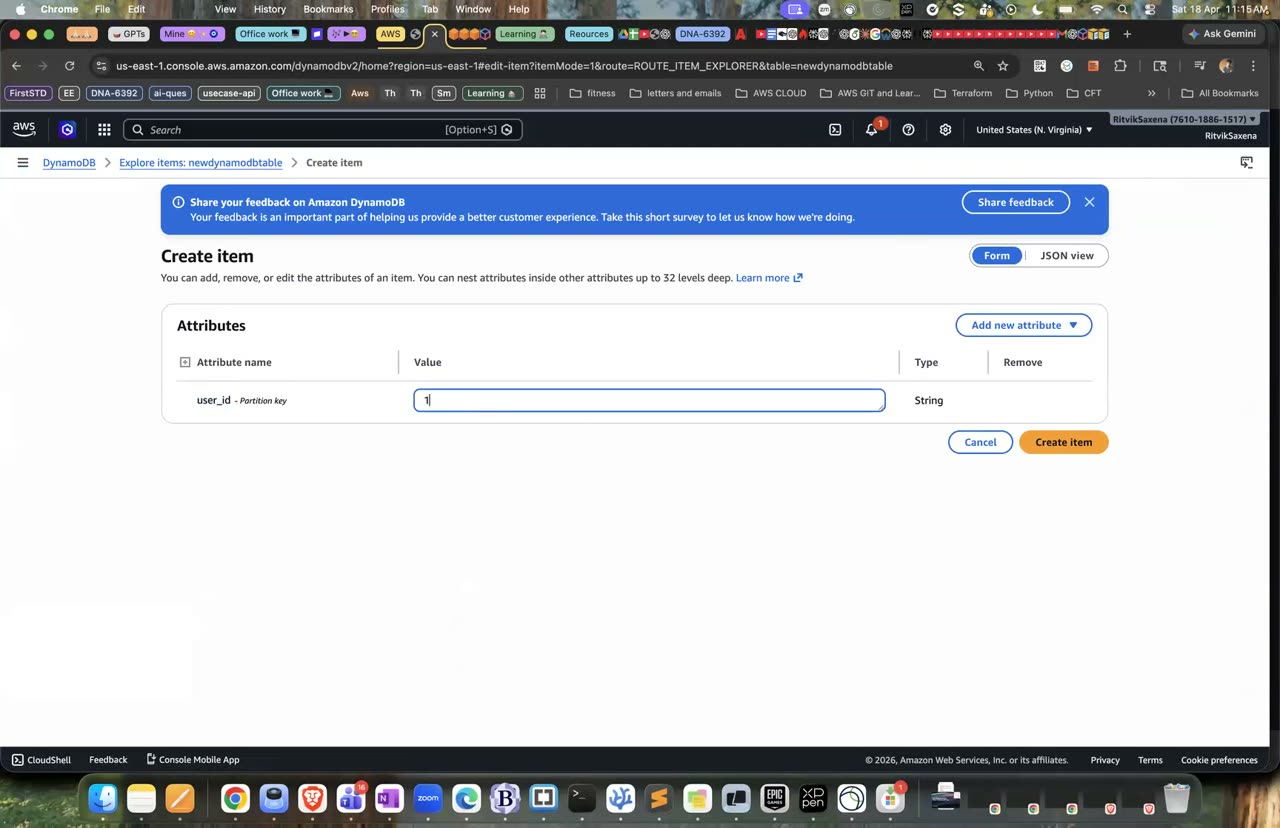
DynamoDB table create karna (partition key) aur item add karna — wahi console.
Ab upar ke teen sawalon ka jawab do. Pehle ek khaas order nikaalo, phir ek customer ke September ke orders, aur phir scan se saare PENDING orders:
# (3) Exact item — poori primary key chahiye
aws dynamodb get-item --table-name deepdive-orders \
  --key '{"customerId":{"S":"C001"},"orderKey":{"S":"2026-09-02#O1007"}}'

# (1)+(2) C001 ke September orders — Query sirf ek partition padhta hai: tez + sasta
aws dynamodb query --table-name deepdive-orders \
  --key-condition-expression "customerId = :c AND begins_with(orderKey, :m)" \
  --expression-attribute-values '{":c":{"S":"C001"},":m":{"S":"2026-09"}}' \
  --query 'Items[].[orderKey.S,amount.N]' --output table

# (4) PENDING orders — Scan poori table padhta hai. Pehle yeh chalao:
aws dynamodb scan --table-name deepdive-orders \
  --filter-expression "status = :s" --expression-attribute-values '{":s":{"S":"PENDING"}}'
Aakhri command fail hogi aur error aayega: Attribute name is a reserved keyword; reserved keyword: status. DynamoDB mein lagbhag 570 reserved words hain, jaise status, name aur date, jinhe expressions mein seedha use nahi kiya ja sakta. Iska hal ek placeholder hai, jaisa neeche #s se kiya gaya hai:
aws dynamodb scan --table-name deepdive-orders \
  --filter-expression "#s = :s" --expression-attribute-names '{"#s":"status"}' \
  --expression-attribute-values '{":s":{"S":"PENDING"}}' \
--query '{Returned:Count,Scanned:ScannedCount}'- Table ke Explore table items tab mein Scan/Query toggle hai. Query chun ke Partition key
customerId = C001aur Sort key condition Begins with2026-09daalo aur Run. - Scan chun ke Filter mein Attribute
status, condition Equal to, valuePENDINGdaal ke Run karo — UI mein reserved-word ka error nahi aata kyunki console khud placeholders bana deta hai, lekin CLI mein manually likhne padte hain.
Ab ScannedCount (4) aur Count (2) ko compare karo. Scan ne table ke saare items padhe, aur tumne saare items padhne ka paisa diya; filter to padhne ke baad laga. Das crore items wali table pe yeh bahut mehnga aur dheema padta, aur isi problem ka hal GSI hai.
- Query ne sirf September ke do orders lautaye.
- Tumne reserved-word wala error dekha aur use
#sse theek kiya. - Tum ScannedCount aur Count ka farak samjha sakte ho.
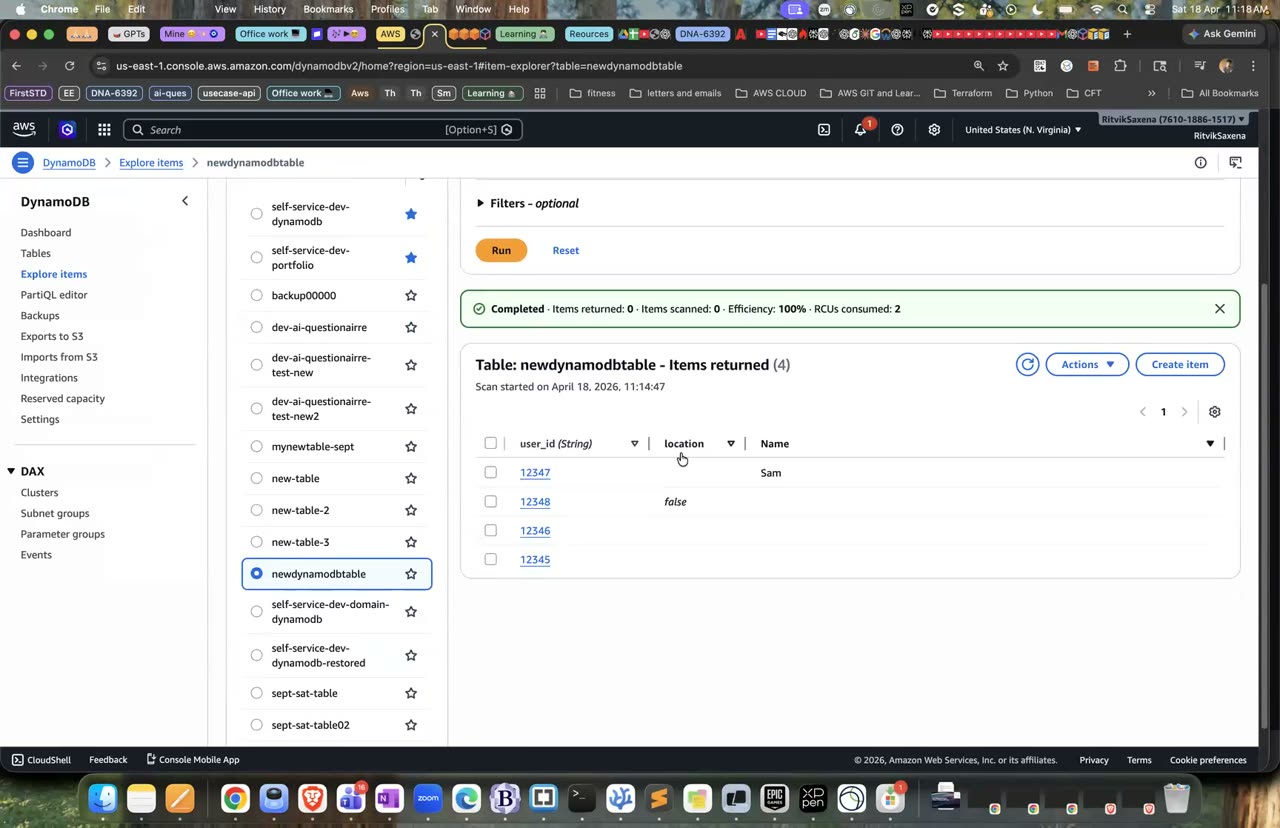
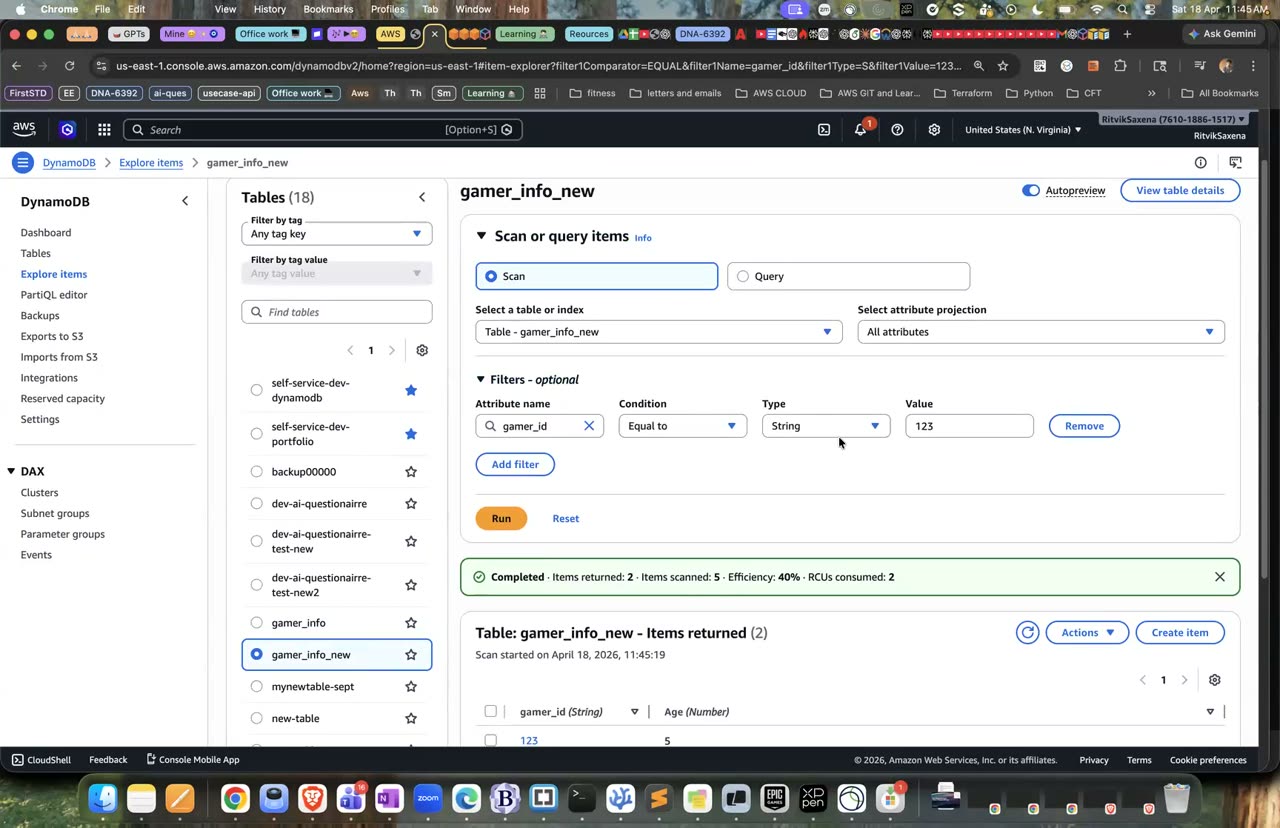
Scan aur filter — is lab mein tum GetItem/Query bhi karoge jo zyada efficient hai.
Ab ek Global Secondary Index banao jiski partition key status ho, taaki PENDING orders bina scan ke mil sakein:
aws dynamodb update-table --table-name deepdive-orders \
  --attribute-definitions AttributeName=status,AttributeType=S AttributeName=orderKey,AttributeType=S \
  --global-secondary-index-updates \
  '[{"Create":{"IndexName":"status-index","KeySchema":[{"AttributeName":"status","KeyType":"HASH"},{"AttributeName":"orderKey","KeyType":"RANGE"}],"Projection":{"ProjectionType":"ALL"}}}]'

# Index ACTIVE hone tak (1-2 min) check karo:
aws dynamodb describe-table --table-name deepdive-orders --query 'Table.GlobalSecondaryIndexes[0].IndexStatus'

aws dynamodb query --table-name deepdive-orders --index-name status-index \
  --key-condition-expression "#s = :s" --expression-attribute-names '{"#s":"status"}' \
  --expression-attribute-values '{":s":{"S":"PENDING"}}' \
--query '{Returned:Count,Scanned:ScannedCount}'- Table ke Indexes tab mein Create index — partition key
status(String), sort keyorderKey(String), naamstatus-index, projected attributes All, Create index dabao.
- GSI ACTIVE ho gaya, aur Query mein Scanned aur Returned dono 2 hain.
Neeche wali command ek order sirf tab likhti hai jab woh pehle se maujood na ho. Ise do baar chalao; pehli baar yeh chalegi aur doosri baar ConditionalCheckFailedException dega:
# Pehli baar chalega, doosri baar ConditionalCheckFailedException
aws dynamodb put-item --table-name deepdive-orders \
  --item '{"customerId":{"S":"C003"},"orderKey":{"S":"2026-09-21#O2000"},"amount":{"N":"10"},"status":{"S":"PENDING"}}' \
  --condition-expression "attribute_not_exists(orderKey)"
Iska fayda yeh hai ki agar payment retry ho jaaye, toh wahi order do baar nahi banta. Is guarantee ko idempotency kehte hain. Ab wahi kaam Python se karo. ddb.py file banao; Boto3 ke resource API mein type descriptors likhne ki zaroorat nahi padti:
import boto3
from boto3.dynamodb.conditions import Key

table = boto3.resource("dynamodb", region_name="us-east-1").Table("deepdive-orders")

table.put_item(Item={"customerId": "C002", "orderKey": "2026-09-22#O2001", "amount": 777, "status": "PENDING"})

resp = table.query(KeyConditionExpression=Key("customerId").eq("C002"))
for item in resp["Items"]:
    print(item["orderKey"], item["amount"], item["status"])

pending = table.query(
    IndexName="status-index",
    KeyConditionExpression=Key("status").eq("PENDING"),
)
print("pending orders:", pending["Count"])- Doosri baar put-item chalane pe ConditionalCheckFailedException aaya.
- Python script ne C002 ke do orders aur PENDING orders ki ginti print ki.
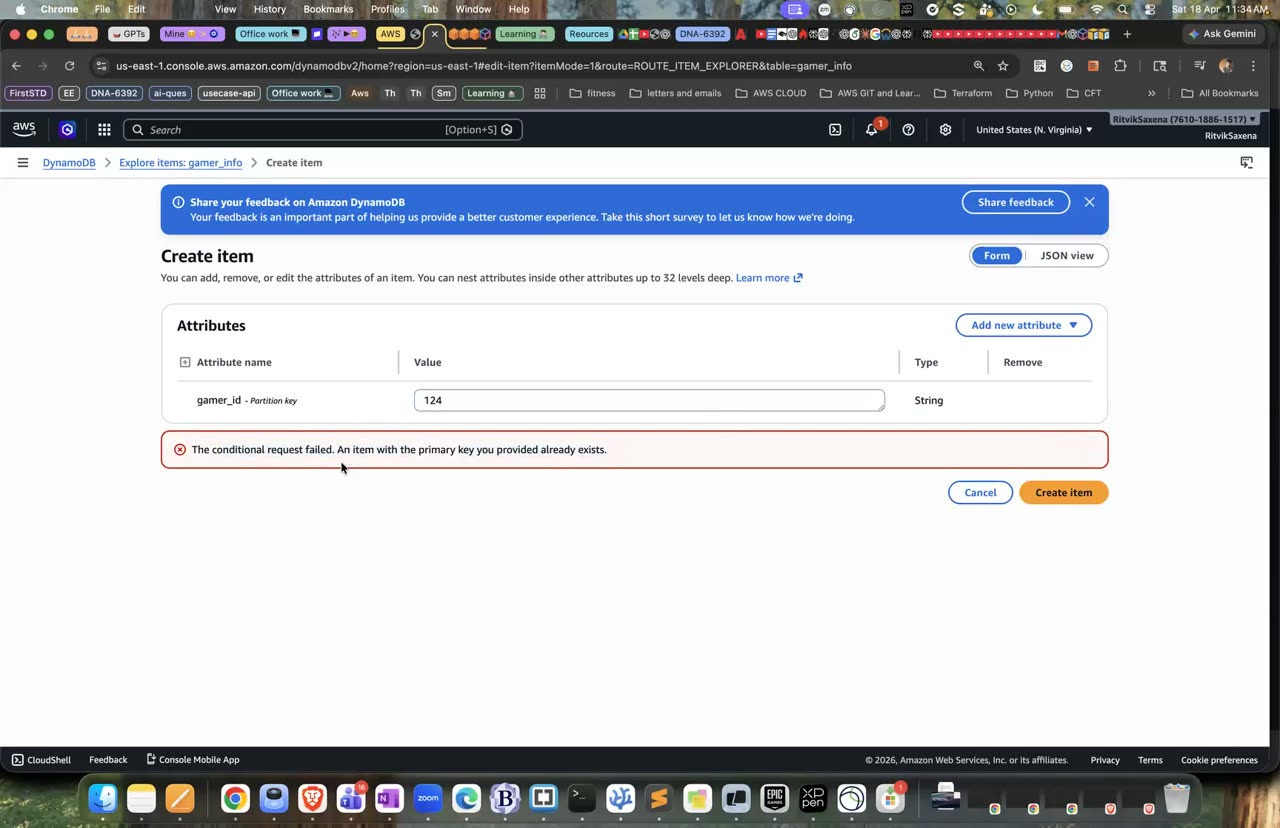
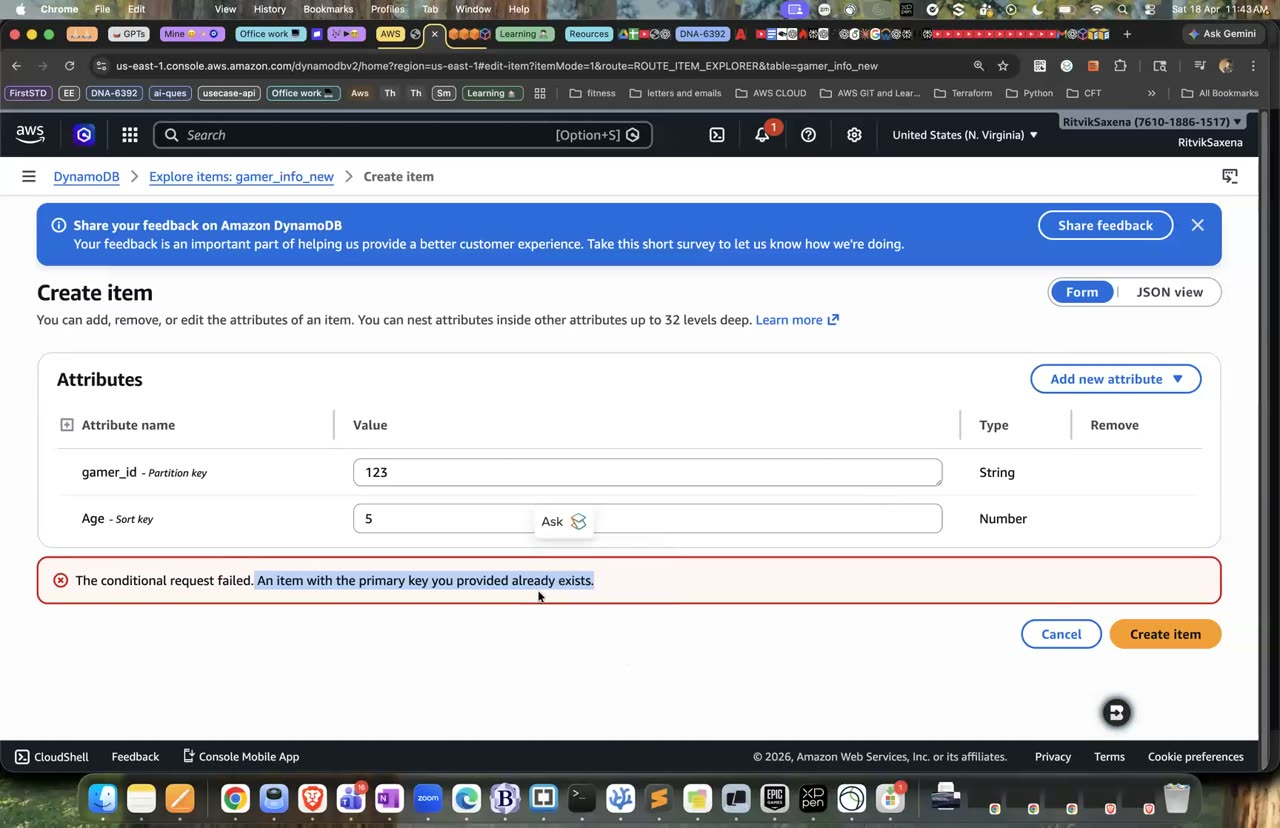
Yehi error tumhe conditional write se milega jab primary key duplicate ho: 'item with the primary key already exists'.
G ElastiCache & Aurora (hands-on) + decision drill
def get_product(product_id):
    cached = redis.get(f"product:{product_id}")          # 1. pehle cache (sub-millisecond)
    if cached:
        return json.loads(cached)                        #    cache HIT
    row = db.query("SELECT * FROM products WHERE id=%s", product_id)   # 2. MISS → database
    redis.setex(f"product:{product_id}", 300, json.dumps(row))         # 3. 5 min TTL ke saath cache mein daalo
    return row
Is pattern mein app pehle cache mein dekhta hai. Agar data mil gaya (HIT), toh turant laut jaata hai. Agar nahi mila (MISS), toh database se padhta hai aur agli baar ke liye cache mein daal deta hai. Isse database ka bojh bhi kam hota hai aur response bhi tez aata hai. Interview mein iske baare mein teen sawal aksar aate hain. Pehla, stale data: cache mein purana data reh sakta hai, jise TTL aur data badalne pe cache delete karke sambhala jaata hai. Doosra, cache stampede: jab bahut saari requests ek saath MISS karke database pe toot padti hain. Teesra, Redis vs Memcached: Redis data structures, persistence aur replication deta hai, jabki Memcached simple aur multi-threaded hai. ElastiCache (Valkey, Redis OSS ya Memcached) hamesha VPC ke andar chalta hai aur RDS jaisa hi security group pattern use karta hai. Neeche G1 se G3 tak tum yahi khud banaoge.
Aurora AWS ka apna cloud-native database engine hai jo MySQL aur PostgreSQL ke saath compatible hai. Iska storage teen AZs mein chhe copies mein rehta hai aur zaroorat ke hisaab se apne aap 128 TB tak badh jaata hai. Isme 15 tak read replicas ho sakte hain jinka lag bahut kam hota hai, aur failover lagbhag 30 second mein ho jaata hai. Aurora Serverless v2 load ke hisaab se capacity apne aap badhata-ghatata hai. Aurora standard RDS se mehnga hai, lekin bade production workloads ke liye behtar hai, aur app ke code mein koi badlaav nahi karna padta kyunki wahi Postgres ya MySQL driver kaam karta hai.
Node-based cache.t4g.micro lagbhag $0.016 per ghanta padta hai, aur purane free tier mein cache.t3.micro ke 750 ghante muft milte hain. Serverless option ka minimum monthly charge zyada hai, isliye is lab mein node-based cache use karenge.
Pehle cache ke liye ek security group banao jo sirf app servers se port 6379 allow kare. VPC_ID aur APP_SG variables Part C1 wale terminal se aa rahe hain:
CACHE_SG=$(aws ec2 create-security-group --group-name deepdive-cache-sg \
  --description "Valkey/Redis from app servers" --vpc-id $VPC_ID --query GroupId --output text)
aws ec2 authorize-security-group-ingress --group-id $CACHE_SG --protocol tcp --port 6379 --source-group $APP_SG- EC2 → Security Groups → Create — naam
deepdive-cache-sg, default VPC. Inbound rule: type Custom TCP, port 6379, source Custom →deepdive-app-sgchuno, Create dabao.
- ElastiCache console mein Create cache dabao. Engine mein Valkey (ya Redis OSS) chuno, deployment option mein Design your own cache, creation method mein Cluster cache, aur cluster mode ko Disabled rakho.
- Naam
deepdive-cacherakho, location AWS Cloud rehne do, Multi-AZ band rakho, node typecache.t4g.micro(ya free-tier ke liyecache.t3.micro) chuno, aur replicas ki sankhya 0 rakho. - Subnet group mein Create a new subnet group chuno, naam
deepdive-cache-subnetsrakho, default VPC aur uske subnets rehne do, aur Next dabao. - Security wale page pe lab ke liye Encryption in transit band kar sakte ho. Agar tum ise chalu rakhte ho, toh neeche har CLI command mein
--tlsjodna padega aur Python meinssl=Truedena padega. Security group mein default hata kedeepdive-cache-sglagao, automatic backups band karo aur Create dabao. Cache banne mein 5–10 minute lagte hain. - Cache ka Primary endpoint copy karo, lekin end ka port number hata ke.
- Cache ka status Available hai aur uspe deepdive-cache-sg laga hai.
storage-1 ke Session Manager shell mein cache ka CLI install karo aur kuch commands chalao. <PRIMARY_ENDPOINT> ki jagah apna endpoint daalo:
sudo dnf install -y valkey || sudo dnf install -y redis6
CLI=$(command -v valkey-cli || command -v redis6-cli); echo $CLI
export CACHE_HOST=<PRIMARY_ENDPOINT>

$CLI -h $CACHE_HOST PING                                   # PONG
$CLI -h $CACHE_HOST SET session:asha '{"cart":3}' EX 60     # 60 sec TTL
$CLI -h $CACHE_HOST GET session:asha
$CLI -h $CACHE_HOST TTL session:asha                        # countdown
$CLI -h $CACHE_HOST INCR page:views; $CLI -h $CACHE_HOST INCR page:views
$CLI -h $CACHE_HOST ZADD leaderboard 520 asha 610 ravi 480 meera
$CLI -h $CACHE_HOST ZREVRANGE leaderboard 0 -1 WITHSCORES   # sorted leaderboard, instantly
Ab yahi endpoint apne laptop se try karo; kuch bhi connect nahi hoga, kyunki ElastiCache hamesha VPC ke andar hi rehta hai.
- PING ka jawab PONG aaya, TTL ki value har baar ghat rahi thi, aur leaderboard score ke kram mein aaya.
Is test ke liye Part E ka RDS database (deepdive-db) abhi chal raha hona chahiye. storage-1 pe, jahan PGHOST, PGPASSWORD aur CACHE_HOST set hain, neeche wala script banao aur chalao. Yeh ek "dheemi" report query ko cache ke saath aur bina cache ke chala ke time naapta hai:
sudo dnf install -y python3-pip && pip3 install --user redis "psycopg[binary]"

cat > cache_aside.py <<'EOF'
import json
import os
import time

import psycopg
import redis

cache = redis.Redis(host=os.environ["CACHE_HOST"], port=6379, decode_responses=True)  # TLS on hai toh ssl=True
db = psycopg.connect(host=os.environ["PGHOST"], dbname="shop", user="postgres",
                     password=os.environ["PGPASSWORD"], sslmode="require")
KEY = "report:customer_totals"


def customer_totals():
    cached = cache.get(KEY)
    if cached:
        return json.loads(cached), "HIT"
    with db.cursor() as cur:
        cur.execute("SELECT pg_sleep(0.5)")          # "slow report query" simulate
        cur.execute("""SELECT c.name, COUNT(o.id), COALESCE(SUM(o.amount), 0)
                       FROM customers c LEFT JOIN orders o ON o.customer_id = c.id
                       GROUP BY c.name ORDER BY 3 DESC""")
        rows = [[n, int(cnt), float(total)] for n, cnt, total in cur.fetchall()]
    cache.setex(KEY, 30, json.dumps(rows))           # 30 sec TTL
    return rows, "MISS"


for i in range(5):
    t0 = time.perf_counter()
    rows, src = customer_totals()
    print(f"{src:4}  {(time.perf_counter() - t0) * 1000:7.1f} ms  top={rows[0]}")

# Write path: data badla → cache invalidate
with db.cursor() as cur:
    cur.execute("INSERT INTO orders (customer_id, amount) VALUES (3, 5000)")
db.commit()
cache.delete(KEY)
rows, src = customer_totals()
print("after invalidation:", src, rows[0])
EOF
python3 cache_aside.py
Pehli call MISS hogi aur usme 500 milliseconds se zyada lagenge, jabki baaki calls HIT hongi aur lagbhag ek millisecond mein aayengi. Naya order daalne ke baad script cache ko invalidate karta hai, isliye agli call naya data laati hai aur Meera sabse upar aa jaati hai. Agar cache invalidate na kiya jaata, toh agle 30 second tak purani (stale) report dikhti. Caching ka yahi sabse bada trade-off hai.
- MISS aur HIT ki latency mein 100 guna se zyada ka farak dikha.
- Invalidation ke baad updated result aaya.
Serverless v2 ka charge ACU-hours ke hisaab se lagta hai, lagbhag $0.12 per ACU-hour; yaani 0.5 ACU pe ek instance lagbhag $0.06 per ghanta, aur upar se storage aur IO ka thoda charge. Ek writer aur ek reader ko ek ghanta chalane ka kharcha lagbhag $0.15 se $0.30 aata hai. Agar tumhara version minimum capacity 0 (auto-pause) support karta hai, toh khaali baithe cluster ka compute charge band ho jaata hai.
- RDS console mein Create database dabao, Standard create chuno aur engine mein Aurora (PostgreSQL Compatible) ka latest version (16.x ya naya) chuno. Minimum 0 ACU ke liye naya version hona zaroori hai.
- Template mein Dev/Test chuno, DB cluster identifier
deepdive-aurorarakho, master userpostgresrakho, aur credentials ke liye Managed in AWS Secrets Manager chuno. - Cluster storage configuration mein Aurora Standard chuno.
- Instance configuration mein Serverless v2 chuno, minimum 0 ACU rakho (agar yeh option na dikhe toh 0.5), aur maximum 1 ACU rakho.
- Availability mein Don't create an Aurora Replica chuno; reader hum G6 mein khud jodenge.
- Connectivity mein default VPC, Public access No, aur existing security group deepdive-rds-sg chuno (default wala hata do). Additional configuration mein initial database name
shoprakho aur Create dabao. Cluster banne mein lagbhag 10 minute lagte hain.
Aurora mein compute (instances) aur storage alag-alag hote hain. Storage ek shared cluster volume hai jo teen AZs mein chhe copies rakhta hai. Is wajah se replicas ko data copy nahi karna padta, kyunki sab ek hi volume se padhte hain, aur isliye unka lag sirf kuch milliseconds ka hota hai. Aurora mein teen tarah ke endpoints hote hain: cluster (writer) endpoint, jo hamesha writer ki taraf point karta hai; reader endpoint (cluster-ro- wala), jo readers ke beech load baantta hai; aur har instance ka apna alag endpoint.
- Cluster Available hai, writer instance Serverless v2 hai, aur writer aur reader dono endpoints dikh rahe hain.
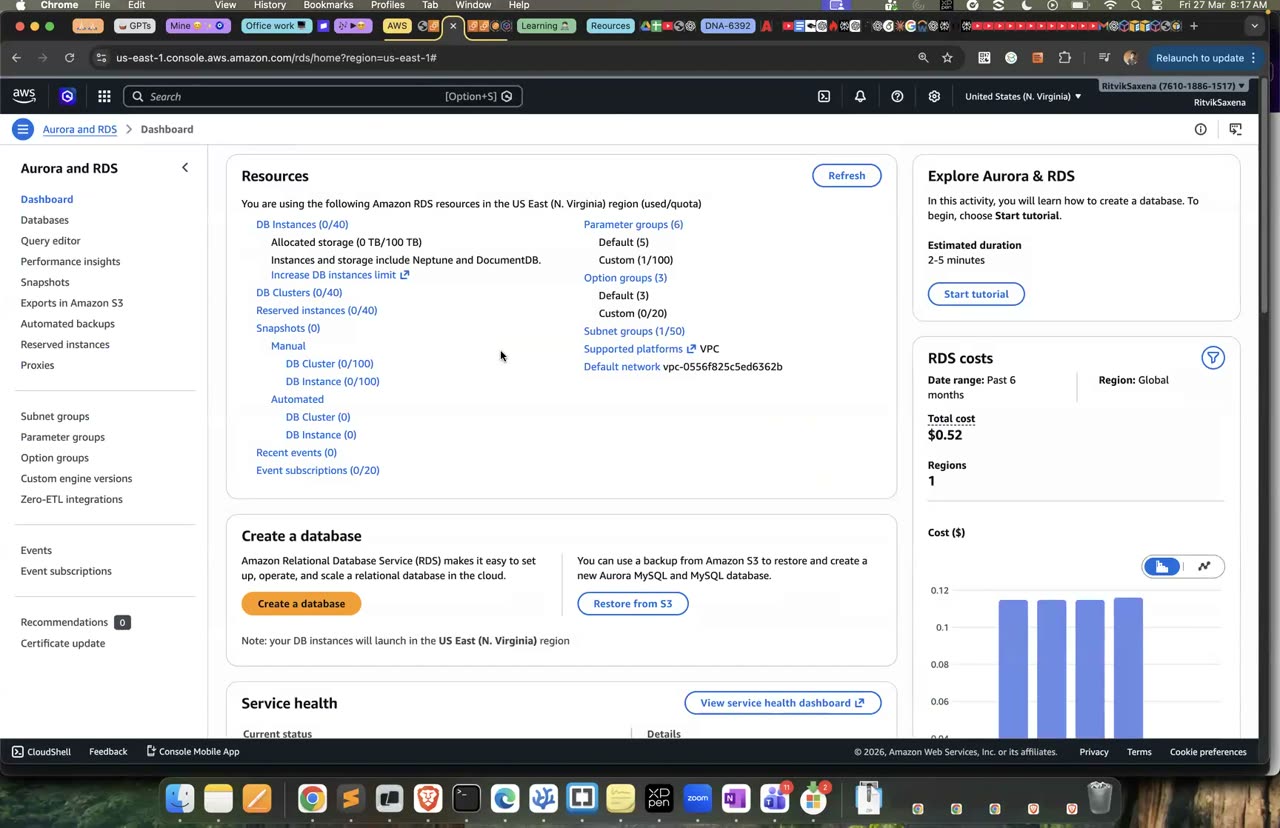
Aurora RDS console ke andar hi milta hai — engine list mein Aurora MySQL/PostgreSQL dikhega.
Pehle apne laptop se cluster ke endpoints aur secret ka ARN nikaalo:
# Laptop:
aws rds describe-db-clusters --db-cluster-identifier deepdive-aurora \
  --query 'DBClusters[0].[Endpoint,ReaderEndpoint,MasterUserSecret.SecretArn]' --output text
Ek baat dhyan rakho: E2 mein lagayi gayi IAM policy sirf rds!db-* naam wale secrets ko cover karti hai, aur Aurora ke secret ka naam rds!cluster-* se shuru hota hai. Isliye ya toh us policy ke Resource mein arn:aws:secretsmanager:us-east-1:<ACCOUNT_ID>:secret:rds!cluster-* bhi jod do, ya password apne laptop se nikaal ke storage-1 pe daal do. Phir storage-1 pe yeh chalao:
export AHOST=<WRITER_ENDPOINT>
export APASS=$(aws secretsmanager get-secret-value --secret-id '<AURORA_SECRET_ARN>' --query SecretString --output text | jq -r .password)
PGPASSWORD=$APASS psql "host=$AHOST dbname=shop user=postgres sslmode=require" <<'SQL'
SELECT aurora_version();
CREATE TABLE IF NOT EXISTS events (id SERIAL PRIMARY KEY, kind TEXT, at TIMESTAMPTZ DEFAULT now());
INSERT INTO events (kind) SELECT 'click' FROM generate_series(1, 1000);
SELECT kind, count(*) FROM events GROUP BY kind;
SQL
CloudWatch mein RDS ke metrics mein is instance ka ServerlessDatabaseCapacity metric dekho; query chalte waqt ACU badhte hue dikhenge.
aurora_version()ka result aaya aur 1000 rows insert ho gayi.
- RDS console mein deepdive-aurora kholo, Actions mein Add reader chuno, identifier
deepdive-aurora-readerrakho, Serverless v2 chuno aur Add dabao. Reader banne mein lagbhag 10 minute lagte hain.
Reader ban jaane ke baad storage-1 pe reader endpoint se ek SELECT aur ek INSERT chala ke dekho:
export AREADER=<READER_ENDPOINT>     # ...cluster-ro-...
PGPASSWORD=$APASS psql "host=$AREADER dbname=shop user=postgres sslmode=require" -c "SELECT count(*) FROM events;"
PGPASSWORD=$APASS psql "host=$AREADER dbname=shop user=postgres sslmode=require" -c "INSERT INTO events (kind) VALUES ('x');"
#  → read-only transaction error
Ab failover test karo. Pehle storage-1 pe E7 jaisa heartbeat loop chalao, bas usme host $AHOST rakho. Phir apne laptop se yeh chalao:
aws rds failover-db-cluster --db-cluster-identifier deepdive-aurora
aws rds describe-db-clusters --db-cluster-identifier deepdive-aurora \
--query 'DBClusters[0].DBClusterMembers[].[DBInstanceIdentifier,IsClusterWriter]' --output table- deepdive-aurora cluster select karo, Actions → Failover, target instance mein reader chuno aur Failover dabao.
Failover ke baad reader writer ban gaya hoga aur writer reader, aur writer endpoint apne aap naye writer ki taraf point karne lagega. Is downtime ko E7 wale RDS Multi-AZ failover se compare karo; aam taur pe Aurora ka failover tez hota hai.
- Reader endpoint pe SELECT chal gaya aur INSERT fail hua.
- Failover ke baad
IsClusterWriterwale roles aapas mein badal gaye, aur tumne heartbeat se downtime naapa.
- 50 lakh users ki profile photos rakhni hain. Kaunsa storage? ?
- E-commerce orders jinme payments, refunds aur inventory ke joins chahiye. Kaunsa storage? ?
- Gaming leaderboard, jisme har second ek lakh writes aur key se lookup hote hain. Kaunsa storage? ?
- Paanch web servers ko ek hi "uploads/" folder chahiye. Kaunsa storage? ?
- Product page har second 1000 baar padha jaata hai aur bahut kam badalta hai. Kya lagaoge? ?
- Saat saal ke audit logs jo shayad hi kabhi padhe jaayein. Kaunsa storage? ?
Jawab: S3 (saath mein CloudFront) · RDS ya Aurora · DynamoDB · EFS · Database ke aage ElastiCache · Lifecycle ke through S3 Glacier Deep Archive
H Break & Fix, Challenge
deepdive-rds-sg se port 5432 wala rule hata do, aur phir storage-1 se psql chalao. Command atak jaayegi aur ant mein timeout ho jaayegi. Ab rule wapas lagao, lekin is baar PGPASSWORD=wrong psql ... se galat password ke saath chalao. Is baar turant password authentication failed aayega. Isse ek bahut kaam ki baat seekhne ko milti hai: agar command atak ke timeout ho, toh problem network mein hai (security group, NACL, route, ya public/private ka farak). Agar error turant aaye, toh network theek hai aur problem credentials ya database mein hai. Sirf yeh ek baat yaad rakhne se tumhara debugging ka samay aadha ho jaayega.
us-east-1b mein ek 1 GiB ka volume banao aur use $I1 se jodne ki koshish karo, jo us-east-1a mein hai. Jo error aaye use padho. Isko theek karne ka tareeka yeh hai ki volume ka snapshot lo aur us snapshot se us-east-1a mein naya volume banao. Test ke baad us volume ko delete kar do.
Boto3 se backup_to_s3.py naam ka script likho jo teen kaam kare. Pehla, ek local folder ki saari files ko backups/YYYY-MM-DD/ prefix ke saath S3 mein upload kare. Doosra, har file ke liye DynamoDB table deepdive-backups mein ek record likhe, jiski partition key date, sort key filename ho, aur jisme size aur s3Key bhi ho. Teesra, --restore-date flag dene pe us din ki saari files DynamoDB Query se dhoondh ke download kare. Saath hi ek lifecycle rule lagao jo backups/ ko 30 din baad Glacier Instant Retrieval mein bhej de.
- Object, block aur file storage mein kya farak hai? Har ek ki AWS service aur ek use-case batao.
- Versioned bucket mein file delete karne pe kya hota hai, aur file wapas kaise laoge?
- Presigned URL kaise kaam karta hai, aur tum use kab use karoge?
- EBS volume ko doosre AZ ke instance tak kaise le jaoge?
- RDS ko public kyun nahi rakha jaata? App ko database ka password code mein likhe bina kaise milta hai?
- Multi-AZ aur Read Replica mein kya farak hai? Tumhare failover test mein kitna downtime tha, aur Aurora mein kitna?
- Cache-aside pattern mein stale data ki problem ko kaise sambhaloge?
- DynamoDB mein Query aur Scan mein kya farak hai, GSI kab chahiye, aur partition key kaise chunoge?
- RDS aur DynamoDB mein se kisi ek real use-case ke liye ek chuno aur apni choice ko justify karo.
- RDS: deepdive-db pe Actions → Delete chuno. "Create final snapshot" aur "Retain automated backups" dono ke tick hata do aur confirm karo. Manual snapshot bhi delete karo:
aws rds delete-db-snapshot --db-snapshot-identifier deepdive-db-manual-1. RDS ka managed secret database ke saath hi hat jaata hai; Secrets Manager mein ek baar confirm kar lo. - EC2:
aws ec2 terminate-instances --instance-ids $I1 $I2 - EBS:
$VOL2ke detach hone ke baad use delete karo, aur snapshot bhi delete karo:aws ec2 delete-snapshot --snapshot-id $SNAP. EC2 ke Volumes page pe "available" state mein pada koi bhi deepdive volume delete kar do. - ElastiCache: deepdive-cache ko bina final backup ke delete karo, phir subnet group
deepdive-cache-subnetsaur security groupdeepdive-cache-sgdelete karo. - Aurora: pehle
deepdive-aurora-readerinstance delete karo, phir writer instance ko bina final snapshot ke delete karo. Iske baad cluster apne aap delete ho jaayega (ya Actions → Delete se kar do). Aurora ka managed secret bhi saath mein hat jaata hai; ek baar confirm kar lo. - RDS replica: confirm karo ki
deepdive-db-replicadelete ho chuka hai (step E9). - EFS: deepdive-efs ko delete karo; uske mount targets pehle apne aap hat jaate hain.
- DynamoDB:
aws dynamodb delete-table --table-name deepdive-orders. On-demand table khaali baithne pe lagbhag muft hai, lekin saaf-safai achhi aadat hai. - S3:
deepdive-data-...bucket versioned hai, isliye console mein bucket kholo, Empty dabao (yeh saare versions bhi mita deta hai) aur phir bucket Delete karo. - Security groups
deepdive-efs-sgaurdeepdive-rds-sgko RDS aur EFS delete hone ke baad delete karo.deepdive-app-sgko tum rakh sakte ho.