S3 sirf VPC ke andar se: endpoint-locked bucket
Sensitive bucket: EC2 VPC endpoint se hi padh sake — credentials leak ho jaayein tab bhi bahar se nahi.
Finance team ki ek S3 bucket mein salary files rakhi hain. Security incident review mein pata chala ki agar kisi EC2 ke temporary credentials chori ho jaayein (jaise kisi SSRF bug ya leak hue logs ki wajah se), toh attacker apne laptop se bhi yeh bucket padh sakta hai. Iski wajah yeh hai ki IAM sirf yeh dekhta hai ki request "kaun" kar raha hai, yeh nahi ki "kahan se" kar raha hai. Naya niyam yeh hai: "is bucket ka data sirf hamare VPC ke andar se, VPC endpoint ke through, padha ja sake. Aur us VPC se kisi aur (bahar ki) bucket mein data upload na ho sake." Saath hi admin ka bucket manage karne ka access bana rehna chahiye, taaki woh khud bahar na ho jaaye (lock-out na ho).
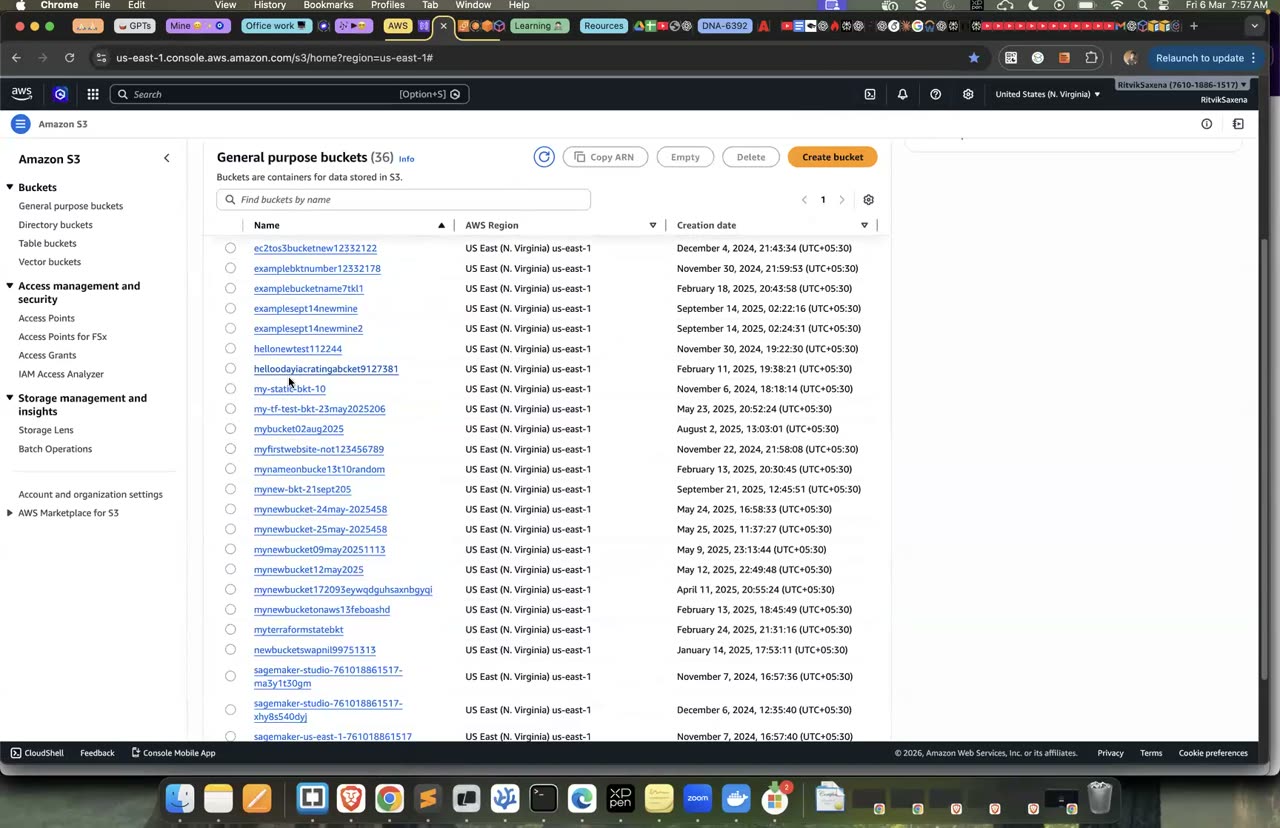
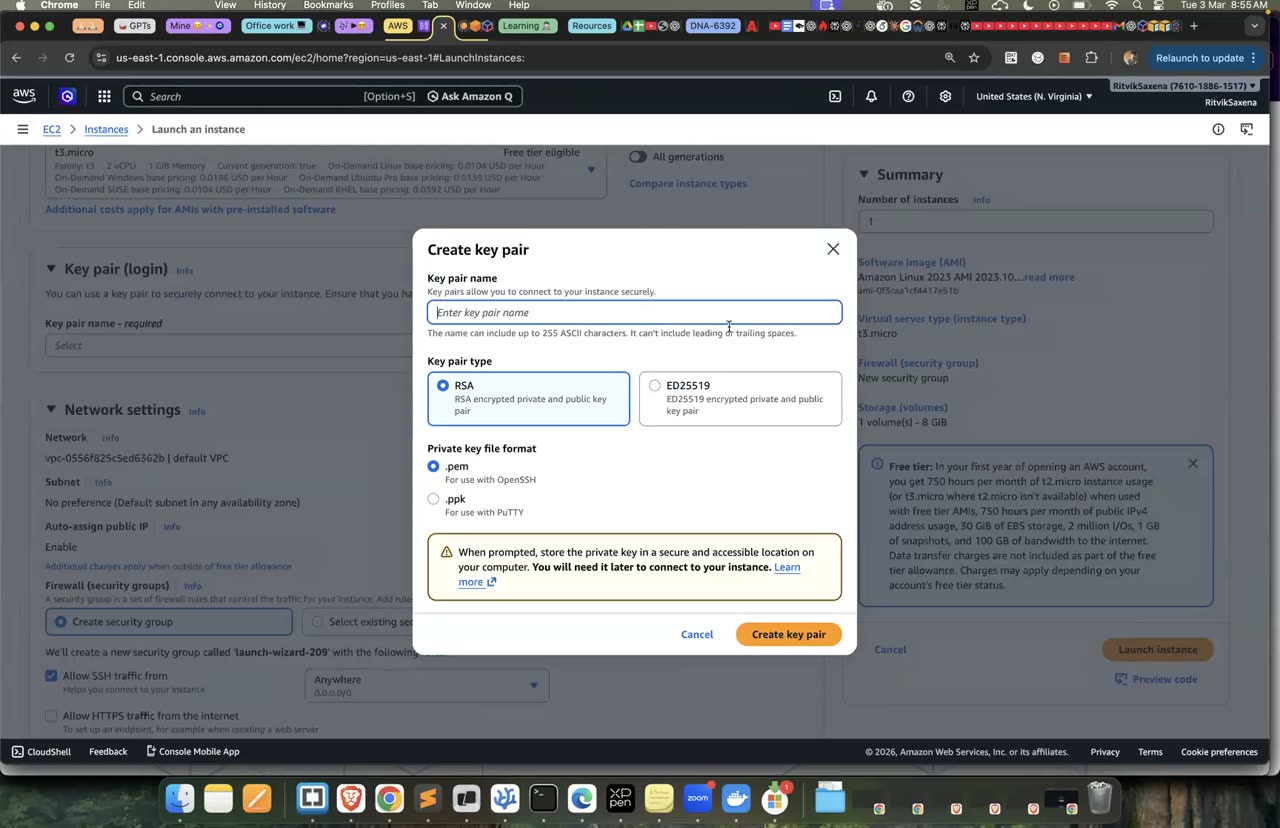
S3 bucket aur EC2 launch ka console — VPC endpoint course mein nahi tha.
- Default VPC mein ek S3 gateway endpoint banana hai, aur EC2 us endpoint ke through vault bucket mein padh aur likh sake.
- Bucket policy endpoint ke bahar se aane wali har request deny kare, chahe EC2 role ke credentials laptop se hi kyun na use kiye jaayein.
- Tumhara admin user (
deepdive-admin) bucket se bahar nahi hona chahiye. - Endpoint policy VPC se sirf
deepdive-*buckets tak access de, taaki data bahar le jaana (exfiltration) ruk jaaye.
- Condition key
aws:SourceVpcehai, jisme endpoint ka ID hota hai. Ise Deny aurStringNotEqualske saath use karo. - Lock-out se bachne ke liye usi Deny statement mein ek aur condition jodo:
ArnNotLike aws:PrincipalArnke saath tumhare admin ka ARN. Ek statement ki saari conditions AND hoti hain, yaani deny tabhi lagega jab dono sach hon. - "Chori hue credentials" ki nakal karne ke liye EC2 ke IMDS se temporary keys nikaalo aur unhe laptop pe environment variables mein daalo.
Guided solution dekho (pehle khud try karo!)
Pehle do buckets bante hain: deepdive-vault-... (salary wali) aur deepdive-other-... (tulna ke liye). Vault mein ek salary file upload hoti hai.
Phir default VPC aur uski main route table ka ID nikaala jaata hai, aur S3 ka gateway endpoint banake us route table se joda jaata hai.
EC2 role ke paas S3 padhne ki permission pehle se hai (Lab 1 ki S3ReadOnly). Ab use dono buckets mein likhne ki inline permission bhi di jaati hai.
Aakhir mein bina kisi inbound rule wala ek SG banta hai, aur usme finance-app naam ka EC2 default VPC mein launch hota hai.
export AWS_DEFAULT_REGION=us-east-1 TYPE=t3.micro
export ACCOUNT_ID=$(aws sts get-caller-identity --query Account --output text)
mkdir -p ~/deepdive/scn7 && cd ~/deepdive/scn7
VAULT=deepdive-vault-$ACCOUNT_ID ; OTHER=deepdive-other-$ACCOUNT_ID
aws s3 mb s3://$VAULT && aws s3 mb s3://$OTHER
echo "CFO salary: top secret" > salary.txt && aws s3 cp salary.txt s3://$VAULT/salary.txt

VPC=$(aws ec2 describe-vpcs --filters Name=isDefault,Values=true --query 'Vpcs[0].VpcId' --output text)
MAIN_RT=$(aws ec2 describe-route-tables --filters Name=vpc-id,Values=$VPC Name=association.main,Values=true --query 'RouteTables[0].RouteTableId' --output text)
VPCE=$(aws ec2 create-vpc-endpoint --vpc-id $VPC --service-name com.amazonaws.us-east-1.s3 \
  --vpc-endpoint-type Gateway --route-table-ids $MAIN_RT --query VpcEndpoint.VpcEndpointId --output text); echo $VPCE

# EC2 role ko vault pe write bhi chahiye (read S3ReadOnly se already hai)
cat > vault-write.json <<EOF
{"Version":"2012-10-17","Statement":[{"Effect":"Allow","Action":"s3:PutObject","Resource":["arn:aws:s3:::$VAULT/*","arn:aws:s3:::$OTHER/*"]}]}
EOF
aws iam put-role-policy --role-name deepdive-ec2-role --policy-name scn7-vault-write --policy-document file://vault-write.json

AMI_ID=$(aws ssm get-parameter --name /aws/service/ami-amazon-linux-latest/al2023-ami-kernel-default-x86_64 --query Parameter.Value --output text)
SG=$(aws ec2 create-security-group --vpc-id $VPC --group-name scn7-no-inbound --description "no inbound" --query GroupId --output text)
IID=$(aws ec2 run-instances --image-id $AMI_ID --instance-type $TYPE --security-group-ids $SG \
  --iam-instance-profile Name=deepdive-ec2-role --tag-specifications 'ResourceType=instance,Tags=[{Key=Name,Value=finance-app}]' \
--query 'Instances[0].InstanceId' --output text)- VPC → Endpoints → Create endpoint — service category AWS services, search
s3, Gateway type walicom.amazonaws.us-east-1.s3chuno, VPC default, route table main route table pe tick, Create.
Default VPC ke subnets main route table use karte hain, isliye endpoint ko usi route table se joda gaya.
Bucket create aur EC2 launch ka wahi console — endpoint aur endpoint-policy course mein cover nahi hui, wahan self kholna.
Yeh block vault bucket pe ek Deny policy lagata hai. Isme do conditions hain. Pehli condition kehti hai ki request hamare endpoint se nahi aayi. Doosri condition kehti hai ki request karne wala na toh deepdive-admin hai aur na hi root. Dono conditions sach hone pe hi request deny hogi, yaani endpoint ke bahar se aayi har request deny hogi, sivaaye admin aur root ki requests ke. Policy lagane ke baad tum admin ke roop mein bucket list karke check karte ho ki tumhara access bana hua hai.
cat > vault-policy.json <<EOF
{
  "Version": "2012-10-17",
  "Statement": [
    {
      "Sid": "DenyUnlessFromOurVpcEndpoint",
      "Effect": "Deny",
      "Principal": "*",
      "Action": "s3:*",
      "Resource": ["arn:aws:s3:::$VAULT", "arn:aws:s3:::$VAULT/*"],
      "Condition": {
        "StringNotEquals": { "aws:SourceVpce": "$VPCE" },
        "ArnNotLike": { "aws:PrincipalArn": [
          "arn:aws:iam::$ACCOUNT_ID:user/deepdive-admin",
          "arn:aws:iam::$ACCOUNT_ID:root"
        ] }
      }
    }
  ]
}
EOF
aws s3api put-bucket-policy --bucket $VAULT --policy file://vault-policy.json
aws s3 ls s3://$VAULT # admin (tum) — abhi bhi chalega ✔- S3 → deepdive-vault-... → Permissions → Bucket policy → Edit → upar wali JSON paste karo (
$VPCE,$ACCOUNT_IDapne values se) → Save.
Admin wali chhoot ke bina yeh policy tumhe bhi bucket se bahar kar degi, console se bhi. Agar galti se aisa ho jaaye, toh root user se login karke bucket policy delete kar do. Root ko bucket policy hatane se koi nahi rok sakta.
Yeh block endpoint pe ek policy lagata hai jo is endpoint ke through sirf deepdive- se shuru hone wale buckets tak access deti hai. Isse VPC ke andar se kisi bahari bucket mein data bhejna ya usse data lena band ho jaata hai.
cat > endpoint-policy.json <<'EOF'
{
  "Version": "2012-10-17",
  "Statement": [
    {
      "Sid": "OnlyOurBuckets",
      "Effect": "Allow",
      "Principal": "*",
      "Action": "s3:*",
      "Resource": ["arn:aws:s3:::deepdive-*", "arn:aws:s3:::deepdive-*/*"]
    }
  ]
}
EOF
aws ec2 modify-vpc-endpoint --vpc-endpoint-id $VPCE --policy-document file://endpoint-policy.json- VPC → Endpoints → apna S3 endpoint kholo → Policy tab → Edit policy → Custom → upar wali JSON paste karo → Save.
Dhyan do ki ab default VPC ke saare instances S3 mein sirf deepdive-* buckets tak pahunch paayenge. AL2023 ke dnf repos S3 pe nahi hain, isliye package install karne pe asar nahi padna chahiye. Lekin asli VPCs mein aisi policy lagane se pehle dependencies zaroor check karo. Cleanup mein yeh endpoint delete ho jaayega.
✓ Verification tests
Session Manager se finance-app mein jao aur vault se file padho aur usme ek nayi file likho (<ACCOUNT_ID> ki jagah apna account ID daalo):
export AWS_DEFAULT_REGION=us-east-1
aws s3 cp s3://deepdive-vault-<ACCOUNT_ID>/salary.txt -          # ✔
echo "q3 bonus" | aws s3 cp - s3://deepdive-vault-<ACCOUNT_ID>/bonus.txt # ✔- EC2 se vault mein padhna aur likhna, dono chale.
Yeh sirf apne account mein, seekhne ke liye karo. EC2 pe neeche ki commands chala ke instance ke temporary credentials nikaalo. Pehli command IMDSv2 ka token leti hai, aur doosri us token se role ke credentials dikhati hai:
TOKEN=$(curl -s -X PUT http://169.254.169.254/latest/api/token -H "X-aws-ec2-metadata-token-ttl-seconds: 300")
curl -s -H "X-aws-ec2-metadata-token: $TOKEN" http://169.254.169.254/latest/meta-data/iam/security-credentials/deepdive-ec2-role
Ab laptop pe ek naya terminal kholo, taaki admin ke credentials inke saath mix na hon. Wahan in credentials ko environment variables mein daalo aur check karo ki tum ab kaun ho. Phir vault aur other, dono buckets ko access karne ki koshish karo, aur aakhir mein terminal band kar do:
export AWS_ACCESS_KEY_ID=<AccessKeyId>  AWS_SECRET_ACCESS_KEY=<SecretAccessKey>  AWS_SESSION_TOKEN=<Token>
export AWS_DEFAULT_REGION=us-east-1
aws sts get-caller-identity                          # assumed-role/deepdive-ec2-role/i-... — "attacker" ab EC2 role hai
aws s3 cp s3://deepdive-vault-<ACCOUNT_ID>/salary.txt -    # ❌ AccessDenied ... explicit deny in a resource-based policy
aws s3 ls s3://deepdive-other-<ACCOUNT_ID>                # ✔ (other bucket pe lock nahi — farak dekho)
exit                                                   # terminal band — credentials gaye
IAM ke hisaab se role ko permission thi, lekin bucket policy ne dekha ki request "kahan se" aayi aur use rok diya. Bonus: agar GuardDuty (Lab 8) chalu hai, toh is harkat pe woh bilkul UnauthorizedAccess:IAMUser/InstanceCredentialExfiltration.OutsideAWS finding banata hai.
- Ek hi credentials EC2 se allowed hue, lekin laptop se explicit deny hue.
- Error message mein "resource-based policy" likha dikha.
finance-app pe ek public open-data bucket (jiska naam deepdive se shuru nahi hota) list karne ki koshish karo. Endpoint policy ki wajah se yeh AccessDenied dega:
aws s3 ls s3://noaa-ghcn-pds 2>&1 | tail -1 # public open-data bucket (non-deepdive) → AccessDenied (endpoint policy)Ab laptop se (admin ke roop mein) aws ec2 modify-vpc-endpoint --vpc-endpoint-id $VPCE --remove-route-table-ids $MAIN_RT chala ke endpoint ko route table se hatao. Ek minute baad finance-app se aws s3 cp s3://deepdive-vault-.../salary.txt - chalao. Ab AccessDenied aayega, kyunki traffic internet ke raaste ja raha hai aur SourceVpce match nahi hota. --add-route-table-ids $MAIN_RT se endpoint ko wapas jod do.
- VPC se bahar ki bucket blocked hai.
- Endpoint ka route hatane pe EC2 ko bhi vault se deny mila, aur route wapas lagane pe access mil gaya.
Yahi pattern ek DynamoDB table pe lagao: DynamoDB ka gateway endpoint banao aur table ki resource policy mein aws:SourceVpce condition lagao. Saath hi socho ki aws:SourceIp condition endpoint ke through aane wale traffic pe kaam kyun nahi karti. (Kyunki endpoint traffic ka source private IP hota hai; wahan aws:VpcSourceIp use kiya jaata hai.)
Yeh commands pehle bucket policy hatati hain aur phir dono buckets unke saare data ke saath delete karti hain. Uske baad endpoint aur role ki inline policy delete hoti hai, instance terminate hota hai, aur instance ke band hone ke baad SG delete hota hai:
aws s3api delete-bucket-policy --bucket $VAULT
aws s3 rb s3://$VAULT --force && aws s3 rb s3://$OTHER --force
aws ec2 delete-vpc-endpoints --vpc-endpoint-ids $VPCE
aws iam delete-role-policy --role-name deepdive-ec2-role --policy-name scn7-vault-write
aws ec2 terminate-instances --instance-ids $IID >/dev/null
aws ec2 wait instance-terminated --instance-ids $IID && aws ec2 delete-security-group --group-id $SG